

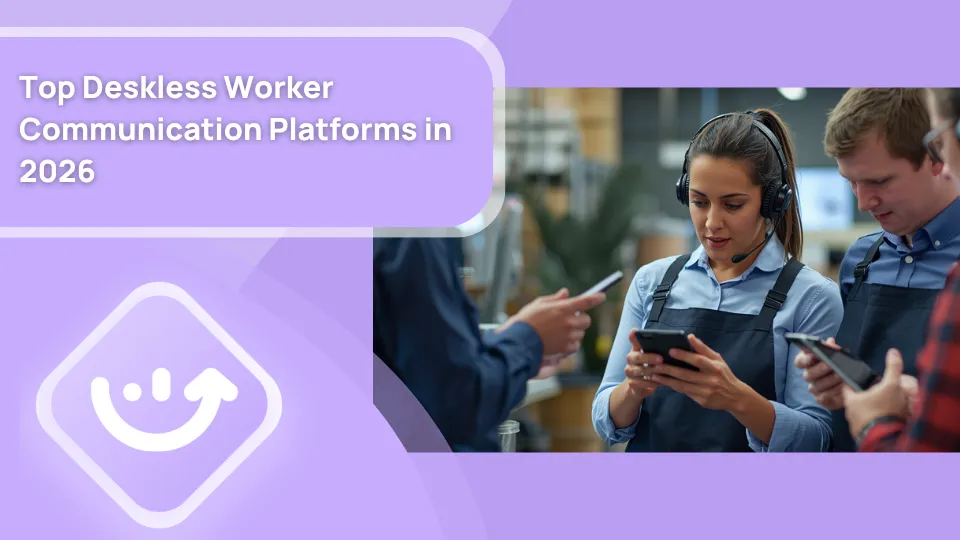
Post Summary
Your store manager sent a policy update at 9 AM.
By noon, half the team had not seen it. The other half was working off a message from last week's group chat.
That is not a discipline problem. That is a tools problem.
Deskless workers make up 80% of the global workforce. Yet most communication software was built for people sitting at a desk all day with a laptop, a company email, and reliable Wi-Fi. That describes almost no one working a restaurant shift, stocking a retail floor, or turning hotel rooms.
This guide covers the top deskless worker communication platforms in 2026. What each one actually does. Where they fall short. And how to figure out which one fits the way your frontline teams actually work.
Who counts as a deskless worker?
Before we get into platforms, let's be clear on who we are talking about.
A deskless worker is anyone whose job does not happen at a fixed workstation. Restaurant cooks and servers. Retail floor associates. Hotel housekeeping and front desk staff. Convenience store clerks. Warehouse pickers. Construction crews. Healthcare aides. Field technicians.
What they all share is simple. They are on their feet. They work in shifts. They often deal with spotty connectivity. And they need information delivered to them at the exact moment they need it, not buried in an inbox they check once a week.
Most rely on a personal phone. Many rotate through shifts with different colleagues every day. Some are part-time and rarely see their manager face to face. All of this shapes what a good deskless worker communication platform needs to do.
For more background on this workforce, read our full guide on deskless workers.
Why standard tools fail frontline teams
You have probably tried a version of this already.
Someone sets up a WhatsApp group. It works for two weeks. Then side conversations break off into personal chats. Important updates get buried. Nobody can find the allergen policy update from three months ago when the health inspector shows up.
Email has the same problem. Most frontline workers do not have company email addresses. The ones who do rarely check them mid-shift.
Slack and Teams work well for office workers with laptops. They are awkward on a phone for a part-time retail associate who barely knows the app exists. And here is the bigger issue: neither connects to actual operational workflows.
A message in Slack does not know whether the opening checklist got completed. It does not trigger a corrective action when an audit fails. It does not auto-notify the right manager when a task goes overdue.
That gap is the real problem. Deskless worker communication is not just about sending faster messages. It is about making sure the right information reaches the right person, in the right operational context, at the right point in their shift.
This is what most standalone messaging apps miss. It is also what separates generic tools from platforms actually designed for frontline employee communication.
You can also read about how fragmented communication creates broader operational problems in our piece on risk of paper-based operations and in deskless worker team communication.
What to look for in a deskless worker communication platform
Not every tool needs to do everything. But here are the criteria that matter most for shift-based, multi-location teams.
**
Criteria, Why it matters
Mobile-first design, Frontline workers are on phones-not desktops
Offline functionality, Kitchens-stockrooms and remote sites have unreliable Wi-Fi
Acknowledgment tracking, You need proof critical messages were read and confirmed
Role-based message targeting, Not every update is relevant to every location or role
Task-embedded communication, Updates tied to actual operational work-not a separate app
HRIS integration, Auto-provisioning as staff joins and leaves
Multilingual support, Many frontline teams are multilingual
Fast onboarding, High turnover means workers need to learn fast
**
If a platform misses more than two of these, you will feel it quickly.
Top deskless worker communication platforms in 2026
.svg)


Here is an honest breakdown of the tools worth evaluating.
**
Platform, Best use case, Communication, Task and ops, Audit and compliance, Works offline, Free plan
Xenia, Multi-location ops teams,Yes, Yes, Yes, Yes, Yes-up to 5 users
Beekeeper, Pure frontline comms, Yes, No, No, Partial, No
Staffbase, Enterprise corporate comms, Yes, No, No, No, No
Connecteam, SMB workforce management, Yes, Partial, Basic, Yes, Yes
WorkJam, Enterprise retail and QSR, Yes, Yes, Basic, Partial, No
Zipline, Large retail chains, Yes, Yes, No, No, No
Microsoft Teams, Microsoft 365 organizations, Yes, Basic, No, Partial, Limited
**
1. Xenia

Xenia is not a pure messaging app. It is a frontline operations execution platform where communication is one core pillar alongside task management, audits, and compliance workflows.
That distinction matters more than it sounds.
Most deskless communication tools sit on top of the actual work. Xenia connects to it. When a corrective action triggers after a failed audit, the right person is notified automatically in context.
When a task is overdue, the responsible manager gets a push notification. When corporate pushes a policy update to 200 locations, Xenia tracks in real time who opened it, who signed off, and who has not responded yet.
The frontline communication module handles broadcast announcements with mandatory acknowledgment and read-receipt tracking built in. Area managers can push a food safety alert or a product recall notice and see delivery data by location and role within minutes.
For multi-location operators, this is not a nice-to-have. It is the difference between documented compliance and hoping everyone saw the message.
Beyond announcements, Xenia supports bi-directional messaging between store managers and above-store leaders, group chats, and direct messages. All of it works on mobile. All of it works offline. And all of it syncs automatically when connectivity returns.
HRIS integrations with Workday, ADP, UKG, and 7shifts mean frontline workers are provisioned automatically when they join and removed when they leave. No manual IT tickets for each new hire. No orphaned accounts for people who left six months ago. You can explore how Xenia handles HR workflows as part of this.
Xenia also embeds communication directly into task workflows. Here is what that looks like in practice:
- Managers get push notifications when tasks go overdue
- Workers comment within tasks in real time, not in a separate chat
- Corrective actions after failed audit items are automatically assigned with full context attached
- Announcements with mandatory sign-off replace informal policy distribution
One honest note: Xenia's own team has observed that customers already on Teams or Slack for general conversation often do not immediately adopt the standalone chat feature.
The stronger adoption path is starting with task-based communication flows, where the operational context makes the tool immediately useful. That is worth knowing before you evaluate.
What Xenia covers:
- Broadcast announcements with read and acknowledgment tracking
- Role-based and location-based message targeting
- Task-embedded notifications and in-context comments
- Bi-directional communication between store and above-store teams
- Offline-capable mobile app for frontline teams
- HRIS integration for automatic user provisioning
- Document library with acknowledgment workflows via checklists and SOPs
What Xenia does not do: Xenia is not a scheduling tool, payroll system, or time clock. It works alongside those tools. It complements your HRIS and scheduling software rather than replacing it.
Free plan available for up to 5 users. 14-day free trial on paid plans. See Xenia pricing.

Priced on per user or per location basis
Available on iOS, Android and Web


2. Beekeeper
Beekeeper is a dedicated frontline communication platform. It does messaging well. The mobile experience is clean and consumer-grade, which helps with adoption for workers already comfortable with social apps. It covers chat, campaigns, streams, surveys, and document sharing.
It works well when all you need is a communication layer.
Where it gets limited: Beekeeper does not integrate with operational workflows. You cannot trigger a notification based on a failed checklist item. You cannot auto-assign a corrective action. Task completion and message delivery are completely separate. For teams that need both, you are managing two systems.
What Xenia offers that Beekeeper does not: task management, audit workflows with weighted scoring, corrective action tracking, and AI-powered operations analytics, all in the same platform as communications.
3. Staffbase
Staffbase is built for large-scale employee communication. It handles internal newsletters, push campaigns, surveys, and content targeting. Enterprise companies with large distributed workforces use it for top-down corporate communications.
For getting brand updates and company news to thousands of workers, Staffbase does the job. But its design is closer to a corporate communications tool than an operational platform. It does not connect to shift-level workflows, task completion, or compliance tracking.
What Xenia offers that Staffbase does not: the full operational execution layer, checklists, audits, temperature logs, corrective actions, and task tracking, all connected to the communication tools your frontline teams use every shift.
4. WorkJam

WorkJam is a frontline digital workplace platform covering task management, scheduling, training, and communication. Enterprise retail chains and QSR brands are its main audience.
Its scheduling and shift-trading features are strong. Communication tools are solid for basic use cases.
Where it competes less: depth of audit workflows, weighted inspection scoring, and AI-powered operational analytics.
Read the WorkJam alternative page and best WorkJam alternatives for a full side-by-side.
5. Zipline
.webp)
Zipline is built for retail operations. It handles corporate-to-store communication, task management, and content delivery for retail teams. Large chains make up most of its customer base.
Zipline does well at getting brand directives and promotional rollout content to store associates. It is less relevant for restaurants, hospitality, convenience stores, or any team needing facilities management or audit workflows.
Read best Zipline alternatives and the Zipline alternative page for a full comparison.
6. Microsoft Teams with frontline features
Teams has added frontline-specific capabilities in recent years. Walkie Talkie mode, Shifts integration, and a simplified mobile experience give it more relevance for hourly workers in organizations already inside the Microsoft 365 ecosystem.
The honest limitation: Teams works best when workers have company-issued devices and company accounts. For high-turnover part-time teams, provisioning friction is real. And Teams does not connect to operational workflows like checklists, audits, or corrective actions out of the box. Those still live in separate systems.
What has changed in 2026
A few shifts in the market are worth naming directly.
First, mobile experience expectations have gone up. Workers expect the same quality of design they get in consumer apps. Clunky enterprise tools with complicated logins get abandoned fast. Simple and fast wins adoption.
Second, AI is entering the communication layer. Platforms are starting to use AI to summarize operational updates, auto-generate announcements based on task data, and flag communication gaps across locations. Xenia's analytical agent and AI summaries are already doing this for multi-location operators.
Third, compliance requirements are tightening. In food service, retail, and hospitality, proving that a policy was communicated and acknowledged is becoming a regulatory expectation.
Acknowledgment tracking is moving from a nice-to-have to a requirement for audits and inspections. You can read more on how this plays out in frontline seasonal inspections and brand compliance.
Fourth, multi-location coordination has grown more complex. With more distributed workforces, more part-time schedules, and faster turnover, the old approach of printed memos and group texts simply does not work at scale. Operators managing 20, 50, or 200 locations need a real system.
Read more on these shifts in our pieces on frontline employee engagement, internal communication, and strategies for effective frontline employee communication.
Industry-specific communication needs
Different industries have different pain points. Here is a quick breakdown.
Restaurants
The core challenge is speed and compliance. Allergy updates, menu changes, and food safety alerts need to reach kitchen and floor staff before the shift starts, not buried in a group chat.
Read more on this in best restaurant communication apps and restaurant shift handoff documentation. Xenia's restaurant task management industry page covers how this applies specifically.
Retail
The main issues are volume and consistency across locations. When you are pushing a planogram update or a loss prevention alert to 50 stores, you need to know it landed. Read streamline communication between HQ and retail branches, retail store communication software, and retail operations software.
Convenience stores
Shift handovers are the biggest gap. When one team leaves and another comes in, critical operational information gets lost verbally. The c-store shift handover page shows how Xenia handles this. Also relevant: convenience store operations software.
Hospitality
Cross-department communication between housekeeping, front desk, and maintenance is where things break down. Read hospitality checklist app and hotel maintenance for context on how this plays out operationally.
Conclusion
Most frontline teams are still communicating the way they did a decade ago. WhatsApp threads. Printed notices on break room walls. Verbal handoffs between shifts that lose critical details every time.
It works until it does not. And when it breaks, the consequences show up in compliance failures, inconsistent customer experiences, and staff who feel out of the loop on things that directly affect their jobs.
The right deskless worker communication software does not just move messages faster. It connects communication to the actual work your teams do every shift, across every location.
If you are managing multiple locations and need more than a chat app, start a free 14-day trial with Xenia and see how it fits your operation.
Frequently Asked Questions
Got a question? Find our FAQs here. If your question hasn't been answered here, contact us.
What industries benefit most from deskless worker communication software?

Restaurants, retail, hotels, healthcare, warehouses, and field service businesses benefit the most, especially teams with shift workers across multiple locations.
Can frontline workers use these platforms without a company email?
Yes. Most modern deskless communication platforms support phone number logins and automatic employee access through HR integrations.
What features matter most in frontline communication tools?
Look for mobile-first design, offline access, message acknowledgment tracking, role-based communication, and integrations with HR or operations systems.
How is deskless worker communication software different from Slack or Microsoft Teams?
Slack and Teams are built for office workers. Deskless communication platforms are designed for frontline teams using personal phones, spotty internet, quick onboarding, and shift-based workflows.
What is a deskless worker communication platform?
It is software built for frontline employees who do not work at desks or computers. These platforms help teams manage shift updates, tasks, announcements, and communication on mobile devices.


A Modern, AI-Powered Platform Built Specifically for Frontline Operations
Xenia brings daily operations, maintenance, audits, and compliance into one mobile-first platform. Frontline teams execute work consistently across locations while leadership gets real-time visibility.

Why Multi-Location Operators Choose Xenia:
🤖 AI-Powered Operations, Create digital checklists instantly or convert paper forms with AI. Verify compliance automatically with photo analysis and get instant answers from your operational data.
✅ Daily Operations & Maintenance, Assign work across hundreds of locations in minutes. Report and route issues instantly. Schedule preventive maintenance to catch problems before downtime.
📊 Real-Time Visibility, Track completion, work orders, and performance across all locations through dashboards. Filter by site or asset to spot trends and take action.
Manage operations, maintenance, and compliance across all your locations from one platform

.svg)
.webp)
%201%20(1).webp)

.svg)
%201%20(2).webp)




