

Post Summary
You manage 50 grocery stores across three states. Corporate just rolled out new planograms for the beverage aisle. You've got two weeks to verify compliance everywhere.
The old way? Drive to every location with a clipboard. Spend days documenting. Hope nothing changes before you finish your report.
The new way? Your team snaps photos during morning tasks. AI checks compliance in 30 seconds. You're fixing issues before lunch.
That's what AI image recognition planogram solutions do.
.svg)

Priced on per user or per location basis
Available on iOS, Android and Web


What Is AI Image Recognition for Planograms?
Your store associate takes a shelf photo with their smartphone. Computer vision software compares it to your approved planogram. You get instant feedback on what matches and what doesn't.
No special cameras. No external auditors. No waiting weeks for compliance reports.
The AI recognizes products, shelf positions, price tags, and promotional materials from regular phone photos. When someone submits a picture, it flags discrepancies in seconds.
Here's the difference from manual checks: your team knows exactly what's wrong and fixes it immediately. They're not guessing if the organic pasta belongs on shelf three or four.
Why Planograms Drift (And Why It Costs You Money)
You design perfect shelf layouts at corporate. Roll them out to 200 locations. Two weeks later, reality looks nothing like the plan.
Why?
A stocker moves products for a delivery. A customer grabs the wrong item, and an associate fills it incorrectly. A vendor resets their section and ignores your specs. Small problems create bigger ones, and your high-margin items end up buried behind competitors.
The Three Ways This Hurts You
- Lost promotional revenue. Your two-for-one end cap gets dismantled on day three of a four-week campaign. You're burning marketing dollars on invisible displays.
- Manager time spent on verification instead of leadership. District managers spend 60% of store visits checking shelves against plans. That's time not spent coaching teams or solving real problems. The manual verification process is so time-consuming that comprehensive checks become impossible.
- No diagnostic data. When sales drop in a category, you can't tell if it's the product or execution. Did organic juice fail because customers don't want it, or because it never made it to eye level in 30% of stores?
Traditional compliance checks are too slow and too expensive to run frequently. By the time your regional manager visits Store #127 and writes a report, you've lost three weeks of performance.
Manual vs AI Planogram Compliance
**
What You Measure, Manual Process, AI Image Recognition
How often you check, Monthly or quarterly, Daily built into tasks
Coverage, Limited by time and travel constraints, Every location every day
Time per store, 2 to 4 hours, 2 to 3 minutes
Cost per check, $80 to 150, Under $1
What you learn, Something is off, SKU 4729 missing 3 facings at C 4
Follow up, Manual, Automatic tasks
**
Manual verification costs $150 per store per check. The process itself makes comprehensive coverage impossible. You get zero visibility between visits.
AI flips that completely.
How AI Image Recognition Solves Planogram Compliance
Smartphone-based AI changes the economics. Instead of expensive audits by specialists, you get instant checks built into existing work.
What It Looks Like in Practice
Your team photographs during routine tasks. The morning beverage aisle check includes three photos. The associate submits them through your operations platform. AI analyzes product placement, facing counts, price accuracy, and signage in 30 seconds. No extra labor. No disruption. No waiting for corporate visits.
You get specific issue detection. The AI doesn't just flag "non-compliance." It says: "SKU 4729 should have 6 facings but shows 3," "Promotional end cap missing required signage," "Competitor product in planogram space for SKU 8812." Your team knows exactly what to fix.
Problems get fixed and verified. The system routes issues to the right person. The grocery manager sees beverage aisle problems on their task management list. They fix it. Submit a verification photo. AI confirms it's resolved. No emails. No spreadsheets. No wondering if it actually got done.
How Does AI Image Recognition Detect Planogram Non-Compliance in Real-Time?
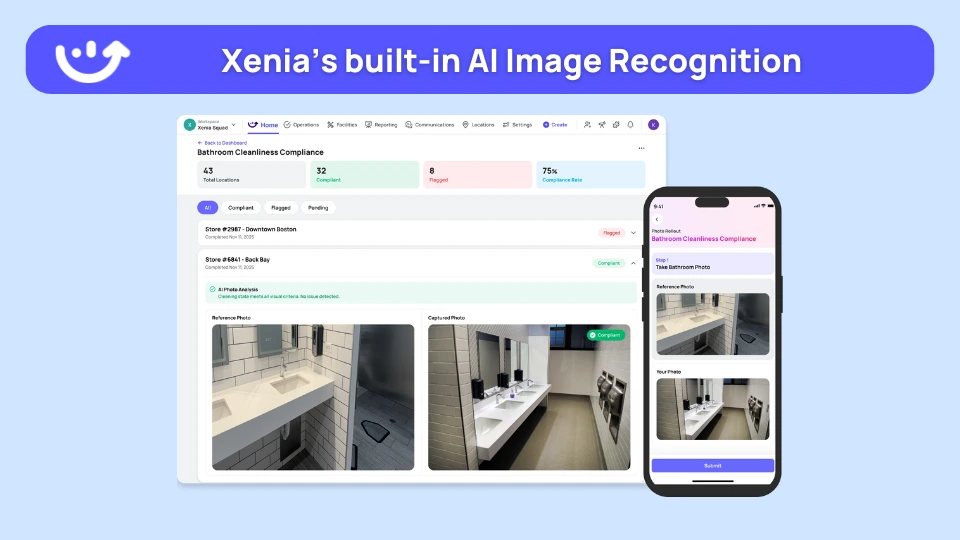
The AI does four things in under 30 seconds:
- Adjusts the photo for lighting, angle, and quality
- Identifies each product by packaging, logos, and labels
- Maps positions against your planogram specifications
- Creates specific tasks for any deviations it finds
"SKU placement incorrect" becomes "SKU 4729 at position B-3, should be C-4 per planogram 12/15/2025." The task routes to the right team member while your associate walks to the next aisle.
That's how AI intelligence works in the background of normal operations.
What's the Accuracy Rate for AI SKU Detection on Retail Shelves?
Enterprise AI platforms deliver:
- 95-98% accuracy identifying SKUs from phone photos
- 98%+ accuracy verifying shelf positions
- 92-95% accuracy counting facings
- 88-92% accuracy reading price tags
The accuracy improves with use. As you submit more photos, the AI learns your specific products in your actual stores.
Real example: Shucking Good Hospitality implemented AI-powered operations and discovered brand standard issues that were invisible with their previous manual verification system, problems affecting customer satisfaction that the old process simply couldn't detect at scale.
What You Get Beyond Compliance Scores
AI image recognition delivers outcomes that were impossible before.
Can Image Recognition Tools Identify Competitor Shelf-Share and Pricing?
Yes. And this might be the most underrated benefit.
The AI analyzes everything in the photo. You automatically get:
- Competitor facing counts by category and location
- Competitor promotional signage and pricing
- Shelf-share trends over time
- Price positioning versus competitors
- Out-of-stock patterns for competitor products
This costs you nothing. It's from photos you're taking anyway for compliance. No mystery shoppers. No separate audits. No extra fieldwork.
Out-of-Stock Detection Before Customers Notice
Empty spots show up in morning photos hours before they impact sales. Your system auto-creates replenishment tasks prioritized by product velocity.
You're not learning about stockouts from customer complaints. You're solving them during morning operations.
The same photo checking planogram compliance also flags: missing products, low stock (fewer facings than spec), damaged product still on shelf, wrong product in wrong position.
Predictive Insights on High-Risk Locations
After a few months, patterns emerge.
Store #23 consistently drifts on compliance every Tuesday afternoon? That's a training opportunity or a vendor issue you can address specifically.
Store #47's organic section stays perfect but conventional doesn't? You've identified where to focus your process improvements.
This is the same analytics approach multi-unit operators use to spot performance patterns, now applied to visual merchandising.
How to Implement AI Planogram Audits Without Specialized Hardware
You don't need proprietary cameras or shelf sensors. Your team has smartphones. Your stores have adequate lighting. That's enough.
Four-Step Implementation
1. Define planogram specs in the platform. Upload layouts with SKU numbers, positions, facing counts, and promotional elements. Most start with 3-5 high-priority categories instead of everything at once.
2. Train your team to photograph during walkthroughs. Takes 30 seconds: "Stand here, capture the full section, submit." No photography skills needed. No perfect lighting required.
3. Set up task routing for issues. Configure your organizational logic. Grocery issues go to grocery manager. Pricing problems go to pricing clerk. Signage issues go to store manager. AI routes automatically.
4. Review compliance trends in your dashboard. Weekly review of patterns, location comparisons, category performance. Spot systemic issues versus one-off problems.
Most organizations run this alongside existing processes for 30 days to build confidence in the system. The AI typically reveals compliance gaps that were invisible with manual spot-checks, not because anyone was doing poor work, but because the manual process couldn't provide continuous coverage.
What You Actually Need
- Smartphones with cameras (you already have these)
- Internet in stores (for photo upload)
- Operations platform with AI capabilities
- 5-10 minutes per week for dashboard review
No hardware purchases. No IT projects. No specialized equipment to maintain.
How Xenia Delivers AI Planogram Compliance
Xenia's AI Photo Analysis embeds planogram compliance into your existing workflow.
Your associates already use Xenia for opening checklists, safety inspections, and equipment checks. Adding planogram verification means one extra photo during tasks they're doing anyway.
When a store manager submits their morning beverage aisle photo through their regular retail checklist, Xenia's AI analyzes it, scores compliance, and generates tasks if needed.
No separate app. No different process. No new tool to adopt.
Why This Approach Works Differently
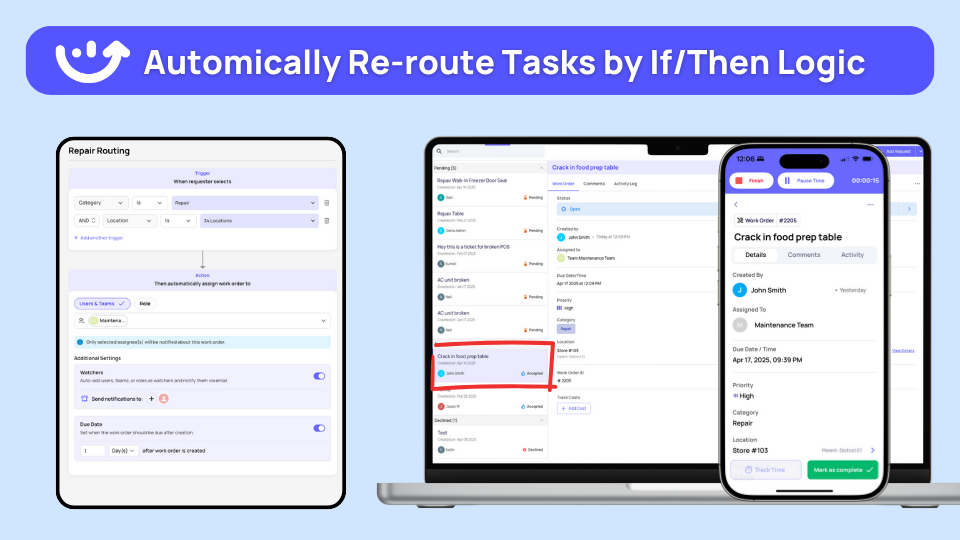
Connected to your work system. Planogram verification lives in the same platform where your team manages food safety, procedures, inventory, and maintenance. When AI finds an issue, it creates a task in the system that your team checks 50 times daily. Not an email alert that gets ignored.
Pre-trained on retail operations. Xenia's AI models are trained on millions of photos from grocery stores, convenience stores, pharmacies, and specialty retail. You're not teaching it what shelves look like. You define your planograms. The AI applies the retail expertise it already has.
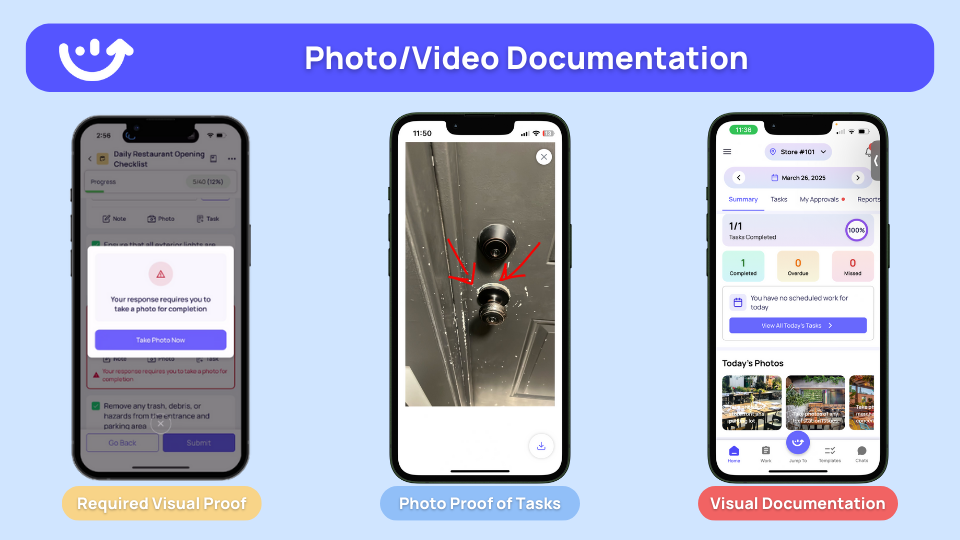
Tracks the entire fix cycle. Finding problems means nothing if they don't get fixed. Xenia routes issues to responsible people, requires verification photos for completion, and documents everything. You know exactly how long problems persist and who solves them fast.
The same accountability framework that tracks maintenance, safety, and cleaning now ensures planogram corrections actually happen.
The Actual Workflow
Morning opening checklist includes "Photograph Priority Displays."
Bakery manager takes three photos of bread aisle, two of promotional end cap, one of seasonal display. Submits checklist.
Xenia's AI analyzes those six photos while the manager does the next task. Two minutes later, three corrective tasks appear:
- "Organic bread section missing price tags for SKUs 4501, 4502" → pricing clerk
- "Cookie end cap shows 8 of 12 required facings for featured SKU" → grocery manager
- "Seasonal signage 24 inches from display instead of required 12 inches" → bakery manager
Each person sees tasks in their mobile app with everything else they're responsible for today. They fix issues. Submit verification photos. AI confirms resolution.
District manager sees the whole cycle in their dashboard. Which locations maintain compliance. Which categories drift most. Which issue types take longest to resolve. How it all correlates with sales.
This is how Power Market maintains brand standards across convenience locations. Photo verification is built into daily operations, not bolted on separately.
Conclusion
If you run more than 10 retail locations and planogram compliance feels like an endless challenge, AI image recognition changes everything.
You're moving from expensive, infrequent spot-checks to continuous, automated verification at zero marginal cost per photo.
Most organizations analyze their first compliance photos within two weeks of setup. The longer part is building the daily photography habit. That typically solidifies in 30 days when associates see immediate value from issues they can now catch and fix quickly.
Xenia delivers this through a platform your team already uses for daily operations. You're not adopting standalone compliance technology. You're adding intelligence to work they're doing anyway.
Want to see how AI image recognition works with your actual planogram data? Request a demo, and we'll show you the compliance gap between your current manual checks and what automated visual audits would catch in your real locations.
Frequently Asked Questions
Got a question? Find our FAQs here. If your question hasn't been answered here, contact us.

Looks like there's no data available in our FAQ section at the moment.

A Modern, AI-Powered Platform Built for Retail Operations
Xenia brings store operations, merchandising, audits, and loss prevention into one mobile-first platform. Store teams execute daily work consistently, maintain brand standards, and resolve issues faster, while regional and corporate leadership get real-time visibility across all locations.
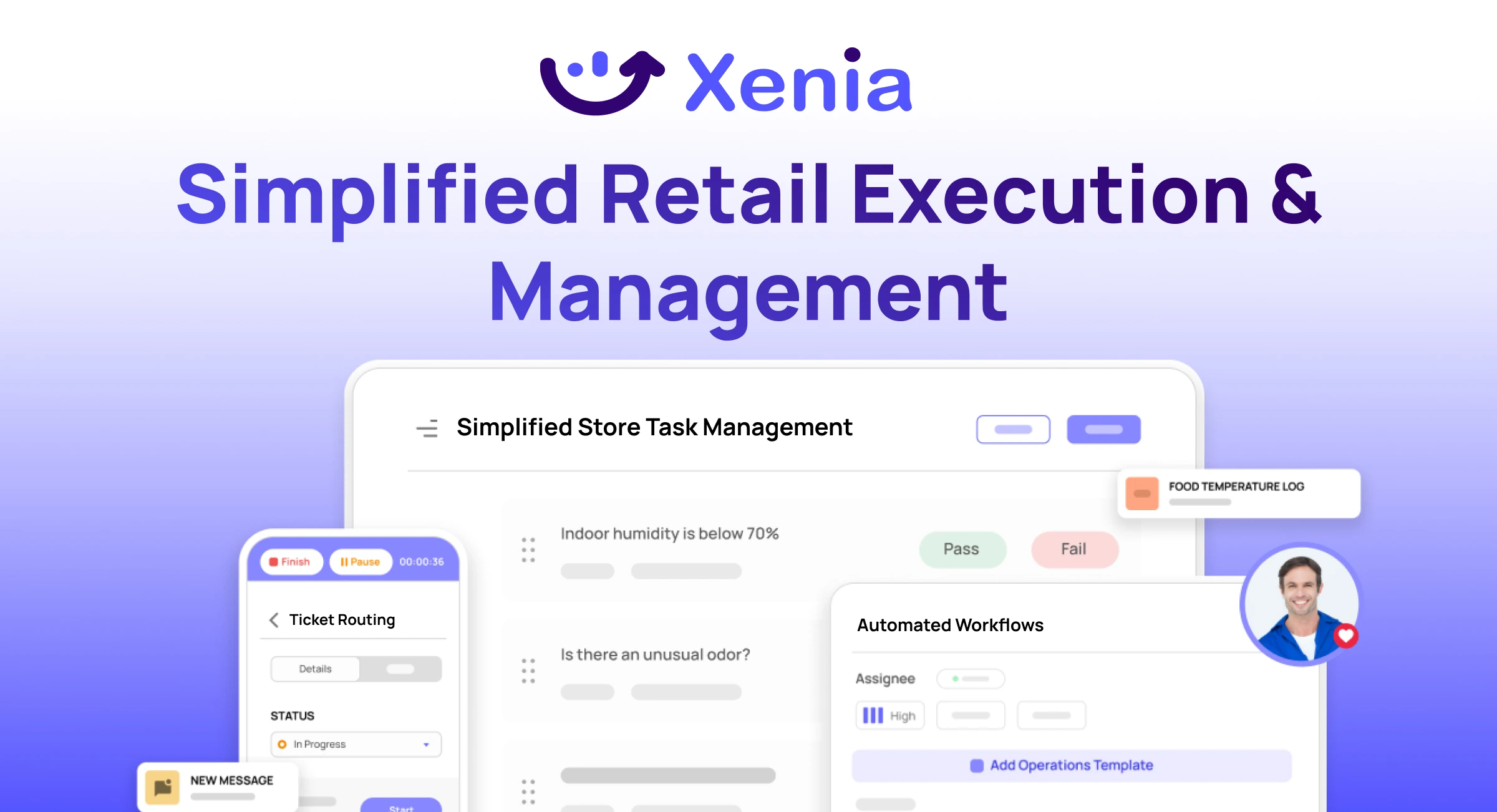
Why Retail Operators Choose Xenia:
🤖 AI-Powered Merchandising, Verify planograms, displays, and brand standards automatically with AI photo analysis. Build digital checklists instantly or convert existing merchandising guides.
🏬 Operations & Loss Prevention, Assign opening procedures, store walks, and resets across locations. Track theft, cash discrepancies, and security incidents with evidence and approval workflows.
📊 Real-Time Visibility, Compare audit scores and task completion across stores. Identify top and underperforming locations. Export reports for leadership reviews.
One platform for operations, merchandising compliance, and loss prevention across all locations.

.svg)
.webp)
%201%20(1).webp)

.svg)
%201%20(2).webp)




