

.webp)
Post Summary
A retail store audit only works when it drives immediate action.
Here's what happens when you do store audits right. You walk through the store. Spot an opportunity. Create a task right there. Assign it. Set a deadline. The store team fixes it that day.
That's closing the action gap and finding something and fixing it fast.
Most retailers spent years doing audits the slow way. Fill out paper forms, type reports later, and email store managers. Wait. Hope things get fixed.
Smart retailers changed this completely. They use retail store audit software that creates tasks automatically. AI that scores photos instantly. Systems that close the loop in hours, not weeks.
This guide shows you exactly how to conduct retail store audits that get results. The 5-step process. How to train store auditors. What belongs in your checklist? How technology makes everything faster.
Here's how it works.
.svg)

Priced on per user or per location basis
Available on iOS, Android and Web


Store Audit Procedures: The 5-Step Process
Step 1: Review Store Performance Before You Audit
Preparation separates effective audits from wasted time.
Start by reviewing the store's recent operational data. Pull up their last three audit scores. Check their task completion rates over the past month. Look at customer feedback if available. Review any incident reports.
This historical context tells you where to focus. If a store consistently scores low on merchandising, you know to spend extra time on displays. If they excel at safety but struggle with customer service, adjust your attention accordingly.
Create a pre-audit checklist based on what you find. List specific areas that need extra scrutiny. Note any recurring issues from previous visits. Identify patterns across similar store formats.
Talk to the store manager before you start walking. Ask about current challenges. Recent staffing changes. Supply chain issues are affecting displays. This conversation builds rapport and surfaces context you won't see in data.
Good preparation turns store audits from random inspections into focused improvement sessions. You're not just checking boxes. You're solving specific operational challenges.
Step 2: Score Objectively with Weighted Criteria
Subjective scoring destroys audit credibility.
Use a weighted scoring system where different items carry different point values. Safety violations should carry heavy weight, assign 20 points to critical safety items. Customer-facing brand standards get medium weight, maybe 10 points. Back-of-house organizational items get a lower weight of 2 to 5 points.
This weighting reflects real business impact. A blocked fire exit matters more than a messy stockroom. Your scoring should show that.
Create clear pass/fail criteria for every item. Not "display looks good" but "does planogram match corporate standard photo: yes or no." Not "store seems clean" but "are floors swept and mopped per cleaning schedule: yes or no."
Binary decisions eliminate interpretation. Either the standard is met, or it isn't. No room for one auditor being harsh while another is lenient.
Document your scoring rubric. Share it with all auditors. Train everyone on the same criteria. When Store A scores 85 and Store B scores 92, those numbers need to mean the same thing regardless of who conducted the audit.
Objective scoring makes store auditing credible. Store managers trust the process. The corporation can compare locations fairly. You can track real improvement over time.
Step 3: Document Everything with Photo Evidence
Photos transform vague feedback into actionable clarity.
Every audit item, pass or fail, benefits from photo documentation. When something meets standards, photograph it. This creates a reference library showing what excellence looks like. When something needs improvement, photograph that too. The photo shows exactly what to fix.
Take photos from consistent angles. If you're auditing a merchandising display, shoot from the customer's perspective at eye level. If you're checking safety equipment, capture the full context showing placement and accessibility.
Include context in your photos. Don't just photograph a messy stockroom. Capture the specific areas that violate organization standards. Don't just shoot a non-compliant display. Show what's wrong, missing products, incorrect signage, and poor spacing.
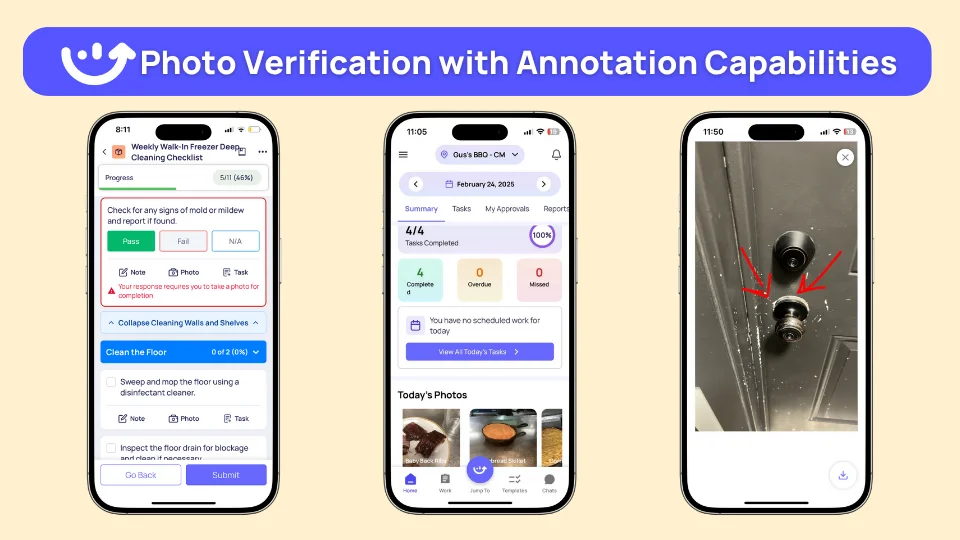
Use photo annotation when helpful. Circle the specific issue. Draw an arrow to the problem area. Add a quick text note explaining the violation. This takes seconds and eliminates confusion later.
Build photo requirements into your audit checklists. Mark critical items as "photo required." Auditors can't complete these items without visual evidence. This ensures complete documentation every time.
Photos do three things: They show store teams exactly what to fix. They create proof of compliance for corporate. They document conditions in case disputes arise later. Visual evidence beats written notes every time.
Step 4: Create and Assign Corrective Actions Immediately
This is where most audits fail and where high-performance audits win.
The moment you identify something that needs improvement, create the corrective action right there. Don't wait until you're back at your desk. Don't compile a list to address later. Do it immediately while you're standing in front of the issue.
Creating the task takes three steps:
First, describe the action specifically. Not "fix merchandising" but "restock shelf 3A to match planogram photo attached, ensuring all products face forward with proper spacing." Not "improve cleanliness" but "deep clean dressing room 2, paying special attention to mirrors and carpet stains visible in attached photos."
Second, assign to the right person. Merchandising issues go to the store manager. Safety problems go to facilities. Training gaps go to the assistant manager responsible for that area. Match the task to who can actually fix it.
Third, set realistic deadlines based on priority. Critical safety issues get 24-hour deadlines with escalation if missed. Customer-facing brand standards get 48-hour deadlines. Back-of-house improvements get one-week deadlines. Priority determines timeline.
Include the photo evidence in the task. Attach the reference image showing what right looks like. Attach the current-state photo showing what needs fixing. Give people everything they need to succeed.
Automated corrective actions make this process instant. The system generates tasks from failed audit items automatically. Routes to the right person based on issue type. Sets deadlines based on priority level. But even with manual processes, create tasks on-site before you leave.
Step 5: Verify Completion with Photo Proof
Corrective actions without verification are just suggestions.
When someone completes a task, require photo proof. Store manager says the merchandising display is fixed? They upload a photo showing the corrected display. Facilities says the safety issue is resolved? They photograph the completed repair.
These completion photos serve multiple purposes. They confirm the work actually happened. They verify it was done correctly. They create a before-and-after record for tracking improvements. They close the audit loop with documented proof.
Set clear expectations up front. Every corrective action needs completion photo evidence. No exceptions. Make this standard operating procedure for conducting store audits.
Review completion photos promptly. Don't let them pile up unchecked. When you see a completion photo, verify it meets standards. If it does, approve and close the task. If it doesn't, send it back with specific feedback on what still needs fixing.
District managers should monitor completion rates across all stores. Which locations consistently complete tasks on time? Which ones struggle? Which individuals excel at follow-through? This data reveals operational patterns beyond individual audit scores.
Track time-to-completion metrics. How long does it take from task creation to verified completion? Fast resolution times indicate engaged teams and effective processes. Slow resolution times signal deeper issues needing attention.
This verification step closes the complete audit loop. You found the opportunity. Created the task. Assigned it clearly. Verified it got fixed properly. Nothing falls through the cracks. Every identified improvement actually happens.
Store Audit Training: Building Consistency Across Teams
Consistent store auditors create reliable results across all locations.
Use One Standardized Audit Checklist for Retail Store Operations
Every store auditor uses the same criteria.
One standardized audit checklist for retail store operations ensures everyone measures the same things the same way.
Weighted scoring creates consistency. Makes scores comparable across locations and auditors.
Create Training Documentation for Audits
Provide training documentation for audits with photo examples.
"This display meets standards. Here's why."
Side-by-side photos teach auditors what excellence looks like. They recognize it consistently.
Calibrate Scoring Through Practice
Have experienced operations leaders partner with new auditors.
Audit the same store together. Compare scores. Share insights.
This keeps conducting store audits consistent as your team grows.
How to Build Effective Retail Store Audit Checklists
Your audit checklist for a retail store determines audit quality.
Specific checklists drive specific improvements.
Structure by Priority
Safety standards first. Customer-facing brand standards second. Back-of-house operations third.
This guides auditors to focus on what drives the most value in store auditing.
Require Photos for Critical Items
Specify which items need photos: "Merchandising display - photo required."
Photo requirements ensure complete documentation during store audits.
Use Conditional Logic
When a merchandising display needs adjustment, automatically ask: "Is product placement optimal?" "Is signage positioned correctly?" "Does the arrangement match standards?"
This captures actionable information that makes improvements more effective.
Include Reference Standards
Embed reference photos of correct execution right in the checklist.
Store auditors see exactly what excellence looks like. They recognize it immediately.
How Retail Store Audit Software Closes the Action Gap
AI-powered retail store audit software like Xenia accelerates traditional store audit procedures.
Instant Verification
Take a photo. AI photo rollouts compare it to the standard in seconds. Score compliance instantly. Identify specific optimization opportunities.
Store teams get immediate feedback on store audit performance.
Automatic Task Creation
Audit identifies an opportunity. The system creates a task automatically. Routes to the responsible person. Includes photo evidence. Sets a deadline.
All without manual entry during conducting store audits.
.webp)
Real-Time Visibility
Operations leaders see which stores finished audits today. Which have active improvement tasks. Which consistently scores the highest.
Real-time reporting turns retail store audit data into operational intelligence instantly.
.webp)
Best Practices for Store Auditing Excellence
Leading store auditors follow these proven approaches.
Create Specific Corrective Actions
"Restock shelf 3A to match attached photo by Thursday, 3 PM" gives teams exactly what to do.
Specific tasks get completed efficiently in your store audit procedures. Vague instructions create confusion and delays.
Maintain Consistent Scheduling
Regular audit schedules help teams prepare and perform consistently.
Schedule strategically. Weekly for critical items. Monthly for routine checks. Quarterly for comprehensive reviews.
Automated scheduling makes consistency effortless for store audits.
Audit During Peak and Off-Peak Hours
Different times reveal different operational realities.
Morning audits show opening procedures and prep quality. Afternoon audits during peak traffic reveal how teams handle pressure. Evening audits check closing protocols and end-of-day standards.
Rotate your audit timing. You'll spot issues that only appear during specific shifts or traffic patterns.
Build Rapport Before You Audit
Start every audit with a brief conversation.
Ask the store manager how things are going. Listen to their challenges. Acknowledge recent wins. This five-minute investment transforms the audit from inspection to partnership.
When store teams see auditors as coaches rather than enforcers, they engage more openly. They ask questions. They share concerns. They want to improve.
Review Audit Results On-Site with Store Teams
Don't save the debrief for later.
Walk through findings while still in the store. Show the photos. Explain scoring. Answer questions. Create corrective actions together.
This immediate feedback helps teams understand exactly what needs fixing. They can ask clarifying questions. They see you're there to help, not just judge.
On-site reviews also let you verify that corrective actions make sense. Store managers might have context you didn't see. They might suggest faster solutions. Collaboration improves outcomes.
Complete Follow-Through
Verification ensures improvements actually happen.
Require completion photos. Confirm enhancements occurred. Celebrate wins publicly when stores improve their scores.
Recognition motivates continued excellence and shows teams their effort matters.
Key Metrics to Track Store Audit Performance
Audit Completion Rate: Are store audits happening on schedule? Target: 95%+
Task Completion Rate: What percentage of improvement actions get done on time? Target: 90%+
Time to Resolution: How quickly do teams complete improvements? Target: Under 48 hours for standard items, under 24 hours for critical.
Improvement Trends: Are scores increasing over time? Rising scores indicate store audit training is working.
These metrics show your retail store audit program drives continuous improvement.
FAQs
How do you train store managers to conduct objective and consistent audits?
Use standardized checklists with weighted scoring for all store audits. Make photos mandatory for critical items. Provide training documentation for audits with clear examples of what meets standards. Have experienced store auditors partner with new ones to calibrate scoring. Use AI photo verification through retail store audit software to ensure consistency.
What should be included in a retail store audit checklist for 2026?
Structure your audit checklist for retail store operations by priority, with safety first, customer-facing standards second, and operations third. Include mandatory photo requirements for store auditing. Use conditional logic to capture detailed insights. Embed reference standards directly in the checklist. Build in automatic task creation triggers. Make it mobile-first for field execution during conducting store audits.
How can store audit software reduce the time spent on manual inspections?
Retail store audit software with AI verifies photos instantly. Systems auto-generate improvement tasks from audit items during store audits. Real-time dashboards provide instant insights without manual compilation. Mobile-first design enables auditing while walking the floor. Time efficiency typically improves 60-70% compared to paper-based store audit procedures.
What are the best procedures for conducting a surprise store audit without disrupting operations?
When conducting store audits as surprises, schedule during optimal hours. Focus on observable standards, displays, cleanliness, and safety equipment placement. Use mobile retail store audit software to complete audits while walking without disrupting service. Create improvement tasks on-site so teams can implement enhancements immediately with coaching support.
Conclusion
A retail store audit creates maximum value when it triggers immediate improvement action.
The process is simple: Identify an opportunity. Create a task instantly. Route to the right person. Verify completion with photos. Track in real-time.
When frontline teams see that store audits drive immediate improvements, they engage enthusiastically. They pursue higher scores. They implement enhancements proactively.
This transforms store auditing from a compliance exercise to a performance driver.
The gap between what headquarters expects and what actually happens in stores determines your success. High-performance retail store audits with trained store auditors close that gap immediately.
Xenia makes this effortless. Our AI-powered platform combines audits, automated tasks, corrective actions, and real-time reporting into one mobile-first system. District managers complete audits 60% faster with AI photo verification. Tasks auto-generate. Teams get instant notifications. Everything connects.
One platform. Zero action gap. Complete visibility across every store location.
See how Xenia drives operational excellence for leading retailers.
Frequently Asked Questions
Got a question? Find our FAQs here. If your question hasn't been answered here, contact us.

Looks like there's no data available in our FAQ section at the moment.

A Modern, AI-Powered Platform Built for Retail Operations
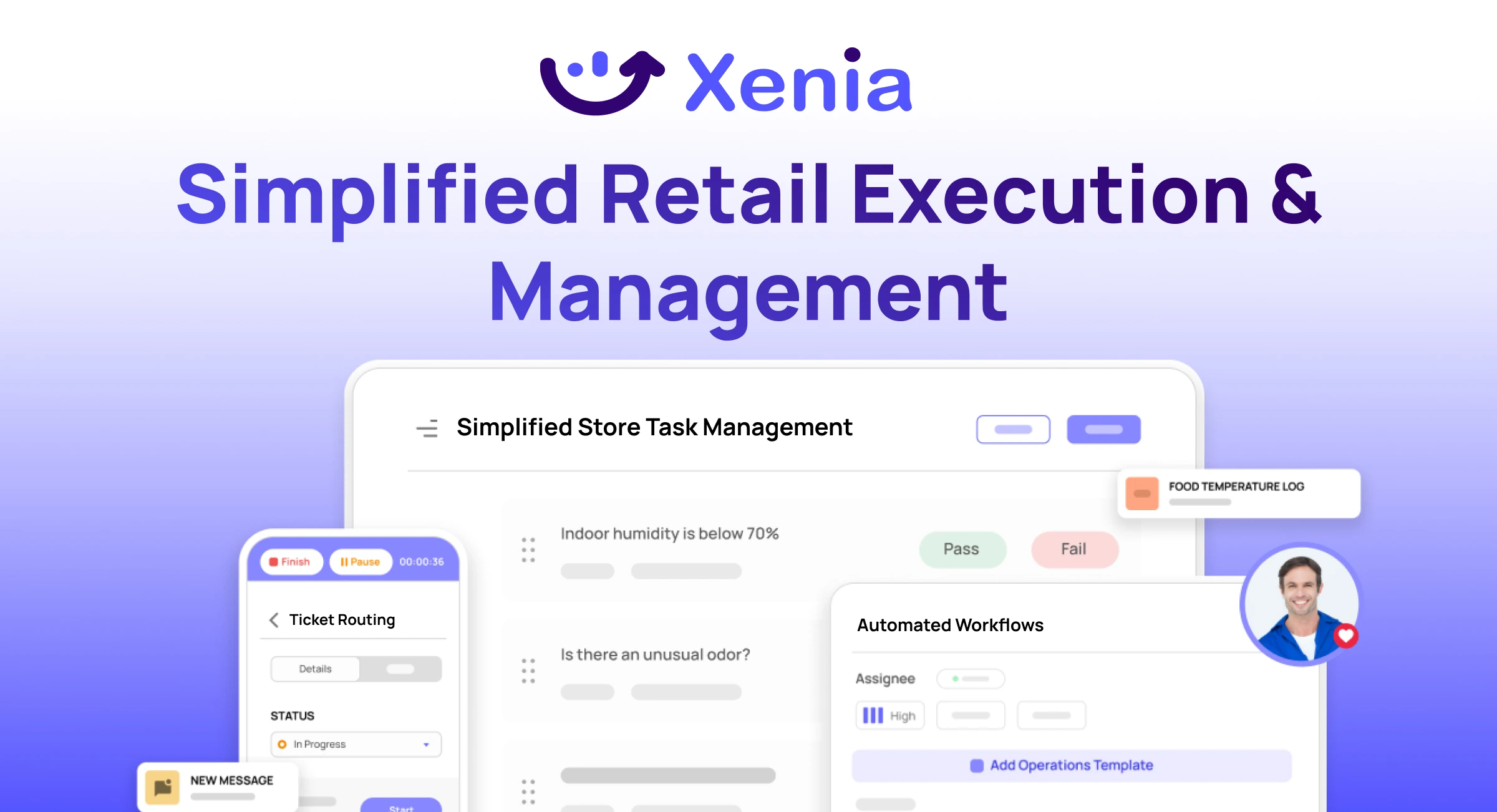
Xenia brings store operations, merchandising, audits, and loss prevention into one mobile-first platform. Store teams execute daily work consistently, maintain brand standards, and resolve issues faster, while regional and corporate leadership get real-time visibility across all locations.
Why Retail Operators Choose Xenia:
🤖 AI-Powered Merchandising, Verify planograms, displays, and brand standards automatically with AI photo analysis. Build digital checklists instantly or convert existing merchandising guides.
🏬 Operations & Loss Prevention, Assign opening procedures, store walks, and resets across locations. Track theft, cash discrepancies, and security incidents with evidence and approval workflows.
📊 Real-Time Visibility, Compare audit scores and task completion across stores. Identify top and underperforming locations. Export reports for leadership reviews.
One platform for operations, merchandising compliance, and loss prevention across all locations.

.svg)
.webp)
%201%20(1).webp)

.svg)
%201%20(2).webp)




