

.png)
Post Summary
Your inventory numbers look fine on paper.
But somewhere across your 50 locations, a store is out of stock and nobody flagged it. A purchase order went through the wrong vendor. Finance is still waiting on three stores to send their month-end numbers.
That is not a people problem. That is a systems problem.
When your inventory, supply chain, finance, and HR all live in different tools that do not talk to each other, your data works against you instead of for you. Every decision you make is built on incomplete information.
Retail ERP software fixes that.
This guide covers exactly how retail ERP works, what is inside it, and the one gap most operators do not discover until they are already at scale.
.svg)

Priced on per user or per location basis
Available on iOS, Android and Web


What Is ERP in Retail and What It Actually Does
ERP stands for Enterprise Resource Planning. Simple definition: it's software that connects all your core business functions into one platform.
But the definition isn't what matters. What matters is what ERP in retail actually does.
Right now, your inventory system doesn't talk to your finance system. Your purchasing team works off spreadsheets. Your store managers are texting district managers about stock levels. Your HR data lives somewhere completely separate.
A retail ERP system fixes that.
It pulls inventory, supply chain, purchasing, finance, HR, and reporting into one connected platform. When a sale happens at store 12, inventory updates. When the stock drops below the threshold, a purchase order fires. When a new hire is added, payroll knows.
Everything is connected. Everything is visible. That's the whole point.
For multi-location retail operators, this is a game-changer. Instead of piecing together data from five different tools, you get one source of truth for your entire business.
What a Retail ERP System Actually Contains
Most retail ERP systems are built around six core modules. Here's what each one looks like before and after implementation, in plain terms.
Inventory Management
**
Aspect, Reality
Before ERP, Stock levels sit in a POS system at each location. Reconciliation happens at month end-manually. You find out you're out of stock after a customer tells you.
After ERP, Real-time stock visibility across every location. Automatic replenishment triggers when levels drop. Transfer requests between stores happen inside the system-not over email chains.
**
This is probably the biggest win for most retailers. Your retail inventory management goes from reactive to proactive.
Purchasing and Procurement
**
Aspect, Reality
Before ERP, Purchase orders go through email or spreadsheets. Approval chains are unclear. Buyers are often working off outdated vendor pricing.
After ERP, Automated POs based on inventory thresholds. Vendor management-pricing contracts and approval workflows all in one place.
**
Finance and Accounting
**
Aspect, Reality
Before ERP, Your finance team manually pulls reports from each store's system at month end. Consolidation takes days. Cash flow visibility is always delayed.
After ERP, Real-time financial consolidation across all locations. Revenue-cost of goods and margin reporting updated automatically.
**
Supply Chain Management
**
Aspect, Reality
Before ERP, Coordinating suppliers-logistics and distribution runs through emails and spreadsheets. Lead times are guesses.
After ERP, End-to-end supply chain visibility. Demand forecasting based on real sales data. Supplier performance tracked and visible.
**
HR and Payroll
**
Aspect, Reality
Before ERP, HR data lives in a separate system. Payroll runs late because store managers submit hours in different formats.
After ERP, Integrated HR and payroll. Hours-scheduling and compensation all connected to your workforce data.
**
Point of Sale Integration
**
Aspect, Reality
Before ERP, Your POS data and back-office data are always slightly out of sync. Reporting requires manual exports.
After ERP, Sales data flows directly into inventory and finance. No more end-of-day reconciliation headaches.
**
Each of these modules talks to the others. That's what makes a retail ERP system different from six separate tools doing the same jobs.
How Retail ERP Works Across Multiple Locations
Single-location retailers can get by with simpler tools. But once you're running 25, 50, or 100 stores, you need something built for that complexity.
Here's how retail ERP software handles multi-location operations:
Centralized data, local execution. Every location feeds into the same system. Corporate sees inventory, sales, and staffing at any store in real time. Store managers only see what's relevant to them.
Automated replenishment at scale. Instead of store managers manually ordering stock, the ERP calculates demand across all locations and generates purchase orders automatically. High-performing stores don't run dry. Underperformers don't overstock.
Standardized reporting across the network. You compare location 4 to location 44 using the exact same metrics. No more "every store reports differently" problem.
Role-based access. District managers see their cluster. Regional managers see their region. Finance sees everything. Access is structured and clean.
Consolidated financials. Multi-entity reporting becomes manageable. Total revenue, cost structure, and profitability across your entire footprint, from one dashboard.
The result? Less manual coordination. Less emailing. Less guessing. Your retail store operations become data-driven instead of reactive.
Benefits of ERP in Retail
Let's keep this practical. Here's what you actually get when you implement ERP for retail operations.
One source of truth across every department. Finance, inventory, and operations are all looking at the same data. No more version conflicts. No more "which spreadsheet is current."
Better inventory control. Real-time stock visibility means you always know what you have and where it is. Overstock drops. Stockouts become rare. And because your retail inventory management software is tighter, your cash flow improves too.
Faster financial close. Month-end reporting that used to take a week now takes hours. Your finance team works with live data instead of waiting on store-level reports.
Streamlined supply chain. Purchasing, vendor management, and inventory connect in one place. Orders get automated. Lead times shorten. Supplier performance becomes visible and trackable.
Scalability. Adding a new location doesn't mean adding new headcount to manage data. The ERP scales with you.
Here's a quick summary:
**
Benefit, What It Means for Your Business
One source of truth, All departments work from the same data
Better inventory control, Fewer stockouts-less overstock-better cash flow
Faster financial close, Real-time data instead of manual month-end pulls
Streamlined supply chain, Automated orders-shorter lead times
Scalability, Growth doesn't break your systems
**
What Retail ERP Doesn't Cover and Why That Matters at Scale
Here's the part most ERP vendors won't lead with.
Retail ERP is excellent at managing back-office data. Financials, inventory, supply chain, HR. That's what it was built for.
What it was not built for is your store floor.
Your ERP can tell you inventory numbers are correct. It cannot tell you whether your team at location 11 actually followed the opening checklist this morning.
Think about the operational questions that keep district managers up at night:
- Was the opening checklist completed at every location this morning?
- Are planogram standards being followed after the latest reset?
- Did the closing manager at location 11 complete the temperature log?
- Was the safety audit done on schedule at location 4?
- Which stores are consistently skipping the end-of-day reconciliation step?
- Did the new promotional display go up correctly at every store?
- Are frontline associates following the updated cash handling procedure?
Your ERP has no answers to any of these questions.
It's not a flaw. ERP was designed to manage data flows and transactions. It was never designed to track whether your team is actually executing on the floor.
Here's the full picture of what ERP covers versus what it misses:
**
What Retail ERP Covers, What Retail ERP Misses
Inventory levels and replenishment, Daily task completion at store level
Financial reporting and consolidation, Planogram and brand compliance
Supply chain and vendor management, Store audit and inspection tracking
HR and payroll, Frontline team accountability
Purchase orders, Real-time visibility into store execution
POS data integration, Opening and closing checklist completion
**
This is the execution gap. And for multi-location retailers, it's where brand consistency either holds or breaks down completely.
Your retail task management and daily compliance needs a dedicated solution for the store floor. That's exactly the gap Xenia fills.
Xenia is a frontline operations execution platform that works alongside your ERP. Where ERP handles your financial and inventory backbone, Xenia handles everything that happens at the store level.
ERP tells you the numbers are right. Xenia tells you the work was done right. Together, you have full visibility into your retail operation.
.webp)
When Does a Retail Business Actually Need ERP?
Not every retail business needs a full ERP implementation right now. But there are clear signals that you've outgrown your current tools.
You probably need retail ERP software if:
- You're operating 10 or more locations. Below that, simpler tools often work. Above it, the coordination costs of disconnected systems add up fast.
- You're doing manual inventory reconciliation. If your team still counts stock by hand and reconciles it in spreadsheets, you're paying a labor cost for data that's always slightly wrong.
- Your financial close takes more than a few days. Clear sign your data isn't integrated. ERP tightens this dramatically.
- You're opening new locations frequently. Growth amplifies the cost of bad systems. Every new store multiplies your coordination overhead.
- You have a complex supply chain. Multiple vendors, distribution centers, or private label products all benefit from ERP-level coordination.
- Your systems don't talk to each other. If your POS, inventory system, and accounting software all need manual exports to share data, that's exactly the core problem ERP solves.
Here's a quick self-check:
**
Signal, What It Means
10+ locations, Time to consider ERP
Manual inventory reconciliation, You're losing time and accuracy
Financial close takes 5+ days, Data is disconnected
Rapid location growth, Your current systems won't scale
Complex multi-vendor supply chain, ERP will save significant coordination time
Systems require manual data exports, Core ERP use case
**
If you're checking most of these boxes, the ROI conversation becomes simple. The cost of staying manual scales with every store you add. ERP doesn't.
Conclusion
Retail ERP software handles the back office well.
Inventory, finance, supply chain, HR. All connected. All visible. Tovernighthat is valuable.
But ERP stops at the store door.
What happens on your floor every day, task execution, brand compliance, store audits, frontline accountability, is where most retail businesses have their biggest gaps.
That is exactly what Xenia solves.
If you are looking at retail management systems for your operation, make sure you cover both. The back office and the store floor. That is how you get full control of your retail operation.
Frequently Asked Questions
Got a question? Find our FAQs here. If your question hasn't been answered here, contact us.
How much does retail ERP software cost?

Small retailers can start with affordable cloud-based tools. Large enterprise deployments can run hundreds of thousands annually. Always factor in implementation, training, and ongoing support, not just the license fee, before making a decision.
How long does retail ERP implementation take?
It varies by complexity. Smaller implementations can take three to six months. Enterprise-scale rollouts can take 12 to 18 months. Data migration, integrations, and staff training are the key variables.
What does retail ERP not cover?
ERP manages data and transactions. It doesn't manage store-level execution, daily checklists, planogram compliance, safety audits, or accountability for operational procedures. That's why multi-location operators pair their ERP with an operations execution platform like Xenia.
What's the difference between retail ERP and a POS system?
POS systems manage individual transactions at the register. Retail ERP manages the broader business, inventory levels, supplier relationships, financial reporting, and workforce data. In a modern setup, POS data feeds directly into the ERP in real time.
What are the main benefits of ERP in the retail industry?
One source of data across all departments. Better inventory control. Cleaner financial reporting. A more efficient supply chain. And as you grow, your data stays organized instead of getting harder to manage.
What is the best ERP for retail?
It depends on your size and complexity. SAP and NetSuite work well for larger operators. Microsoft Dynamics 365 is a strong fit for mid-size businesses. Epicor is popular in specialty retail. That said, no ERP covers store-level execution. For daily task management, brand compliance, and frontline accountability, that's where you need a complementary platform like Xenia.
What is retail ERP software?
Retail ERP software is an integrated platform that connects your core business functions, inventory, supply chain, finance, HR, and purchasing, into one system. Instead of managing five disconnected tools, you get one source of truth across your entire retail operation.

A Modern, AI-Powered Platform Built for Retail Operations
Xenia brings store operations, merchandising, audits, and loss prevention into one mobile-first platform. Store teams execute daily work consistently, maintain brand standards, and resolve issues faster, while regional and corporate leadership get real-time visibility across all locations.
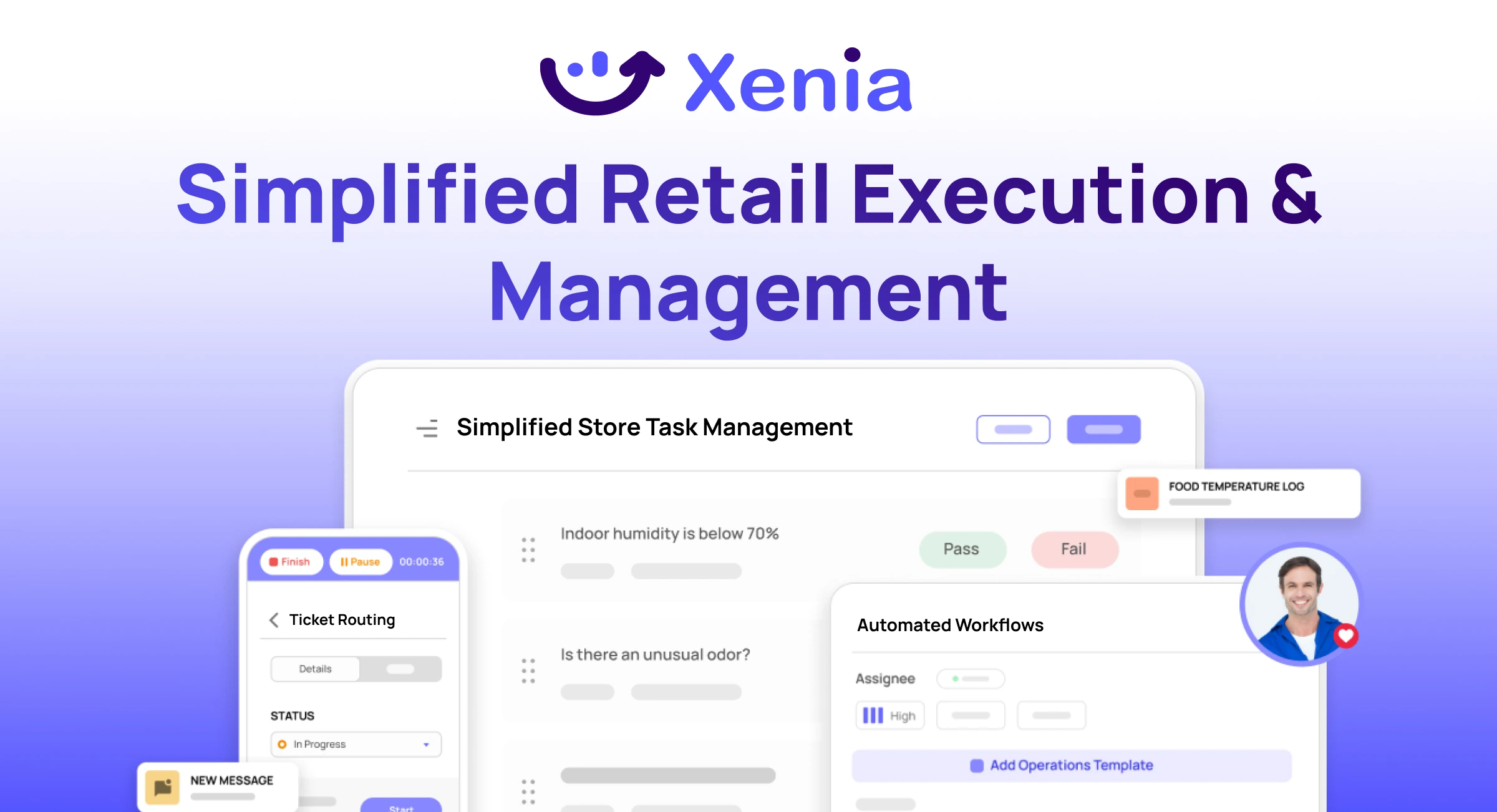
Why Retail Operators Choose Xenia:
🤖 AI-Powered Merchandising, Verify planograms, displays, and brand standards automatically with AI photo analysis. Build digital checklists instantly or convert existing merchandising guides.
🏬 Operations & Loss Prevention, Assign opening procedures, store walks, and resets across locations. Track theft, cash discrepancies, and security incidents with evidence and approval workflows.
📊 Real-Time Visibility, Compare audit scores and task completion across stores. Identify top and underperforming locations. Export reports for leadership reviews.
One platform for operations, merchandising compliance, and loss prevention across all locations.

.svg)
.webp)
%201%20(1).webp)

.svg)
%201%20(2).webp)




