

Summary
What is a vendor work request without a login?
A vendor work request without a login is a maintenance ticket that an outside contractor or store-level staffer submits by scanning a QR code, with no account and no app. The form auto-populates the asset ID, location, and category. The vendor types what is wrong, adds a photo, and submits. A manager approves and routes the request inside the authenticated app.
A few terms matter here:
- A work order is a tracked maintenance task with an assignee, a priority, and a resolution status.
- A QR-code work request is a maintenance ticket opened by scanning a code tied to a specific asset or location.
- An asset tag is the physical QR label fixed to a piece of equipment that identifies it in the system.
- A third-party vendor is an outside contractor (an HVAC tech, a fuel-pump service company, a refrigeration vendor) who does not work for the operator and holds no platform seat.
- Auto-route is the rule that sends an approved ticket to the right person by region, priority, and skill, without a manager hand-assigning it.
The key guardrail: the "no login" applies to submission only. Store staff or third-party vendors submit without logging in. Managers approve in the app. Approval, assignment, and routing all happen inside the authenticated Xenia platform. The whole workflow is not anonymous. Only the front door is.
Why this beats a phone call: a QR-submitted request carries far more usable data than a call or a paper form, because the asset ID, location, and category are pre-attached and the photo is captured at the moment of the fault. One facilities source, Oxmaint's report on QR code maintenance requests, puts the data density at 5 to 10 times a paper or phone report. Scan-to-structured-work-order takes under 60 seconds, with no app install and no login, and the request lands in the right queue with full context.
Workflow diagram, vendor submission to manager approval
A vendor work request moves through five stages: scan, submit, approve, auto-route, and resolve. Submission is open with no login. Everything after the submission happens inside the authenticated app.
- Scan. The vendor or store staffer scans the QR code fixed to the asset, a fuel dispenser, a walk-in cooler, a rooftop HVAC unit, or a broken fixture. The QR opens a mobile web form. No app install. No login.
- Submit. The form is already tagged with the asset ID, the store location, and the equipment category. The vendor types what is wrong ("won't start, no error code"), attaches a photo, and optionally adds an ETA estimate. They hit submit.
- Approve. The request lands in the manager's queue inside the authenticated app. The manager confirms it is legitimate, sets or confirms the severity level, and approves. This step is the spam and abuse control. Nothing becomes a live, assigned work order until a manager approves it.
- Auto-route. On approval, the ticket auto-routes by region, priority, and skill to the right person, the area maintenance tech, the refrigeration vendor, or the in-house facilities team, and notifies the DM.
- Resolve. The assignee works the ticket, logs the fix with a photo, and closes it. The full trail (who submitted, who approved, who fixed, and when) lives on one record.
A severity level is the priority tier (low, medium, high) that decides routing speed and escalation. A high-severity fuel-pump outage routes faster than a low-severity flickering sign.
Here is the C-store version. A pump goes down at a rural fuel stop at 11pm. The closing attendant scans the QR on the pump. The form opens pre-tagged with the pump ID, the store address, and the category "fuel equipment." The attendant types the symptom, adds a photo, and submits. The request reaches the area tech and copies the DM. No app install. No login. No phone call. This is the core Xenia QR-code work request flow: store staff or third-party vendors submit via QR without logging in, the form auto-populates the asset, location, and category, and the manager approves and routes by region, priority, and skill, automatically. It also pairs with the dispatch-to-resolution workflow that tracks the ticket from acceptance to closure.
How does Xenia's no-login submission differ from a CMMS vendor portal?
The honest answer: no-login submission is not unique to Xenia, so that is not the real difference. A CMMS (computerized maintenance management system) like Limble offers a free, no-login work request portal too. Anyone can submit via QR, email, or link. Requesters are unlimited and free. Only the technicians and managers who work tickets need paid seats, per Limble's work request portal setup guide and its free work order software page. eMaint, UpKeep, and MaintainX run similar requester portals. Claiming "no CMMS offers no-login submission" would be false and would cost credibility on first contact.
So the difference is two real things. First, vendor portals that require registration. Service Channel's provider model makes the vendor apply, get reviewed, register an account, and log in to a provider portal to accept, update, and invoice work orders, per ServiceChannel's vendor portal glossary and its service-provider onboarding. That is the right model for a contracted vendor network with invoicing and scorecards. It is heavier than a store-level "the cooler is down, somebody come fix it" submission.
Second, submission lives inside the all-in-one frontline app, not a standalone CMMS. This is the real Xenia wedge. A CMMS requester portal is a CMMS feature. The store team still runs audits in one tool, daily checklists in another, team comms in Slack, and only touches the CMMS to file a request. Xenia puts the QR work request in the same app the store already uses for opening and closing checklists, audits, and frontline announcements. The frontline does not adopt a new tool just to file a vendor ticket.
| Attribute | Xenia QR work request | CMMS vendor or provider portal (Service Channel) | Free CMMS requester portal (Limble) |
|---|---|---|---|
| Vendor login to submit | Not required | Required (vendor registers and logs in) | Not required |
| Vendor onboarding or approval to submit | Not required | Required (application plus review) | Not required |
| Lives inside daily-ops app the store already uses | Yes (audits, checklists, comms in one app) | No (standalone facilities platform) | No (standalone CMMS) |
| Manager approval before ticket goes live | Yes | Varies | Varies |
| Auto-route by region, priority, skill | Yes | Yes | Yes (paid tiers) |
| Parts inventory, depreciation, vendor invoicing depth | No (frontline submission and routing only) | Yes | Yes |
To be clear: Xenia is not a full CMMS. It does not match Limble or Service Channel for parts inventory, depreciation tracking, or deep vendor invoicing. Xenia is the frontline submission and routing layer. It complements a depth-CMMS where one is already in place. For the full head-to-head, see the Xenia vs. Limble comparison.
.svg)

Priced on per user or per location basis
Available on iOS, Android and Web


How to set up vendor work requests in Xenia
Setting up vendor work requests in Xenia takes four steps: tag the asset, generate the QR, set the routing rule, then print and post the code. Once it is posted, any vendor or staffer can submit by scanning, and managers approve in the app.
- Tag the asset in the location record. Add the equipment (fuel dispenser, walk-in cooler, rooftop unit, fixture) to the store's location record so the request form can auto-populate the asset ID and category.
- Generate the QR code for the asset or location. Xenia produces a QR that opens the no-login submission form, pre-tagged to that asset and store.
- Set the routing and approval rule. Choose who approves submitted requests (the store manager or DM) and how approved tickets auto-route, by region, priority, and skill. Set severity tiers (low, medium, high) and any escalation rule. For example, high-severity requests route to the area tech and copy the DM.
- Print and post the QR. Fix the code to the asset: the pump, the cooler door, the HVAC access panel, the fixture. Staff and vendors scan it the moment something breaks.
What stops random people from spamming the code? The manager-approval step is the gate. A submitted request is a request, not a live work order. Nothing gets assigned, escalated, or actioned until a manager approves it in the app. Even if a code is scanned by the wrong person, the worst case is a request sitting in a queue that a manager declines. Two more controls help: the required photo and description raise the bar on junk submissions, and codes are tied to a specific asset and location, so a context-free submission is easy to spot and decline. For tickets that do go live, work order prioritization keeps the high-severity items at the top of the queue.
Where do operators see results?
Operators see results in three places: faster reporting, fewer manager interruptions, and a complete service record on every ticket. The submission carries more usable data than a phone call. The approval-plus-routing trail replaces the "who do I call" scramble.
- Faster reporting. No phone call. No hunting for an asset ID. The person at the fault files it in under a minute. Power Market, a C-store operator, went live across 360 locations with QR deployment and bilingual checklists and saw 40% faster task resolution. Use that as the speed-of-resolution proof at scale.
- Fewer interruptions. Mezeh, a restaurant operator, cut manager phone calls 60% after moving reporting onto structured submissions. The DM and store manager stop fielding "the freezer's making a noise" calls and start working an approval queue.
- A complete record. Every ticket carries the submitter, the approver, the assignee, the photos, and the timestamps on one record. When the equipment fails again or a warranty claim comes up, the service history is already there.
The third-party-vendor pattern is where this earns its keep. Refuel runs 200-plus C-stores, including rural fuel stops where connectivity is spotty, so offline mode matters. Refuel kept Service Channel for asset depth and added Xenia for frontline submission and routing. That is the model. The depth-CMMS handles invoicing and asset records, and Xenia is the no-login front door that store staff and outside contractors actually use across the convenience-store operations footprint. Structured, fast fault reporting matters because downtime is expensive. MaintainX, summarizing Deloitte, cites an estimated $50 billion a year in unplanned downtime for industrial manufacturers, a figure also detailed in Deloitte Insights. That is a manufacturing number, not a C-store number, but it shows why fast, structured reporting beats a phone call. For the broader picture, the work order management hub covers the full submission-to-closure lifecycle, and anonymous QR work requests and maintenance ticket closure tracking go deeper on the front-door and back-end pieces. Because broken equipment often shows up first on an audit, this also ties into weighted audit scoring, where a failed equipment check can trigger a corrective work request.
Frequently Asked Questions
Got a question? Find our FAQs here. If your question hasn't been answered here, contact us.
Can a third-party vendor submit a work request without a Xenia license?

How does the manager approve a vendor-submitted ticket?
What stops random people from spamming the QR code?
Can vendors attach photos and ETA estimates from the no-login form?
How does this compare to giving a vendor a Limble seat?
Does this work for delivery contractors or only repair vendors?

A Modern, AI-Powered Platform Built for Facility Operations
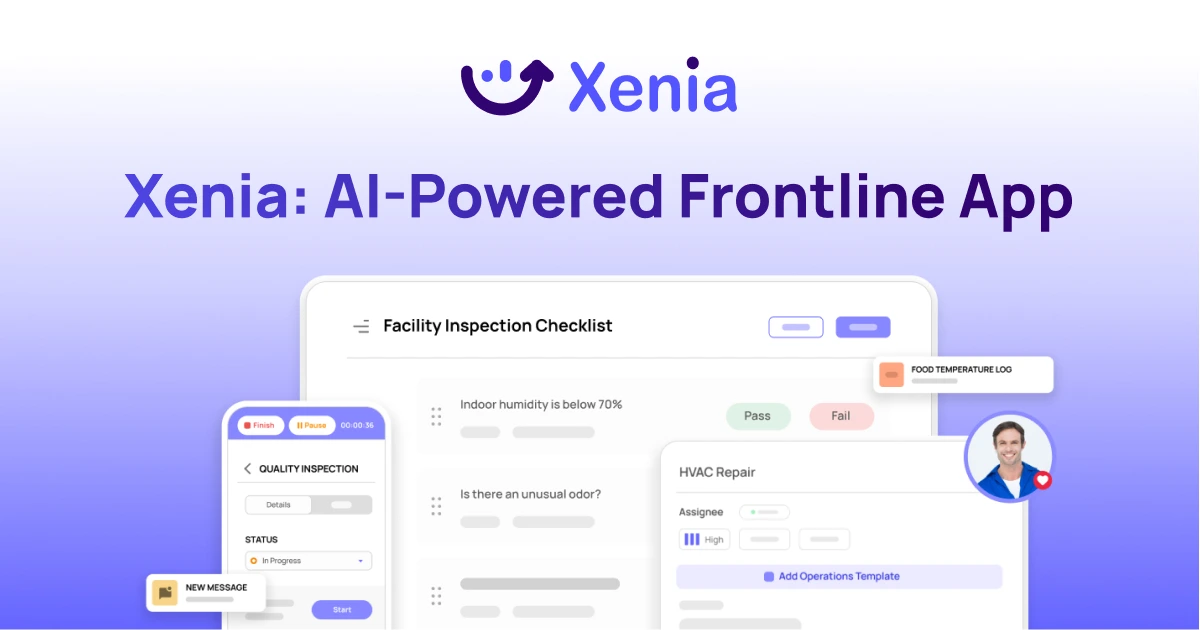
Xenia connects maintenance, safety, inspections, and daily operations into one mobile-first platform. Facility teams respond faster, prevent downtime, and maintain compliance, while leadership tracks performance across all buildings in real time.
Why Facility Managers Choose Xenia:
🤖 AI-Powered Inspections, Verify safety equipment and compliance automatically with AI photo analysis. Surface critical maintenance issues instantly with AI-powered summaries.
🛠️ Work Orders & Maintenance, Report issues via mobile or QR codes. Route requests to teams or vendors. Schedule preventive maintenance for HVAC, elevators, and emergency systems to reduce downtime.
📊 Safety & Visibility, Deploy fire safety and hazard inspection workflows. Monitor work order resolution times and asset health across all facilities.
Manage work orders, maintenance, and safety inspections across all facilities from one platform.

.svg)
.webp)
%201%20(1).webp)

.svg)
%201%20(2).webp)


