

Summary
What is an emergency work order?
An emergency work order is the top priority tier in maintenance, issued when a critical asset fails or a safety hazard appears, and it bypasses the normal scheduling queue to demand immediate attention. Per Limble CMMS, emergency work orders "deal with high-priority tasks that maintenance departments issue when critical assets break down," when the operation "experiences significant production delays or safety issues" (Limble, What Is a Work Order?). An emergency maintenance request sits at the top of the work order severity ladder.
The ladder runs in order: emergency (this page), then corrective or reactive repair after a fault, then preventive scheduled work, then inspection, then general. The line that makes something an emergency is impact, not annoyance. A request qualifies as an emergency when delay creates one of four exposures.
- Safety or regulatory exposure. A gas leak, an electrical hazard, a lockout/tagout condition, or a fire-suppression fault. These map directly to OSHA general industry standards that govern hazardous-energy control.
- Food-safety exposure. A refrigeration failure, a hot-hold failure, or a sanitation breakdown.
- Revenue-stopping exposure. The failure forces a closure, a limited menu, or pumps offline.
- Property or guest exposure. Flooding, or no heat and AC in occupied hotel rooms.
A high-priority ticket is urgent but tolerates a few hours. An emergency tolerates minutes. The four-tier industry standard (Critical, Urgent, Standard, Planned) drives "automated routing, SLA timers, and escalation triggers without manual intervention" (Infodeck, SLA Management for Facility Teams).
| Vertical | Emergency trigger | Why minutes matter |
|---|---|---|
| Restaurant / QSR | Walk-in cooler fails at 11pm | Food crosses the 40F danger zone in about 4 hours and must be discarded. A single incident runs $5K to $15K combined |
| C-Store / Petroleum | Fuel dispenser down at a rural stop | Lost fuel volume plus vendor callback. Remote sites have thin overnight coverage |
| Hotel / Hospitality | Chiller or boiler offline overnight | Occupied rooms with no heat or AC. Guest impact and refund exposure |
| Retail | Refrigerated case or main entrance door failure | Shrink, perishable loss, or a store that cannot open on time |
The cost of delay is real. A single major restaurant equipment failure runs roughly $5,000 to $15,000 once you combine emergency service, parts, lost revenue, and spoiled inventory. Refrigeration alone can spoil $3,000 to $8,000 in proteins, dairy, and prepped product within hours, and a day of disruption adds $2,000 to $5,000 in lost sales (Celco, How Equipment Downtime Impacts Restaurant Profitability). The clock is set by food safety. Above 40F, food becomes unsafe in as little as four hours and most health codes require discarding it (KitchenRepairHub, Walk-In Cooler Repair and the 4-Hour Rule). Emergency after-hours repairs also carry surcharge premiums on top of the base repair (The Restaurant Warehouse, Equipment Repair Guide).
Workflow diagram, submission to resolution
An emergency work order moves through five stages: submission, triage, auto-route to the responder, acceptance or escalation if not accepted, and resolution with a closed audit trail. Auto-route means the request is assigned by rule, not by a person manually picking an assignee. The escalation chain is the rule set that re-routes the request to the next person whenever a response window is about to be missed. Here is the flow as a closing attendant or area maintenance tech would read it.
- Submit. A closing attendant, kitchen manager, or housekeeper scans the QR code on the failed asset. No login, no app install. The form opens pre-populated with the asset ID, location, and category. They add a short note ("walk-in not holding temp, reads 48F") and a photo. Yes, a closing attendant can trigger an emergency request without a login. The no-login step applies to submission only. Approval, assignment, and routing happen in the authenticated Xenia app.
- Triage and classify. The request is tagged emergency, which starts the SLA timer at the moment of creation and bypasses the standard queue. SLA timers "should start at work order creation" so no high-priority order goes untracked (Infodeck).
- Auto-route. The request is assigned by rule, by region, on-call role, and skill. For emergencies after close, the rule can route straight to the on-call tech.
- Accept or escalate. The assigned responder accepts and the clock to resolution begins. If they do not accept inside the response window, the escalation chain fires the next alert.
- Resolve and close. The tech logs the fix, attaches a photo of the repair, and closes the ticket. The submission record and the closure record are the same record, an audit trail that survives the shift change.
This is where Xenia's QR-code work requests earn their place. Store staff or third-party vendors submit a request via QR code without logging in. The form auto-populates the asset, location, and category. A manager approves and routes by region, priority, and skill, automatically. The closing attendant who triggers the emergency request is already in Xenia for their closing checklist, so there is no second tool to learn. For closure depth and the audit trail, see maintenance ticket closure tracking. For the full hand-off flow, see the dispatch to resolution workflow.
The vocabulary here is industry standard. ServiceChannel defines automated rules for "escalating work orders, ranking their urgency, and ordering actions" and routes work "based on trade, location, priority, and category" (ServiceChannel, Work Orders). Response time is "the duration between the notification of a facility-related issue and the moment maintenance personnel begin addressing the problem" (ServiceChannel, Response Time).
How the escalation chain re-routes a request no one picks up
An escalation chain is the rule set that re-routes an emergency work order to the next responder whenever the current one fails to accept inside the response window, so an after-hours failure never sits unacknowledged. It fires graduated alerts as the SLA clock burns down, then reassigns automatically on inactivity.
The pre-breach alert matrix fires graduated notifications as the response window elapses:
- At 50% of the response SLA: notify the assigned technician.
- At 75% of the response SLA: notify the maintenance supervisor.
- At 90% of the response SLA: notify the facility manager and the on-call escalation list.
- At 100% (breach): auto-create a follow-up work order for management review.
This structure comes from Infodeck's facility SLA guide. A complementary matrix maps 50% to the assignee, 80% to the assignee and manager, then 100% to the manager and director (Unito, SLA-Aware Escalation Workflows).
What happens to an emergency ticket no one accepts after close? It re-routes on inactivity. Escalation workflows "should require acknowledgment within a defined timeframe." If the receiving responder does not claim the ticket inside that window, "the ticket escalates again, up the management chain or back to the sending team with a blocked flag" (Unito). In Xenia terms, an emergency ticket nobody accepts after close auto-re-routes to the next person on the on-call list, then alerts the DM or regional, instead of sitting in an empty queue until morning.
Can night-shift escalation skip the first tier and go straight to on-call? Yes. "Night shift escalations can skip Tier 1 entirely and go straight to a supervisor on-call, while day shift rules follow the full chain." For critical infrastructure, "escalation at the breach threshold should include on-call notification regardless of time" (Unito). That removes the phone tree. The closing attendant no longer has to call somebody, who has to call somebody else, while nobody knows what is actually broken until the tech arrives.
The cost of not having an automatic chain is well documented in healthcare. In a 500-bed facility, "manual escalation chains fail in over 38% of night-shift critical incidents, with no automatic notification to clinical leadership," and facilities without escalation rules see an average 72-hour delay between failure and manager awareness, plus a 4x higher likelihood a safety issue is missed when alerts are manual and email-based (Oxmaint, Hospital Maintenance SLA Guide). Those figures come from a hospital-maintenance benchmark, not a multi-unit retail one. The directional lesson transfers cleanly: manual after-hours escalation fails often. The exact percentage is hospital-specific.
For response windows, Priority 1 (Critical or Emergency) target response is under 30 minutes during business hours and under 60 minutes after hours, requiring 24/7 on-call coverage and predetermined escalation procedures. Top performers run 30 to 45 minute responses after hours (Infodeck). Acceptable SLA compliance sits at 90 to 95%. Below 90% signals a systemic problem.
.svg)

Priced on per user or per location basis
Available on iOS, Android and Web


How does Xenia's approach differ from a full CMMS?
Xenia handles emergency work order submission, routing, and escalation at the frontline-ops layer. A full CMMS like Limble or Service Channel handles asset lifecycle depth, parts inventory, and vendor invoicing. Many multi-unit operators run both, Xenia for the frontline trigger and escalation, the CMMS for asset depth.
Be honest about the submission step. The no-login feature is no longer unique to Xenia. Per Limble's own documentation, work requesters "are unlimited and free on all plans," you "don't need a Limble account to submit a work request," and requests can be sent "via QR code, URL/Link, or email" (Limble, Work Requests Overview). So the differentiator is not the bare submission. It is what happens after, plus the all-in-one scope.
- All-in-one frontline layer. A CMMS is maintenance-only. Xenia carries the emergency work order plus the daily ops checklist, the audit, the corrective-action workflow, and announcements with acknowledgment in one app.
- Escalation tied to the same record as the audit or checklist. When a line check flags an out-of-range cooler, the follow-up question can spawn the emergency work order and start the escalation chain from inside the audit. The submission, the photo evidence, and the closure live on one record. That is the corrective-action workflow at work: audit failure leads to an automatic task, tracked to resolution, with escalation if not addressed by deadline.
- Operator-first, not facilities-engineer-first. A CMMS is built for the facilities engineer running PMs and parts inventory. Xenia is built for the multi-unit ops director and the store-level manager who needs the failure picked up tonight, not a depreciation schedule.
Here is the fair version. Limble is the right tool if you are a facilities engineer running PMs and parts inventory across a portfolio. Xenia is the right tool if you are a multi-unit ops director who needs work orders, audits, daily ops, and comms in one app. Some customers run both. For the head-to-head detail, see Xenia vs. Limble and Xenia vs. Service Channel.
Refuel is the proof point. They kept Service Channel for asset depth and added Xenia for frontline ops and offline-mode work orders. Refuel runs 200+ C-stores including rural fuel stops with intermittent connectivity, exactly the after-hours, thin-coverage scenario this page describes. Their documented approval flow runs DM to Regional, escalating on personal injury with a fatality-tier path, a real escalation-chain reference point.
| Capability | Xenia (frontline ops) | Full CMMS (Limble / Service Channel) |
|---|---|---|
| No-login QR work request | Yes | Yes (Limble offers free unlimited requesters) |
| Auto-route plus tiered escalation chain | Yes | Yes |
| Same record as audits, daily ops, comms | Yes | No (maintenance-only) |
| Parts inventory, depreciation, vendor invoicing | No (by design) | Yes |
| Offline submission for rural sites | Yes (Refuel) | Varies |
| Built for | Multi-unit ops director, store-level manager | Facilities engineer |
Where do operators see results?
Operators see results from emergency escalation in three places: the after-hours failure gets acknowledged before the response window is blown, the manager phone tree disappears, and the audit trail proves who picked it up and when.
- Fewer manager phone calls. Mezeh cut manager phone calls by 60% by moving frontline accountability into the app. That is a 60% reduction at Mezeh specifically.
- Faster task resolution. Power Market, the H&S Energy deployment, went live across 360 locations with QR deployment and bilingual checklists and saw 40% faster task resolution. Use that 40% as a speed-of-execution anchor.
- Offline reliability at rural sites. Refuel runs offline-mode work orders across 200+ stores including rural fuel stops, the exact thin-coverage, after-hours scenario. The app works fully offline and syncs when connectivity returns, which Refuel called out as a switching driver for its remote fuel stops.
Here is what good looks like. A walk-in fails at 11pm. The closing attendant scans the QR, the emergency work order auto-routes to the on-call tech, and at 75% of the response window the supervisor gets pinged. If the tech still has not accepted at 90%, the DM and the on-call list are alerted and the ticket re-routes. By midnight the failure is acknowledged, the food is being moved, and the audit trail already shows who picked it up. Nobody had to start a phone tree.
The metrics operators track here are concrete:
- Acknowledgment rate inside the response window.
- After-hours MTTR (mean time to repair).
- Percentage of emergency tickets escalated past tier 1.
- SLA compliance, target 90 to 95% (Infodeck).
For deeper measurement, see maintenance KPIs and work order metrics. For the verticals that lean hardest on after-hours escalation, see the convenience store operations hub and the walk-in cooler temperature log that often triggers the 11pm emergency in the first place. The full work orders hub covers the rest of the lifecycle.
How to set up emergency escalation in Xenia
Setting up emergency escalation in Xenia takes five steps: define the emergency tier and its response window, build the QR work-request form, set the auto-route rule, configure the tiered escalation chain with pre-breach alerts, and test it on one location before rollout.
- Define the emergency tier and its response window. Set the SLA clock for emergency requests, for example accept within 30 minutes after hours. The timer starts at work-order creation.
- Build the no-login QR work-request form. Place QR codes on critical assets such as walk-ins, pumps, chillers, and refrigerated cases. The form pre-populates asset ID, location, and category. Require a photo and a short description.
- Set the auto-route rule. Route emergency requests by region, on-call role, and skill. For after-hours, configure the rule to skip the first tier and go straight to the on-call responder.
- Configure the tiered escalation chain with pre-breach alerts. Set graduated alerts: assignee at the start, supervisor at about 75% of the window, DM or regional and the on-call list at about 90%, then an auto-re-route plus management alert at breach. This is how Xenia alerts the next person before the response window is blown.
- Test on one location, then roll out. Run a live emergency drill at a single store, confirm the chain fires and re-routes on inactivity, then deploy across locations.
The chain implements the 50%, 75%, 90%, 100% matrix from Infodeck. Keep the maintenance work order log and the preventive maintenance calendar handy as adjacent tools the operator already uses. A note on scope: Xenia keeps an audit trail, but it does not auto-file OSHA reports or generate regulatory submissions. Submission stays operator-driven.
Frequently Asked Questions
Got a question? Find our FAQs here. If your question hasn't been answered here, contact us.
What qualifies a request as an emergency work order versus a high-priority one?

What happens to an emergency ticket no one accepts after close?
Can night-shift escalation skip the first tier and go straight to on-call?
How does Xenia alert the next person before the response window is blown?
Can a closing attendant trigger an emergency request without a login?

A Modern, AI-Powered Platform Built for Facility Operations
Xenia connects maintenance, safety, inspections, and daily operations into one mobile-first platform. Facility teams respond faster, prevent downtime, and maintain compliance, while leadership tracks performance across all buildings in real time.
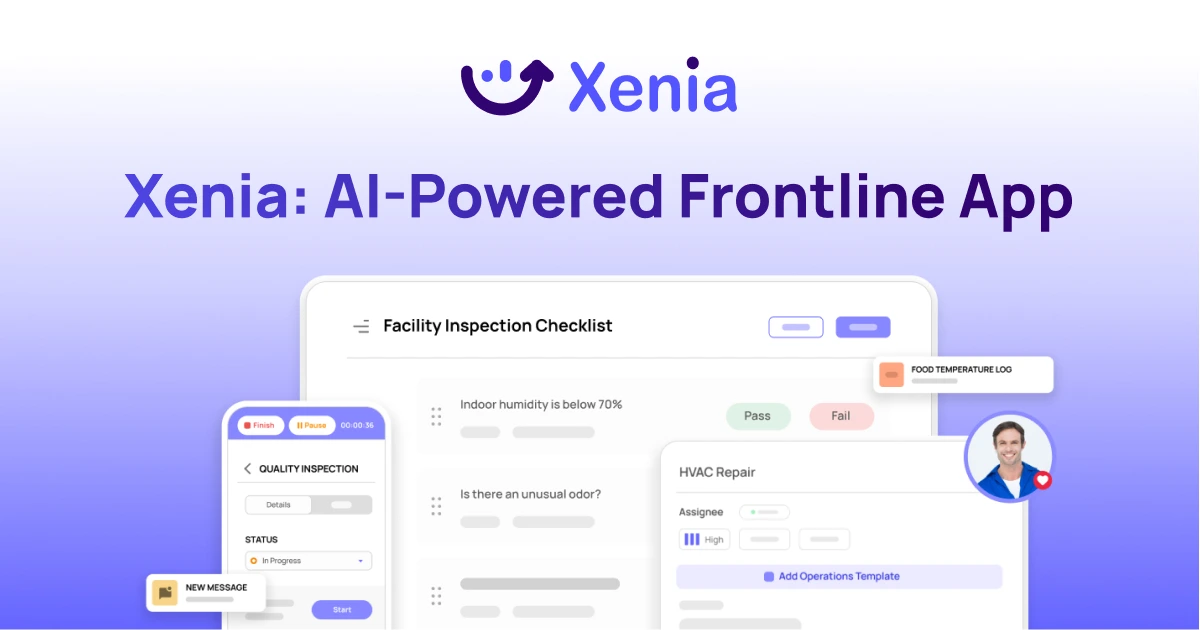
Why Facility Managers Choose Xenia:
🤖 AI-Powered Inspections, Verify safety equipment and compliance automatically with AI photo analysis. Surface critical maintenance issues instantly with AI-powered summaries.
🛠️ Work Orders & Maintenance, Report issues via mobile or QR codes. Route requests to teams or vendors. Schedule preventive maintenance for HVAC, elevators, and emergency systems to reduce downtime.
📊 Safety & Visibility, Deploy fire safety and hazard inspection workflows. Monitor work order resolution times and asset health across all facilities.
Manage work orders, maintenance, and safety inspections across all facilities from one platform.

.svg)
.webp)
%201%20(1).webp)

.svg)
%201%20(2).webp)


