

Post Summary
Great inventory management in retail gives you control over your whole operation.
Control over what's on your shelves. Control over your cash flow. Control over how your team executes every single day. When your inventory runs well, everything else gets easier.
This guide breaks it all down. The formulas, the habits, and the systems that work at any scale, one store or fifty.

.svg)

Priced on per user or per location basis
Available on iOS, Android and Web


What Is Inventory Management in Retail?
Retail inventory management is the system behind every well-run store.
It covers everything from ordering stock to receiving it, storing it, and selling it. When it all works together, you always have what customers want, when they want it, without tying up more cash than you need to.

What Is Perpetual Inventory Management in Retail?
With perpetual inventory management, your stock count is always current.
Every transaction updates your inventory instantly. A sale goes through, your count adjusts.
Stock arrives from a supplier, and it's added immediately. A customer returns something, and it's back in the system right away. Your POS handles all of it without anyone lifting a finger.
Periodic inventory updates are on a fixed schedule instead. It's easier to set up, but the data gets stale fast.
For most retailers today, perpetual is the clear choice.
What Does Inventory Actually Cost You?
Here's something most retailers don't think about.
The price you paid your supplier isn't your only inventory cost. Every product sitting in your stockroom costs you money every single day, even before anyone buys it.
This is called your carrying cost. And it adds up fast.
**
Cost Component, What It Covers
Purchase price, What you paid the supplier
Storage, Space your stock takes up
Insurance, Coverage on your physical inventory
Shrinkage, Theft - damage or counting mistakes
Opportunity cost, Cash you can't spend on anything else
Markdowns, Discounts when the stock doesn't sell
Labor, Time your team spends managing stock
**
Add all of that up. For most retailers, carrying costs run 20 to 30% of inventory value per year.
So if you're holding $100,000 in inventory, you're paying $20,000 to $30,000 a year just to hold it. Whether it sells or not.
That's the number that changes how you buy.
Here's how to calculate the carrying cost of inventory:
Carrying Cost % = Total Annual Holding Costs ÷ Average Inventory Value × 100
Run this once. It'll permanently shift how you look at every buying decision.
The Importance of Inventory Management in Retail

Bad inventory management doesn't show up as one big disaster.
It shows up as a slow, quiet bleed. Stockouts that push customers to your competitors. Overstock that ties up your cash.
Shrinkage nobody's tracking. Markdowns you take every quarter on things you should have bought less of.
Here's what's really at stake:
Stockouts don't just lose you a sale. When customers can't find what they want, many don't come back. You lose the transaction and the relationship.
Overstock affects your cash flow. Every dollar sitting in slow-moving inventory is a dollar you can't use for hiring, marketing, or expanding.
Bad data leads to bad decisions. If your system says you have 40 units but you actually have 11, every decision downstream is built on a lie.
Fix your inventory management and you fix all three. Lower costs, more sales, better margins, and more cash to grow with.
The Importance of Inventory Management in Retail: The Numbers Behind It
Still not convinced? Look at the numbers.
U.S. retailers lost 1.6% of their total sales to shrinkage in FY 2022, that's $112.1 billion gone, according to the NRF's 2023 National Retail Security Survey. Grocery stores get hit even harder at 3.1%, per the FMI's benchmark data.
Inventory accuracy isn't much better. ECR research found that 60% of retail SKUs have inaccurate records. A 2024 CAPS Research report puts store-level accuracy even lower, at just 65%. That means your team is potentially making buying and reorder decisions based on numbers that are wrong a third of the time.
And stockouts? They cost you more than just one sale. 39% of shoppers abandon their purchase completely when something is out of stock, according to GetTransport. And 9% never come back at all, per OpenSend.
How Can AI Improve Inventory Management in Retail?
Most retailers are still managing inventory the same way they did ten years ago. Spreadsheets, gut feel, and quarterly reviews.
AI changes that. Here's how it actually helps:
Better demand forecasting. AI looks at your real-time sales data, local events, and even weather to predict what you'll sell. Your forecasts stay accurate, and you buy closer to what you actually need.
Reorder points that update themselves. Right now, someone on your team probably sets reorder triggers manually and forgets to update them when demand shifts. AI does this automatically. Your buffers stay accurate without anyone babysitting them.
Catches problems before they get expensive. If shrinkage suddenly spikes at one location, AI flags it fast. A manager might not notice for days. The system catches it in hours.
Smarter safety stock by supplier. Not every vendor is equally reliable. AI tracks each supplier's delivery patterns and builds that into your stock buffers automatically.
Takes the guesswork out of markdowns. Instead of waiting until something is obviously dead stock, AI tells you early when to discount, by how much, and based on your actual margin targets.
Retail Inventory Management Best Practices
Use this as a quick quarterly review. If you can't check any point, you've found your next focus.
Buying and Ordering
- EOQ calculated for all A and B items
- Reorder points based on real sales velocity and actual lead times
- Safety stock set for all A items
- OTB calculated before every buying period
- Par levels documented and visible to the team
Counting and Accuracy
- Daily sheets in place for A items and anything near par level
- Line checks rotating through all sections weekly
- Cycle count schedule running (A items weekly, B monthly, C quarterly)
- Receiving process uses barcode scanning or a structured checklist
- Full physical count completed in the last 12 months
Reporting and Analysis
- ABC analysis completed in the last quarter
- Turnover and GMROI reviewed monthly by category
- Shrinkage rate tracked against industry benchmarks
- Dead stock report running monthly with an active plan to clear it
Multi-Location and Omnichannel
- One centralized inventory system across all locations
- POS integrated and updating inventory in real time
- E-commerce channels synced to the same inventory source
- Transfer process documented and followed consistently
People and Execution
- Team trained on receiving, counting, and returns processes
- Inventory accuracy tracked as an operational metric
- Task accountability system in place for daily inventory operations
How to Figure Out the Right Amount of Inventory to Carry

This is the question most inventory guides avoid answering directly.
How much should you carry? What's the minimum you can hold while still keeping customers happy and turns high?
Step 1: Know How Fast Each Product Actually Sells
Sales velocity tells you how quickly a product moves.
Daily Sales Velocity = Units Sold in a Period ÷ Number of Days in That Period
Do this for every SKU. You'll quickly see that a small number of products drive the majority of your sales. Those are the ones you absolutely cannot afford to run out of.
Step 2: Sort Your Inventory Into Three Groups
Not every product deserves the same attention. Use ABC analysis to sort them.
**
Tier, What It Is, How to Manage It
A Items, Top 20% of SKUs ~80% of revenue, Tight controls - count often - never let these stock out
B Items, Mid-range contributors, Monthly review - moderate safety stock
C Items, Low-value/slow-moving products, Minimal stock - question if they earn shelf space
**
Stop treating everything the same. Your A items need daily attention. Your C items need a quarterly decision on whether they belong in your store at all.
Step 3: Set Realistic In-Stock Targets
You don't need 99% availability across your entire assortment. That's expensive and unnecessary.
**
Tier, Target In-Stock Rate
A Items, 97–99%
B Items, 90–95%
C Items, 80–85%
**
Protect your best sellers. Be leaner on the long tail.
Step 4: Track Days of Inventory on Hand
Days of Inventory on Hand = (Average Inventory Value ÷ COGS) × Number of Days
**
Category, Healthy Range
Fast-moving consumables, 7–14 days
General merchandise, 30–45 days
Apparel, 30–60 days
High-ticket items, 60–90 days
**
These ranges are your guide. Above them means you're overstocked. Below them means it's time to reorder.
The Core Inventory Formulas Every Retailer Needs
These are the formulas behind every smart inventory decision.
You don't need a finance degree to use them. You just need to use them.
Economic Order Quantity (EOQ)
EOQ tells you the ideal order size, the amount that minimizes both your ordering and holding costs combined.
EOQ = √(2 × Annual Demand × Cost Per Order ÷ Annual Holding Cost Per Unit)
Example: You sell 1,200 units a year. Each order costs $25 to place. Holding one unit for a year costs $5. EOQ = √(2 × 1,200 × 25 ÷ 5) = √12,000 = 110 units per order
Use this for products with steady, predictable demand. Adjust it for seasonal categories.
Reorder Point (ROP)
ROP tells you exactly when to place a new order so stock arrives before you run out.
Reorder Point = (Average Daily Sales × Supplier Lead Time in Days) + Safety Stock
Example: You sell 15 units a day. Your supplier takes 8 days to deliver. You keep 60 units as a safety buffer. ROP = (15 × 8) + 60 = 180 units
When your on-hand count hits 180, you order. No debate, no guessing.
Safety Stock
Safety stock is the buffer that protects you from surprises, a demand spike, a supplier delay, a forecast that was off.
Simple method: Safety Stock = (Max Daily Sales − Average Daily Sales) × Lead Time in Days
More precise method for A items: Safety Stock = Z × Standard Deviation of Daily Demand × √Lead Time
Where Z = 1.65 for a 95% service level, or 2.05 for 98%.
Open-to-Buy (OTB)
OTB is the dollar amount you can spend on new stock for a given period without overbuying.
OTB = Planned Sales + Planned End-of-Period Inventory − Planned Beginning Inventory − Orders Already Placed
Calculate this before every buying meeting. If your OTB is zero or negative, you don't buy more until something clears.
This single formula prevents most overbuying problems.
Inventory Turnover Rate
Turnover tells you how many times you sell through your entire inventory in a year.
Inventory Turnover = COGS ÷ Average Inventory Value
**
Retail Sector, Average Turnover
Grocery / supermarkets, 17–20x
Drug stores, 10–12x
General merchandise, 6–8x
Apparel, 4–6x
Furniture / home goods, 3–5x
**
Higher is generally better. But don't chase a high number by understocking. A strong turnover rate that's hiding frequent stockouts is actually a problem.
Gross Margin Return on Investment (GMROI)
Turnover alone doesn't tell the full story because it ignores your margin.
GMROI shows you how much gross profit you earn for every dollar you invest in inventory.
GMROI = Gross Profit ÷ Average Inventory Cost
A GMROI above 1.0 means you're earning more than $1 for every $1 invested. Most healthy retailers sit between 1.5 and 3.0x depending on category.
Run this by department. Some categories will surprise you.
Sell-Through Rate
Especially useful for seasonal or trend-driven products.
Sell-Through Rate = (Units Sold ÷ Units Available) × 100
Most experienced buyers target 70–80% sell-through by end of season. If you're regularly hitting 50% or below, you're consistently buying too much.
Should I Use FIFO or LIFO for My Retail Business?
This confuses a lot of retailers. Here's the straightforward answer.
FIFO (First In, First Out) means you sell your oldest stock first. This is how physical retail actually works, you rotate products so older stock moves before it expires, goes out of season, or loses value.
LIFO (Last In, First Out) assumes you sell your newest inventory first. In accounting terms, this creates higher COGS during inflation, which lowers your taxable income.
**
Factor, FIFO, LIFO
Matches real-world stock rotation, Yes, No
Accounting accuracy, More representative, Can distort inventory value
Tax impact during inflation, Higher taxes, Lower taxes
Accepted internationally (IFRS), Yes, No
**
The simple answer: Run your store on FIFO. Sell older stock first. Build that habit into how your team receives and stocks products.
If you're a U.S.-based retailer and your CPA recommends LIFO for tax reasons during inflation, have that conversation. Just understand what you're trading off before you commit.
How to Track Retail Inventory: Counting, Checks, and Audits
Your inventory system is only as accurate as your last count.
Perpetual records drift over time. Shrinkage, receiving errors, damaged products nobody logged, they all chip away at your data quietly. Counting is what keeps things honest.
There are three levels of how to track retail inventory. You need all three.
Daily Inventory Sheets
A daily inventory sheet is a quick, focused count of your most critical products.
Not the whole store. Just the SKUs that matter most, your A items and anything flagged as running low.
This takes 15 to 30 minutes. One team member. A defined list. Count it and record it.
What goes on your daily sheet:
- Your top-selling A items
- Anything at or below par level
- High-value items with theft risk
- Items flagged from the previous day
The goal is catching problems early. A low-stock situation caught today is fixable. The same situation discovered after you've been out of stock for three days is a customer service problem.
Inventory Line Checks
A line check is a spot check on one specific section or category. Not the whole store, just one area, verified against your system.
Use them to catch receiving errors before they compound, verify accuracy after a high-volume period, and keep a rolling check on every section without disrupting operations.
Rotate them. Every part of your inventory should get a line check regularly.
Physical Counts and Cycle Counting
A full physical count matches every item in your system against what's actually on the shelf. Most retailers do this once or twice a year.
For most operations, cycle counting is better.
Instead of one massive shutdown count, you count a portion of your inventory every day on a rotating schedule. The whole inventory gets checked over time, without stopping the business.
**
Tier, Count Frequency
A Items, Weekly or bi-weekly
B Items, Monthly
C Items, Quarterly
**
Cycle counting keeps your team sharp. Discrepancies are easier to trace when they're recent. And you never face the stress of a full-store shutdown.
How to Do an Inventory Audit That Actually Means Something
Here's the difference most retailers miss.
A count tells you what you have. An audit tells you why your records are wrong and what to change so they stop being wrong.
Most retailers find a discrepancy, adjust the number, and move on. That's not an audit. That's patching the same hole every quarter.
A real audit traces each discrepancy back to its root cause.
**
Source, What to Look For
Receiving errors, Stock arrived but wasn't entered correctly
Shrinkage, Theft or damage that nobody logged
Transfer issues, Stock moved between locations without documentation
Returns handling, Customer returns not re-entered into inventory
**
When you find a discrepancy, trace it to one of these four. Then fix the process, not just the number.
Over time, this shows you exactly where your biggest accuracy problems are coming from. That's when you can actually eliminate them instead of just managing them.
Inventory Efficiency: Key Metrics to Track Every Month
If you only review inventory metrics once a quarter, you're too slow.
A problem that starts in January becomes a full markdown situation by March. Review these monthly, by category.
**
KPI, Formula, What It Tells You
Inventory Turnover, COGS ÷ Avg Inventory, How hard your inventory dollars are working
GMROI, Gross Profit ÷ Avg Inventory Cost, Profit per $1 invested in stock
Sell-Through Rate, Units Sold ÷ Units Available × 100, Whether your buying matches real demand
Days of Inventory on Hand, (Avg Inventory ÷ COGS) × Days, How long your current stock would last
Stockout Rate, Stockout Incidents ÷ Total SKUs × 100, How reliable your in-stock levels are
Shrinkage Rate, Inventory Loss ÷ Total Sales × 100, Loss from theft - damage and error
Dead Stock %, Non-Moving Inventory ÷ Total Inventory × 100, Capital tied up in stock that isn't moving
**
Don't try to fix all of these at once. Find the two or three furthest from where they should be and start there.
How Can I Identify and Get Rid of Dead Stock?
Dead stock is merchandise that isn't moving and won't, at full price.
It's taking up space. It's costing you carrying costs every month. And it gets less valuable every day you hold on to it.
How to Spot Dead Stock
Run a report sorted by last sale date. Flag anything that hasn't sold in:
- 30 days for trend-driven or fashion categories
- 60 days for general merchandise
- 90 days for slower specialty products
Why Dead Stock Builds Up in the First Place
- Overbuying on a trend that didn't land
- Seasonal forecasting that was off
- Products damaged at receiving that were never logged
- Promotions that didn't move the expected volume
How to Clear It (Best to Worst Margin Outcome)
- Send a targeted email to your customer list about that specific product before it hits the clearance rack
- Bundle it with a fast-moving product at a slight discount
- Transfer it to another location where it actually sells
- Offer it to employees at cost
- Return it to the vendor if your agreement allows
- Donate it and take the tax write-off
Here's the mindset shift that matters most.
Retailers hold onto dead stock hoping it'll eventually sell. It won't, not at full price. And every month you wait, you're paying carrying costs on a loss you're going to take eventually anyway. The faster you move, the more you save.
What Is the Best Way to Sync Inventory Across Multiple Stores and Online?
The moment you have more than one location or more than one sales channel, manual processes fall apart.
A sale at your Chicago store should update your inventory everywhere, your website, your other locations, your entire system, instantly. If it doesn't, you'll either oversell online or throttle your sales with inflated safety buffers.
What solid multi-location inventory management looks like:
- One centralized system that every location reads from and writes to
- POS integration at every location so sales update inventory automatically
- Consistent, documented receiving processes across every site
- Transfer documentation so every stock movement between locations is recorded
- A single dashboard where district managers can see every location's stock position at once
The technology for this exists, and it's accessible to retailers of every size. But here's the thing, the software isn't usually the problem. The problem is getting every location to consistently follow the same processes. One store skipping the receiving checklist. One manager not logging a transfer. These are the things that make a centralized system inaccurate, not the software itself.
How to Automate Inventory Management for Small Online Retailers
You don't need a big budget to automate the parts of inventory management that cause the most problems.
**
Automation, What It Does, Priority
POS → Inventory Sync, Every sale auto-updates your stock count, Critical
Low-stock alerts, Flags SKUs when they hit reorder point, High
Draft PO generation, Creates purchase orders automatically at reorder trigger, High
E-commerce sync, Online and in-store inventory from one source of truth, High
Barcode scanning at receiving, Verifies incoming orders against purchase orders, Medium
Cycle count scheduling, Assigns and tracks count tasks on rotation, Medium
**
If you're a small online retailer: Multi-channel sync is your most urgent automation. A single oversell on Amazon isn't just a refund, it's a performance hit that affects your search ranking on the platform. Get this right first.
One important caveat: don't let the system automatically place orders without a human reviewing them. Use automation to generate reorder recommendations. Keep a person making the final call, especially when demand shifts or supply chains get unpredictable.
Retail Inventory Software: What to Look For
The right retail inventory software doesn't just track what you have. It tells you what to do next.
When evaluating inventory software for retail stores, look for these capabilities:
Real-time sync. Every sale, return, and transfer should update your inventory count immediately, across every location and every sales channel.
POS integration. Your inventory system and your point-of-sale system need to talk to each other without manual intervention.
Multi-location visibility. You should be able to see every location's stock position from a single dashboard, not log into five different systems. Learn more in our guide to multi-unit operations.
Automated alerts. The system should tell you when something's running low before you realize it's a problem.
Reporting depth. Turnover, GMROI, sell-through, shrinkage, your system should surface these without requiring a manual spreadsheet build every month.
Task execution tracking. This one is underrated. Even the best retail inventory software fails if your frontline team isn't consistently executing the receiving checks, cycle counts, and audits that keep the data accurate. Look for a system that tracks whether those tasks are actually getting done.
How Xenia Helps Retailers Close the Execution Gap

Xenia is a frontline operations platform built for multi-location retail teams.
It lets operations leaders assign, track, and verify inventory tasks across every location, daily inventory sheets, receiving checklists, cycle count schedules, and low-stock response workflows, with full visibility into who completed what, when, and where.
When a task lives in Xenia, it has an owner, a deadline, and accountability. It doesn't get skipped because someone was busy or forgot.
The retailers who consistently win on inventory aren't the ones with the most sophisticated systems. They're the ones with the most consistent execution, across every store, every shift, every day.
See how Xenia helps retail operations teams execute consistently across every location.
Conclusion
Retail inventory management is a system. And like any system, it only works when every part is running the way it should.
Use the formulas. Track the metrics. Build the habits. But also make sure the right people are accountable for the right tasks across every location. That's where most retailers lose ground, not in the strategy but in the day-to-day execution.
Xenia helps you close that gap. Assign tasks, track completion, and get full visibility into what's happening across every store, every shift, every day.
Frequently Asked Questions
Got a question? Find our FAQs here. If your question hasn't been answered here, contact us.
How do I manage vendor orders and low-stock alerts in POS systems for retail?

Set two alert thresholds per SKU, a watch level and a critical level. Base reorder points on real sales velocity and actual lead times. Track reliability per vendor, late suppliers need bigger safety buffers. Auto-generate draft POs at the reorder trigger but keep a human approving before anything gets placed.
What is the best application to keep track of inventory for a store?
It depends on your size, number of locations, and sales channels. See our full breakdown of the best retail inventory management software.
What are the best real-time inventory systems for high-volume retail stores?
Look for real-time POS integration, RFID capability for bulk receiving, API connections to your e-commerce and supplier platforms, and automated anomaly detection. For multi-location operations, Xenia goes a step further, it ensures your team is actually executing the receiving checks, cycle counts, and stock audits that keep your system data accurate across every location.
How do I calculate my inventory turnover ratio?
Inventory Turnover = COGS ÷ Average Inventory Value. Average inventory = (Beginning + Ending Inventory) ÷ 2. Compare your result against benchmarks for your specific retail sector, a healthy number looks very different for a grocery store versus a furniture store.
How do I prevent overstocking without risking stockouts?
Set reorder points based on actual sales velocity, not gut feel. Keep safety stock for your best sellers. Tier your inventory, protect A items with higher buffers, stay lean on C items. Review par levels every quarter so your numbers stay current.

A Modern, AI-Powered Platform Built for Retail Operations
Xenia brings store operations, merchandising, audits, and loss prevention into one mobile-first platform. Store teams execute daily work consistently, maintain brand standards, and resolve issues faster, while regional and corporate leadership get real-time visibility across all locations.
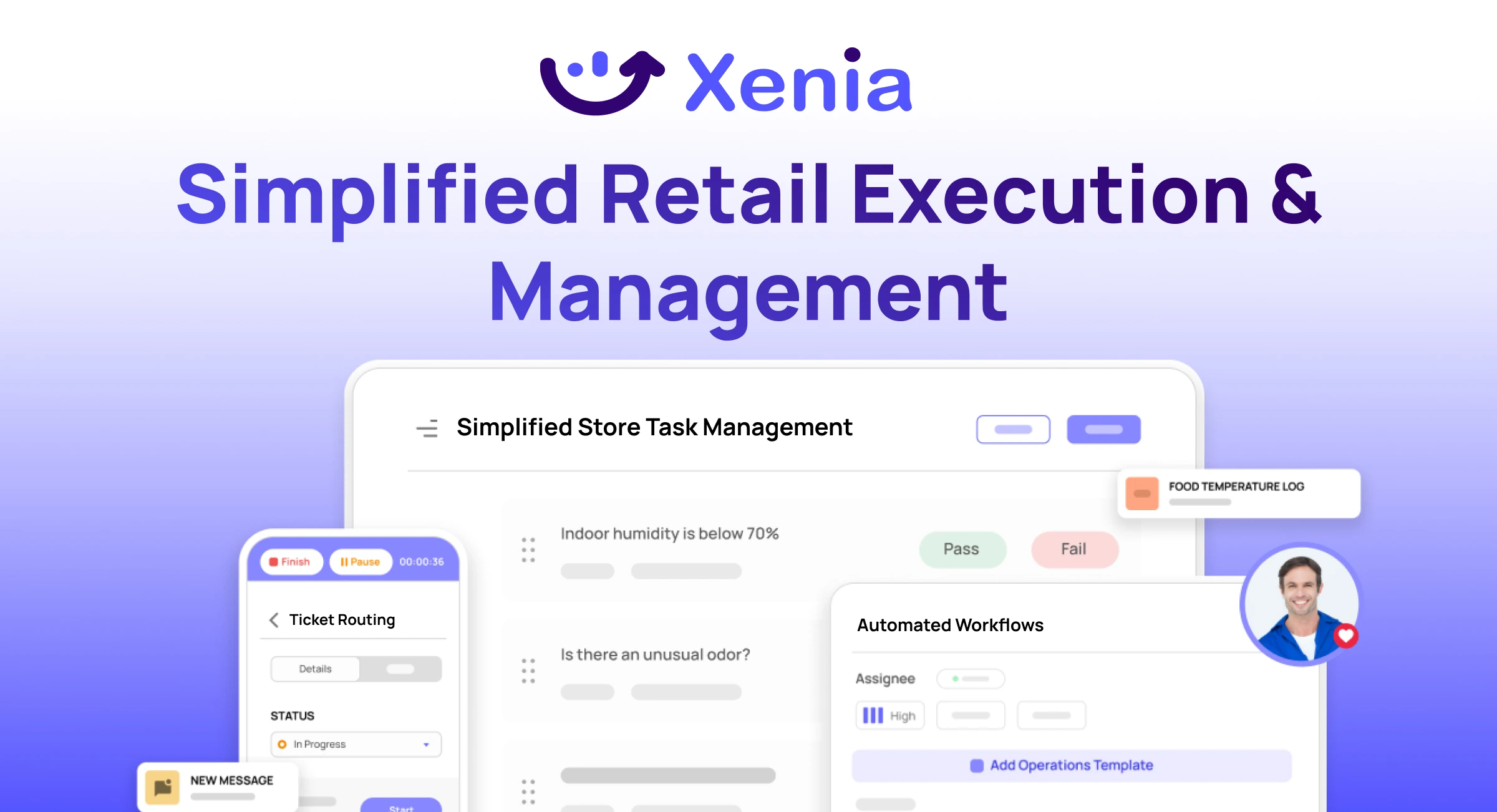
Why Retail Operators Choose Xenia:
🤖 AI-Powered Merchandising, Verify planograms, displays, and brand standards automatically with AI photo analysis. Build digital checklists instantly or convert existing merchandising guides.
🏬 Operations & Loss Prevention, Assign opening procedures, store walks, and resets across locations. Track theft, cash discrepancies, and security incidents with evidence and approval workflows.
📊 Real-Time Visibility, Compare audit scores and task completion across stores. Identify top and underperforming locations. Export reports for leadership reviews.
One platform for operations, merchandising compliance, and loss prevention across all locations.

.svg)
.webp)
%201%20(1).webp)

.svg)
%201%20(2).webp)




