

Summary
What is QR code asset tagging?
QR code asset tagging is the process of attaching a unique QR code to a physical asset and linking that code to the asset's digital record, so one scan opens the equipment's identity, location, and maintenance history. An asset tag is a unique label on a piece of equipment that ties it to that record. A QR code is the scannable square that holds the link. Together they turn a phone into the only tool a field tech needs to log work against the right machine.
The format matters because field conditions are rough. A single QR code holds up to 4,296 alphanumeric characters, far more than a 1D barcode, per DENSO WAVE, the inventor of the QR code. It also tolerates real damage. At the highest error-correction level, a QR code still scans with up to 30% of its surface scuffed or torn, per DENSO WAVE's error-correction reference. That margin is what keeps a back-of-house cooler tag or a forecourt pump tag readable after a year of abuse.
QR beats barcode for asset work on three points, per Fabrico's maintenance QR guide:
- Any angle. A phone camera reads a QR code from any direction. A barcode needs precise alignment.
- It triggers an action. A scan can open a work order, not just return a number.
- No special hardware. A standard smartphone camera scans it. No barcode gun, no RFID reader, no app install.
A line cook does not own a barcode scanner. They own the phone in their apron. That is the whole reason QR won the asset-tagging fight on the frontline.
Workflow diagram, submission to resolution
Scanning a tagged asset turns a five-minute lookup into a five-second action, and it routes the request to the right person automatically. A manual search by equipment name takes 15 to 30 seconds and returns multiple matches, per Oxmaint's QR asset-tracking analysis. A scan takes under one second and returns the exact unit.
Here is the scan-to-resolution flow, step by step:
- Scan. A store team member, attendant, or vendor points a phone camera at the QR tag on the broken asset. The asset record opens in under a second. No login is required to scan and submit.
- Pre-fill. The work request form opens already populated with the asset ID, location, and equipment category. No typing, no wrong-asset guess.
- Describe and photo. The person types the symptom, like "won't start, no error code," and attaches a photo. This is the only manual input.
- Submit. The request lands in the work order queue, already linked to the correct asset and location.
- Approve and route. A manager approves inside the authenticated Xenia app. The request auto-routes by location, priority, and skill. Severity is tiered as low, medium, high, or critical, so a critical asset down jumps the queue.
- Assign. The work order auto-assigns by location to the right tech or vendor, who gets the asset's full history attached.
- Resolve and close. The tech logs the fix against the same asset record. The repair history grows on the right asset, not a guessed one.
One guardrail keeps this honest. Staff and vendors scan and submit without logging in. Managers approve and route in the app. The submission is open. The control layer is not. This no-login QR work request flow is what lets a third-party vendor report a problem without a seat or an account. Xenia bundles that scan into an all-in-one frontline app, so the same tag that opens a work order also ties back to audits, daily ops, and comms.
What scanning an asset tag pre-fills on the work order
Scanning the tag pre-fills the work order with the asset's identity and context, so the only thing a person adds is the description and a photo. Competitor CMMS docs treat this as table stakes, and Xenia matches it. A scan auto-populates the asset ID for the exact unit (pump #3, not "a pump"), the location down to the spot, the equipment category, any open work orders on that asset so duplicates stay visible, the service history, and the PM schedule with attached SOPs, per eWorkOrders and UpKeep.
For multi-location asset tagging, use a hierarchical, location-aware ID so the asset name is self-documenting and filterable without extra data entry: Site, Building, Zone, Asset Type, Unit. A format like MAIN-B2-M-AHU-07 reads at a glance, per eWorkOrders.
| Step | Manual entry | Scan a tagged asset |
|---|---|---|
| Identify the asset | Type a name, get many matches, guess | One scan, exact asset |
| Time to identify | 15 to 30 seconds, often wrong | Under 1 second |
| Asset ID accuracy | Frequent wrong-asset tickets | Correct by default |
| Location and category | Typed manually | Auto-filled |
| Hardware needed | Laptop or careful typing | Phone camera |
The wrong-asset problem is the whole point. When a tech types "pump" and gets 47 results, they guess, and the work order logs to the wrong asset. That corrupts the repair history on the machine that actually broke. The tag removes the guess, per Fabrico.
.svg)

Priced on per user or per location basis
Available on iOS, Android and Web


How does Xenia's approach differ from a full CMMS?
Xenia is the frontline work order submission and routing layer, not a full CMMS. It handles scan-to-create work requests, approval, routing, and closure tracking. It does not replace the parts-inventory, depreciation, and vendor-invoicing depth of a CMMS like Limble or Service Channel.
| Capability | Xenia (frontline layer) | Full CMMS (Limble, Service Channel) |
|---|---|---|
| Scan-to-create work request | Yes, pre-filled from the tag | Yes |
| No-login submission by staff or vendors | Yes | Often requires a seat or requester account |
| Audits, daily ops, and comms in same app | Yes | No |
| Parts inventory depth | No | Yes |
| Depreciation tracking | No | Yes |
| Vendor invoicing depth | No | Yes |
Be honest about the line. Limble is the right tool for a facilities engineer running PMs and parts inventory. Xenia is the right tool for a multi-unit ops director who needs work orders plus audits plus daily ops plus comms in one app. Some operators run both. Xenia complements a depth-CMMS where one exists. Refuel kept its Service Channel integration and added Xenia for offline frontline ops across its C-store network.
The vendors that cover this space, eWorkOrders, Oxmaint, Joblogic, Camcode, UpKeep, and Fiix, are strong on asset and CMMS depth. The differentiator is not scanning itself. Their docs describe the same scan-to-create flow. The difference is that Xenia ties the scan into an all-in-one frontline app with no-login submission. To be clear about the limits: Xenia does not track parts inventory, does not manage purchase orders, and does not handle vendor invoicing.
Where do operators see results?
Operators see results in three places: fewer wrong-asset tickets, faster work request submission, and a clean per-asset service history that finally lives on the right equipment. Work order entry errors drop by up to 60%, and technician search time falls by 20 to 30 minutes per shift, when teams use tag-based asset identification, per Oxmaint's facility asset-tagging data.
The overhead is real. Tracking work order status is the most time-consuming task for over 44% of facilities teams, per the JLL Technologies 2024 FM survey cited by eWorkOrders, and a chunk of that comes from requests that never identified the asset correctly. As category stakes, the average cost of unplanned equipment downtime runs near $260,000 per hour in manufacturing, and the Siemens True Cost of Downtime 2024 report puts Fortune Global 500 losses at $1.4 trillion a year. Those are manufacturing-scale figures, not Xenia customer outcomes, but they show why shaving minutes off "broken to tech on site" matters.
Named Xenia results back the pattern. Power Market runs 360 locations with QR deployment and bilingual checklists and reports 40% faster task resolution. G&M Oil modernized its C-store ops onto one app after leaving iSupport. Refuel added offline frontline work orders while keeping Service Channel.
Two field vignettes show the seat-level payoff:
- C-store forecourt. A pump goes down at a rural stop at 11pm. The closing attendant scans the tag on pump #4. The request opens pre-filled with the pump ID, store address, and "fuel equipment." They type "won't start," add a photo, and it routes to the area tech and copies the DM. No phone call, no "which pump again?" This is the convenience store work order reality that QR-code work requests are built for: staff or vendors scan the broken asset, the form auto-populates, and a manager routes it by region and priority.
- Restaurant kitchen. A line cook scans the tag on the walk-in compressor. The request opens already knowing it is the walk-in, not the reach-in. The kitchen manager approves, it routes to refrigeration, and the service history closes out on the right unit.
For teams comparing the asset-record angle against the no-login angle, the dispatch-to-resolution workflow and vendor work requests with no login cover the routing and access sides of the same system. Start from the work order software hub to see how the pieces fit together.
How to set up asset-tag work requests in Xenia
Setting up asset-tag work requests is a four-step rollout: build the asset records, generate a QR tag per asset, place the tags durably, and point the scan at a pre-filled work request form.
- Build the asset register. Create the asset record for each piece of equipment, with a hierarchical, location-aware ID (Site, Building, Zone, Asset Type, Unit). This is what every tag links back to.
- Generate a QR tag per asset. A QR code is generated for each asset record. Software-side generation is standard, per eWorkOrders and UpKeep.
- Print and place tags durably. Place at waist-to-eye level, visible on approach, away from hinges, vents, and moving parts. Match the tag material to the environment. Use metal for outdoor, forecourt, and high-temp spots. Use adhesive labels indoors. For high-vibration assets like compressors and pumps, cable-tie a metal tag because adhesive fails, per eWorkOrders.
- Point the scan at a pre-filled request. Configure the scan to open a simple work request form that auto-fills asset ID, location, and category. Staff add a description and photo. Managers approve and route in the app.
One common mistake sinks tagging programs: a tag a tech cannot find, cannot scan without a ladder, or cannot read defeats the purpose. Consistent placement is what makes a program work in the field, not just on paper. Power Market proved the placement-and-scale playbook by going live across 360 locations with QR deployment and bilingual checklists, so the pace is set by how fast you can place tags, not by the software.
Frequently Asked Questions
Got a question? Find our FAQs here. If your question hasn't been answered here, contact us.
What information should every asset tag encode on a work order?

How is asset-tag scanning different from a no-login QR work request?
Do I need barcode hardware, or does a phone camera scan the tag?
Can one tag pull up an asset's full maintenance history across locations?
How long does it take to tag every asset across a multi-site portfolio?

A Modern, AI-Powered Platform Built for Facility Operations
Xenia connects maintenance, safety, inspections, and daily operations into one mobile-first platform. Facility teams respond faster, prevent downtime, and maintain compliance, while leadership tracks performance across all buildings in real time.
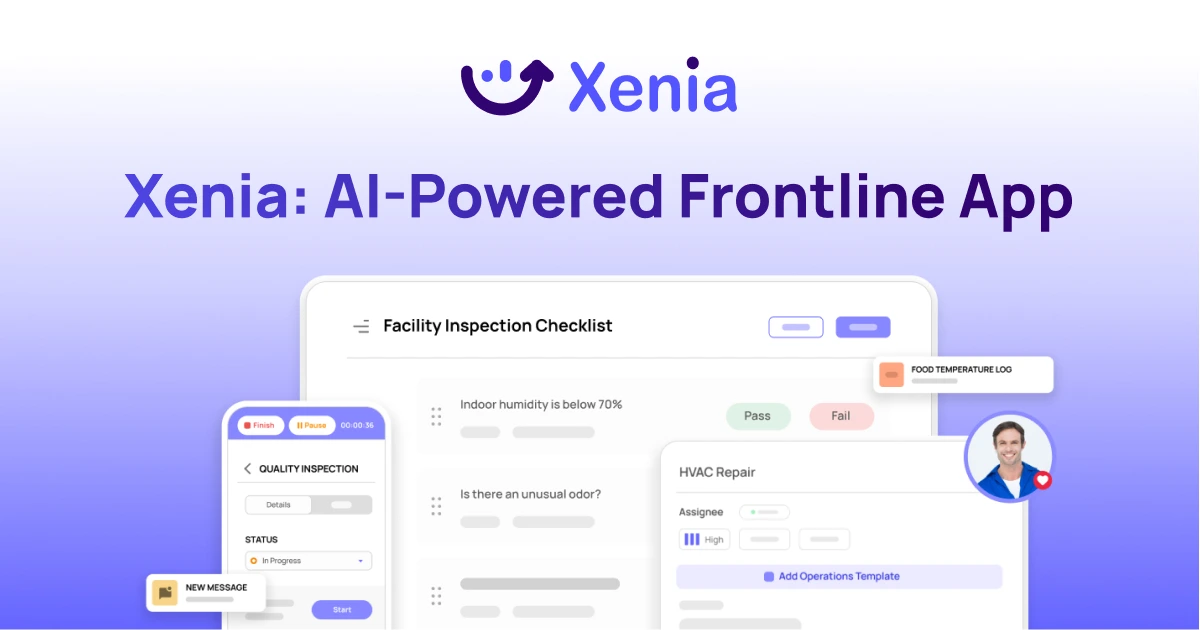
Why Facility Managers Choose Xenia:
🤖 AI-Powered Inspections, Verify safety equipment and compliance automatically with AI photo analysis. Surface critical maintenance issues instantly with AI-powered summaries.
🛠️ Work Orders & Maintenance, Report issues via mobile or QR codes. Route requests to teams or vendors. Schedule preventive maintenance for HVAC, elevators, and emergency systems to reduce downtime.
📊 Safety & Visibility, Deploy fire safety and hazard inspection workflows. Monitor work order resolution times and asset health across all facilities.
Manage work orders, maintenance, and safety inspections across all facilities from one platform.

.svg)
.webp)
%201%20(1).webp)

.svg)
%201%20(2).webp)


