

Summary
What is a corrective maintenance work order?
Corrective maintenance is maintenance work performed to fix a specific, already-identified problem. It restores an asset to full function after a defect is found, but before it fully breaks down.
The industry's own vocabulary is inconsistent here, so it helps to draw one clean rule. Some CMMS vendors use "corrective" and "reactive" as near-synonyms. Others split them cleanly by trigger. The rule that holds up: reactive maintenance responds to a sudden, unplanned failure with no prior warning. Corrective maintenance responds to a defect someone already found and documented, now routed to a fix. Preventive maintenance runs on a calendar or usage schedule, regardless of condition.
A work order is the record that carries a repair task from assignment to closure, tracking the asset, the problem, who's responsible, and proof the fix happened. A corrective work order is a specific type of that record, tied to a defect that was caught before it became a full outage.
Three source patterns confirm this trigger-based distinction:
- UpKeep notes that corrective maintenance addresses equipment "still functioning to some extent but will not function at optimal capacity," distinct from breakdown maintenance, which addresses equipment that's fully nonoperational.
- MaintainX splits corrective maintenance into planned (issue identified first, repair scheduled during planned downtime) and unplanned (emergency repair after unexpected failure), the cleanest existing taxonomy in the category.
- Limble documents that corrective work orders commonly begin "after a technician notices a problem while conducting an inspection, executing another type of work order, or carrying out daily operations."
Xenia's version of this rule maps directly to how the workflow actually runs at the store level: a failed line item on an audit or a checklist flag creates the corrective work order automatically, carrying the finding forward instead of starting the technician from a blank ticket. That handoff is the sibling half of corrective action tracking, which documents the audit side of the same loop, the failed item and its follow-up question, while this page covers the work order side, the routed repair and its closure.
Workflow diagram, submission to resolution
A corrective maintenance work order moves through eight steps, from the moment a defect is flagged to the moment the repair is photo-verified closed. Here's how that flow runs in Xenia:
- Defect identified during an audit or checklist. A line check, an equipment audit, or a daily opening checklist flags a failed item, a walk-in cooler running warm, a fryer showing wear, or a fuel pump displaying an error code.
- Follow-up question and required photo captured at the point of failure. The audit's conditional logic auto-presents a follow-up question, "What did you find?", and requires a photo of the defect at the moment it's found, not after the fact.
- Corrective work order auto-generates, referencing the audit finding. The failed item creates a work order automatically. It carries over the asset, location, category, and the original audit finding as context, so the technician isn't starting from a blank ticket.
- Auto-route by severity, region, and skill. The work order routes to the right technician or vendor based on severity level (low, medium, high, critical) and asset category, without a manager manually reassigning tickets.
- Assignment and deadline set. A manager assigns the work order to a technician or third-party vendor with a deadline tied to severity. Critical items get shorter windows than cosmetic ones.
- Repair executed, photo-verified closure. The assigned party fixes the issue and closes the work order with photo evidence, a record that shows not just that a ticket closed, but what the fix looked like.
- Escalation if the deadline passes. If the work order isn't closed by deadline, it escalates automatically to the next tier, DM or regional manager, the same escalation-chain pattern Xenia uses for audit corrective actions.
- Closed-loop record ties back to the original audit. The completed work order links back to the audit item that triggered it, closing the gap between "we found a problem" and "we fixed the problem" in one traceable record.
Store staff or third-party vendors can also enter this flow directly. Scanning a QR code on the asset itself, the pump, the fryer, the cooler, submits a corrective work request without logging in or installing an app. The form auto-populates asset, location, and category, so a closing attendant who finds a broken pump at 11pm doesn't have to call someone and hope the details get relayed correctly. For a C-store chain with mixed formats, some stores with tap systems, some without, this same routing logic runs one audit template across every forecourt format without penalizing stores for equipment they don't have.
That closed-loop pattern is the direct answer to a gap named specifically by Graham Enterprise, which migrated off Zenput because Zenput's audit data lived in reports, with closure handled manually in a separate system. Audit failure leads to an automatic corrective task, tracked to resolution, with escalation if not addressed by deadline. Most platforms collect audit data. Few drive it to closure.
Corrective vs. reactive vs. preventive: where the line actually falls
The three maintenance types differ by trigger, not by urgency. Preventive maintenance is scheduled regardless of condition. Corrective maintenance responds to a defect someone already found. Reactive maintenance responds to a failure nobody saw coming.
| Type | Trigger | Timing | Example |
|---|---|---|---|
| Preventive | Calendar or usage schedule | Before any problem exists | Quarterly HVAC filter change regardless of condition |
| Corrective | A known, identified defect (audit finding, checklist flag, inspection result) | After discovery, before total failure | Walk-in cooler audited at 42°F, fixed before it fails completely |
| Reactive | Sudden, unplanned failure | After the asset is already down | Fryer stops working with no warning at 6pm on a Friday |
MaintainX's planned/unplanned split confirms this same structure from the CMMS side. Planned corrective maintenance, a scheduled repair based on an identified-but-not-yet-failed issue, sits closer to preventive maintenance in practice. Unplanned corrective maintenance sits closer to reactive. MaintainX also recommends an 80/20 target, roughly 80% preventive effort to 20% corrective, as a healthy ratio for asset-heavy operations.
Here's how that distinction plays out across verticals:
- Restaurant: A line check flags a walk-in running at 42°F, above the safe threshold. The follow-up question captures what the cook found, and a photo of the thermostat is required. The corrective work order goes to the kitchen manager with a short deadline, escalating to the DM if not closed. It's a corrective repair, not reactive, because the defect was caught before total failure.
- C-store: A forecourt walk-through finds a pump displaying an intermittent error code but still dispensing fuel. That's a corrective candidate: found, documented, not yet a full outage. The work order routes to the area maintenance tech and copies the DM automatically.
- Retail: A planogram audit finds a fixture with a cracked shelf bracket, still holding product but structurally compromised. The photo-required follow-up question captures the defect, and the corrective work order routes to store maintenance before the fixture fails and drops merchandise.
- Hospitality: A pre-arrival room inspection finds an AC unit running but blowing warm air, not yet fully down. The corrective work order routes to property maintenance with the room number pre-populated, closing before the next guest checks in.
Regulators treat "identified but not yet failed" as its own action category too. The FDA Food Code treats an equipment temperature failure as a priority violation requiring documented corrective action, recorded in the "Observations and Corrective Actions" section of the inspection report, with up to 72 hours allowed for correction when immediate correction is impractical. Source: FDA Food Code 2022. OSHA's Process Safety Management standard requires that deficiencies in equipment outside acceptable limits be corrected "before further use or in a safe and timely manner," with inspections documented by date, inspector, equipment identifier, and results. Source: OSHA 29 CFR 1910.119.
.svg)

Priced on per user or per location basis
Available on iOS, Android and Web


How does Xenia's approach differ from a full CMMS?
Xenia handles corrective work order submission, routing, and closure at frontline depth. It does not match Limble or Service Channel for parts inventory, depreciation tracking, or vendor invoicing, the maintenance-engineering layer underneath the work order itself.
No-login QR submission is the wedge. Store staff or third-party vendors scan a QR code on the asset and submit a corrective work request without logging in or installing an app. The form auto-populates asset, location, and category. No major CMMS competitor, not Limble, not Service Channel, not UpKeep, offers no-login submission at this depth.
That gap shows up directly in pricing. Limble's paid plans start at $28 per user per month on the Standard tier, and management users needing even read-only access carry a per-seat cost. For a chain routing corrective work orders from third-party vendors and rotating store staff, gating who can submit a ticket behind a seat is a structural mismatch, not a minor inconvenience.
Limble does own real depth Xenia doesn't claim. Limble supports RFP/RFQ submission to vendors, vendor performance tracking, and integrations with ERP and inventory tools like NetSuite and QuickBooks. Xenia complements rather than replaces that depth: Refuel runs Xenia for frontline work order submission and routing while retaining Service Channel for the deeper facilities and asset layer underneath it.
|  | Xenia | Limble / typical CMMS |
|---|---|---|
| Corrective WO submission | QR code, no login required | Requires app login or seat |
| Vendor/third-party submission | No login, no seat cost | Per-seat license typically required |
| Audit-to-work-order handoff | Automatic, from failed line item | Manual entry in most cases |
| Parts inventory / depreciation | Not supported | Core strength |
| Vendor invoicing depth | Not supported | Core strength |
| Pricing model | Flat per-location | Per-user / per-seat (Limble: from $28/user/mo) |
Xenia does not track parts inventory, depreciation, or vendor invoicing. If your operation needs deep asset-lifecycle accounting alongside frontline submission, expect to run Xenia and a CMMS like Limble together, the way Refuel does with Service Channel, not as a replacement decision.
Where do operators see results?
Operators see the clearest results when the audit finding and the work order closure live in the same record instead of two disconnected tools.
Refuel runs 200+ C-stores, including rural fuel stops with intermittent connectivity. Refuel's switching drivers were offline mode, work orders, and a retained third-party Service Channel integration for deeper facilities work. In the corrective maintenance context, a pump found faulty during a forecourt walk-through, or flagged by a closing attendant, generates a corrective work order that stays queued offline until connectivity returns, then syncs and routes automatically. No data loss, no phone call, no waiting for daytime WiFi.
Graham Enterprise migrated from Zenput specifically because Zenput's audit data lived in reports, with closure handled manually in a separate system. Xenia's audit-to-corrective-work-order handoff answers that gap directly: the audit finding and the work order closure are the same traceable record, not two disconnected tools that a manager has to reconcile by hand.
The same shape holds across every vertical in Xenia's customer base: an audit failure or checklist flag leads to an automatic task, an assigned owner, a deadline, and an escalation rule if the deadline is missed. Restaurants see it in temp-out-of-range findings. C-stores see it in fuel price mismatches and cooler issues. Retail sees it in planogram gaps. Hospitality sees it in room inspection failures. It's the same corrective-action pattern wearing a different vertical's vocabulary, and it's worth reviewing against the convenience store operations software hub if you're running mixed-format forecourts across multiple regions.
If you're comparing this against the broader work-order landscape, types of work orders covers the five-type taxonomy at a glance, and reactive maintenance work orders covers the unplanned break-fix side this page deliberately distinguishes itself from.
How to set up corrective maintenance work orders in Xenia
Setting up corrective maintenance work orders means connecting audit follow-up logic to auto-generated work orders, so a failed line item routes to a repair task without a manager re-entering the finding by hand.
- Add a follow-up question with required photo capture to the relevant audit or checklist item. A temperature check that flags out-of-range triggers a "describe what you found" question with a mandatory photo.
- Set the severity level for the failure. Xenia supports tiered severity, low, medium, high, critical, so critical failures and cosmetic ones don't share the same deadline clock.
- Configure auto-route rules by region, asset category, and severity so the corrective work order lands with the right technician or vendor without manual reassignment.
- Enable QR-code submission on the asset so store staff or a third-party vendor can submit a corrective request directly from the equipment, without waiting for the next scheduled audit.
- Set escalation deadlines by severity tier. Critical items get a short window measured in hours. Cosmetic or minor items get a longer one, mirroring the deadline-and-escalation pattern already used in Xenia's audit corrective-action workflows.
- Require photo-verified closure. The work order isn't closed until the assigned technician submits a photo showing the fix, so the record shows what was actually done, not just a status change.
This setup pairs directly with work order prioritization, which covers how severity tiers drive queue order across every work order type, not just corrective ones, and with the broader dispatch to resolution workflow for routing mechanics beyond the corrective-specific trigger.
Frequently Asked Questions
Got a question? Find our FAQs here. If your question hasn't been answered here, contact us.
How is a corrective maintenance work order triggered from a failed audit item?

Does corrective maintenance count against a location's preventive maintenance percentage?
Who verifies a corrective repair actually fixed the underlying problem?
Can a corrective work order automatically reference the audit finding that caused it?
What information should a corrective work order capture before it's closed?

A Modern, AI-Powered Platform Built for Facility Operations
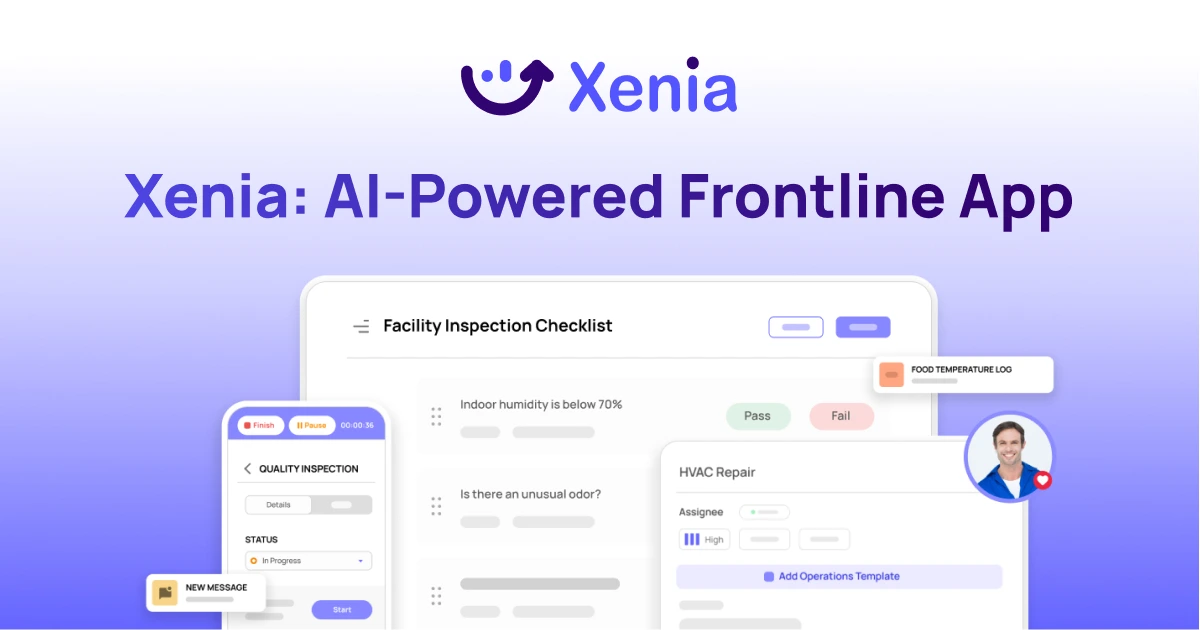
Xenia connects maintenance, safety, inspections, and daily operations into one mobile-first platform. Facility teams respond faster, prevent downtime, and maintain compliance, while leadership tracks performance across all buildings in real time.
Why Facility Managers Choose Xenia:
🤖 AI-Powered Inspections, Verify safety equipment and compliance automatically with AI photo analysis. Surface critical maintenance issues instantly with AI-powered summaries.
🛠️ Work Orders & Maintenance, Report issues via mobile or QR codes. Route requests to teams or vendors. Schedule preventive maintenance for HVAC, elevators, and emergency systems to reduce downtime.
📊 Safety & Visibility, Deploy fire safety and hazard inspection workflows. Monitor work order resolution times and asset health across all facilities.
Manage work orders, maintenance, and safety inspections across all facilities from one platform.

.svg)
.webp)
%201%20(1).webp)

.svg)
%201%20(2).webp)


