

Post Summary
You know SOPs matter. But where do you actually start?
Most restaurants either create restaurant operating procedures that nobody uses or spend months building documentation that's outdated before it's finished.
The restaurants getting this right follow a simple process. Document high-impact procedures first. Use templates that work. Connect SOPs to daily execution.
This guide shows you exactly how to create and implement restaurant standard operating procedures that your team actually follows, plus free templates to get started.

.svg)

Priced on per user or per location basis
Available on iOS, Android and Web


How to Identify SOP-Worthy Processes
You can't document everything at once. Start with procedures that deliver the biggest impact.
Focus on These Four Categories
1. Safety-critical procedures
Anything that could cause injury, illness, or regulatory violations needs documentation first.
Examples:
- Food temperature monitoring and logging
- Chemical handling and storage
- Equipment operation safety procedures
- Allergen handling protocols
- Emergency response procedures
One foodborne illness incident costs more than documenting every food safety procedure.
2. High-frequency tasks
Procedures your team executes daily or multiple times per shift deserve documentation.
Examples:
- Opening and closing procedures
- Line prep and station setup
- Daily cleaning requirements
- Cash handling and deposits
- Shift handoff protocols
Document these once and you improve execution hundreds of times per month.
3. Inconsistent execution areas
Where does performance vary most between locations or shifts?
Examples:
- Tasks that take 30 minutes when Sarah does them but 90 minutes when others try
- Procedures where results vary significantly by team member
- Processes causing repeated customer complaints
- Areas generating frequent manager questions
Inconsistency shows you need documented standards.
4. High-cost processes
Procedures directly impacting food cost, labor efficiency, or equipment longevity need documentation.
Examples:
- Portioning and recipe execution
- Inventory receiving and storage
- Equipment maintenance schedules
- Prep batch sizes and shelf life
Document the procedures affecting your biggest expense categories.
The Quick Priority Test
Ask three questions about each procedure:
What happens if we execute this wrong?
- High consequence = high priority
- Low consequence = lower priority
How often do we do this?
- Daily = high priority
- Monthly = lower priority
How much does execution vary?
- Highly inconsistent = high priority
- Already consistent = lower priority
Start with procedures scoring high on all three questions.
How to Create SOPs for a Restaurant (Step-by-Step)
Follow this process to create restaurant operating procedures your team actually uses.
SOP Creation Process Overview
**
Step, What You Do, Why It Matters, Time Required
1. Observe Best Performers, Watch your top team member execute the task, Captures proven methods that actually work, 1-2 hours
2. Document Simply, Write procedure in clear - simple language, Makes SOPs easy to understand and follow, 2-3 hours
3. Add Photos, Take pictures of visual steps and standards, Communicates faster than text alone, 30-60 minutes
4. Test With Team, Have 2-3 people use only your documentation, Reveals gaps before restaurant-wide rollout, 1-2 hours
5. Refine Based on Feedback, Update based on what team members say, Creates SOPs that match operational reality, 1 hour
6. Make Accessible, Put SOPs where team can access during shifts, Ensures procedures get used - not ignored, Varies by method
7. Train Your Team, Walk through procedures with demonstrations, Transforms documentation into capability, 30 minutes per person
8. Connect to Daily Tasks, Link SOPs to task management system, Makes procedures part of daily accountability, Setup time varies
**
Now let's break down each step in detail.
Step 1: Observe Your Best Performers
Don't write SOPs from theory. Document what actually works.
Watch your best team member execute the procedure:
- What do they do first?
- What specific steps do they take?
- What do they check along the way?
- How do they know when they're done?
- What mistakes do they avoid?
Take notes or record video. Capture the details that separate great execution from average.
Step 2: Document the Process Simply
Write procedures using language your team actually speaks.
Basic SOP structure:
- Purpose - Why this procedure matters (one sentence)
- Who - Which role completes this procedure
- When - Timing or trigger for the procedure
- Steps - Numbered steps in execution order
- Success criteria - What good execution looks like
- Common mistakes - What to avoid
Keep it simple. If your SOP runs more than one page, you're probably documenting multiple procedures.
Step 3: Add Photos for Visual Tasks
Photos communicate faster than paragraphs for many procedures.
When to use photos:
- Plating and presentation standards
- Equipment setup or breakdown
- Proper cleaning disassembly
- Product placement and merchandising
- Safety equipment positioning
Take photos during actual execution, not staged later. Real conditions show what team members will actually see.
Step 4: Test With Your Team
Draft SOPs on paper don't reveal practical problems.
Have 2-3 team members execute the procedure using only your documentation:
- Can they complete each step as written?
- Do they understand the terminology?
- Are the photos clear and helpful?
- Does anything important get missed?
- How long does execution actually take?
This testing reveals gaps before you roll out restaurant-wide.
Step 5: Refine Based on Feedback
Team members executing procedures daily know what works and what doesn't.
Common refinements:
- Add steps that seemed "obvious" but weren't
- Simplify confusing language
- Add photos where text isn't clear
- Break complex procedures into smaller ones
- Adjust timing expectations to reality
The best SOPs get refined multiple times before final rollout.
Step 6: Make SOPs Accessible
Documentation in a binder doesn't help team members on the line.
Accessibility options:
**
Method, Pros, Cons
Laminated cards at stations, Always visible - no login needed, Hard to update - gets dirty
Digital platform on tablets, Easy to update - searchable, Requires devices
Mobile app access, Access anywhere - always current, Team needs phones during shift
QR codes linking to procedures, Fast access - easy to update, Requires scanning step
**
Digital platforms work best for multi-unit operations. Updates distribute automatically and everyone sees the current procedures.
Step 7: Train Your Team
Don't just hand out SOPs. Actually train people to use them.
Effective SOP training:
- Walk through the procedure together
- Demonstrate each step with the SOP visible
- Have team members execute while referencing the SOP
- Answer questions and clarify confusing parts
- Verify competency before independent execution
Training transforms documentation into capability. Comprehensive food safety training for employees ensures consistent execution across all shifts.
Step 8: Connect SOPs to Daily Tasks
This is where most restaurants fail. SOPs exist separately from daily work.
Make the connection:
- Daily task lists reference specific SOPs
- Clicking a task opens the relevant procedure
- Photo verification confirms proper execution
- System documents completion automatically
When SOPs link directly to task management, procedures become operational reality instead of forgotten documentation.
Free Restaurant SOP Templates by Department
Use these free templates as starting points. Customize them for your operation.
Kitchen Opening SOP Template
- Purpose: Prepare kitchen for safe, efficient service
- Who: Opening kitchen manager or lead cook
- When: Daily, 60 minutes before service
Steps:
- Unlock kitchen and turn on lights
- Check equipment temperatures (walk-in, line coolers, freezers)
- Walk-in: 38°F or below
- Line coolers: 41°F or below
- Freezer: 0°F or below
- Document readings on temperature log
- Turn on cooking equipment in proper sequence
- Ovens first (preheat 30 minutes)
- Grills and flattops (preheat 20 minutes)
- Fryers last (preheat 15 minutes)
- Check prep levels against prep sheet
- Note any shortages
- Begin critical prep items first
- Verify line setup matches station diagrams
- All items in proper position
- Backup stock properly positioned
- Mise en place containers filled
- Complete opening checklist with photos
- Communicate any issues to manager before service
Success criteria: Kitchen ready for first order within 5 minutes of service start
Common mistakes to avoid:
- Starting equipment too late (service delays)
- Skipping temperature documentation
- Missing critical prep items
Use pre-built template: Get started immediately with our ready-to-use kitchen opening checklist template and kitchen operations checklist.
Food Temperature Monitoring SOP Template
- Purpose: Prevent foodborne illness through proper temperature control
- Who: All kitchen staff
- When: Multiple times daily per schedule
Steps:
At receiving (every delivery)
- Check delivered food temps before accepting
- Cold foods: 41°F or below
- Frozen foods: 0°F or below
- Reject items outside safe ranges
- Document on receiving log
During cold storage (every 4 hours)
- Check walk-in cooler temp
- Check line cooler temps
- Document all readings
- Alert manager immediately if above 41°F
During hot holding (every 2 hours during service)
- Check all hot held items
- Must maintain 135°F or above
- Discard items below 135°F for more than 2 hours
- Document readings
During cooking (every item)
- Check internal temps before serving
- Poultry: 165°F minimum
- Ground meats: 155°F minimum
- Whole cuts: 145°F minimum
- Document on cooking log
During cooling
- Cool from 135°F to 70°F within 2 hours
- Cool from 70°F to 41°F within additional 4 hours
- Use shallow pans, ice baths, or blast chiller
- Document time and temperature
Success criteria: All temperature logs complete with no critical violations
Common mistakes to avoid:
- Using uncalibrated thermometers
- Not documenting readings
- Continuing to serve foods outside safe temps
For comprehensive temperature management, implement digital food safety management systems that automate logging and alerts.
Free Restaurant Server Checklist Templates
Looking for ready-to-use server checklists? These free restaurant server checklist templates cover essential front-of-house procedures.
Server Opening Checklist Template
- Purpose: Prepare dining room for excellent guest service
- Who: Opening server or shift lead
- When: Daily, 30 minutes before service
Steps:
- Turn on dining room lights and music
- Lights: Full brightness
- Music: Appropriate volume for time of day
- Check all tables for cleanliness and setup
- Wipe down surfaces with sanitizer
- Check chairs for stability
- Ensure proper spacing
- Set up server stations
- Stock silverware, napkins, and condiments
- Verify POS system working properly
- Check printer paper levels
- Brew coffee and tea
- Fresh coffee: Full pot ready
- Hot water: Dispenser filled
- Tea selection: Fully stocked
- Check and stock beverage stations
- Ice bins filled
- Glassware clean and stocked
- Lemon, lime, garnishes prepped
- Review reservations and special requests
- Note dietary restrictions
- Identify VIP guests
- Set up special occasion tables
- Complete opening checklist with photos
- Attend pre-shift meeting
Success criteria: Dining room ready to seat first guest on time
Common mistakes to avoid:
- Incomplete station stocking (service delays)
- Missing reservation notes (poor guest experience)
- Skipping cleanliness checks
Server Closing Checklist Template
- Purpose: Close front-of-house properly and prepare for next shift
- Who: Closing server or shift lead
- When: Daily, after last guest departure
Steps:
- Complete final table service
- Process all payments
- Bus and clean all tables
- Reset tables for next day
- Clean and restock server stations
- Wipe down all surfaces
- Refill silverware, napkins, condiments
- Stock glassware and plates
- Replenish supplies for opening shift
- Complete side work assignments
- Clean beverage station
- Restock ice
- Prepare fresh coffee setup
- Clean and organize server areas
- Complete cash out procedures
- Count tips and declare to manager
- Close out POS station
- Submit credit card receipts
- Final dining room check
- All tables clean and reset
- Chairs positioned properly
- Floor swept and spot mopped
- Lights adjusted for closing
- Complete closing checklist with photos
- Leave notes for opening shift
Success criteria: Dining room clean, stocked, and ready for next opening
Common mistakes to avoid:
- Incomplete side work (opens poorly)
- Missing cash out steps (accounting issues)
- Skipping final cleaning
Closing Kitchen SOP Template
- Purpose: Ensure food safety, equipment care, and smooth next-day opening
- Who: Closing kitchen manager or lead cook
- When: Daily, after last order
Steps:
- Store all food properly
- Cool hot foods following safe cooling procedures
- Label all items with date and time
- Organize walk-in and coolers
- Discard items past shelf life
- Clean and sanitize all surfaces
- Wipe down all prep surfaces
- Clean cutting boards
- Sanitize all food contact surfaces
- Sweep and mop floors
- Clean equipment properly
- Fryers: drain, clean, filter oil
- Grills: scrape, degrease, wipe down
- Ovens: remove debris, wipe interior
- Line coolers: wipe down, organize
- Complete temperature logs
- Final walk-in reading
- Final cooler readings
- Document all readings
- Take out trash and recycling
- Empty all bins
- Replace liners
- Clean areas around bins
- Secure kitchen
- Turn off all equipment except coolers/freezers
- Check all burners and ovens are off
- Lock back door
- Turn off lights
- Complete closing checklist with photos
- Leave notes for opening shift
Success criteria: Kitchen clean, secure, and ready for next opening shift
Common mistakes to avoid:
- Improper food cooling (safety risk)
- Equipment left on overnight (energy waste, fire risk)
- Missing temperature documentation
Use comprehensive kitchen cleaning checklists and deep cleaning schedules to maintain standards.
Cash Handling SOP Template
- Purpose: Ensure accurate cash handling and prevent loss
- Who: Shift managers and assigned cashiers
- When: Opening, during shifts, and closing
Steps:
Opening cash drawer
- Count starting cash bank
- Verify amount matches expected ($200 standard)
- Sign off on opening count
- Place cash in register
During shift
- Accept payments following POS procedures
- Give accurate change
- Place bills under cash drawer until transaction complete
- Never leave cash drawer open unattended
- Limit large bills in drawer (drop excess over $300)
Cash drops
- Count cash being dropped
- Complete drop envelope
- Get manager signature
- Place in safe immediately
- Document on cash log
Closing cash drawer
- Count cash remaining in drawer
- Count each denomination separately
- Complete cash count sheet
- Calculate actual vs expected
- Get manager verification
- Document any variance
- Prepare deposit per manager instructions
Success criteria: Zero unexplained cash variances
Common mistakes to avoid:
- Mixing personal money with drawer cash
- Making change from the register for other cashiers
- Not documenting cash drops
- Counting cash where customers can see
Streamlining Restaurant Operations With Standard Operating Procedures
Creating restaurant standard operating procedures examples is just the beginning. The real value comes from streamlining restaurant operations with standard operating procedures that connect to daily execution.
How SOPs Transform Daily Operations
Without SOPs:
- Every shift runs differently based on who's working
- Training takes weeks and quality varies by trainer
- Managers spend hours answering the same questions
- Compliance gaps emerge randomly
- Multi-unit consistency stays a dream
With properly implemented SOPs:
- Consistent execution regardless of who's working
- New hires become productive in days
- Team members reference procedures instead of asking managers
- Compliance becomes systematic
- Every location follows identical standards
The difference isn't the documentation. It's the implementation.
Connecting SOPs to Daily Workflows
Documentation separated from daily work gets ignored.
Make SOPs part of workflows:
Morning:
- Manager assigns opening checklist
- Team members see linked SOPs for each task
- Photo verification confirms execution
- System documents completion
During service:
- Temperature monitoring alerts trigger automatically
- Linked SOP shows proper procedure
- Team member documents reading
- Corrective actions flow if temps are out of range
Evening:
- Closing checklist assigns based on schedule
- Equipment shutdown SOPs guide proper procedures
- Photo verification confirms cleanliness
- System alerts manager when complete
This integration makes SOPs working tools instead of reference materials nobody references.
How Xenia Simplifies Restaurant SOP Implementation
Creating SOPs is step one. Making them work across multiple locations is the real challenge.
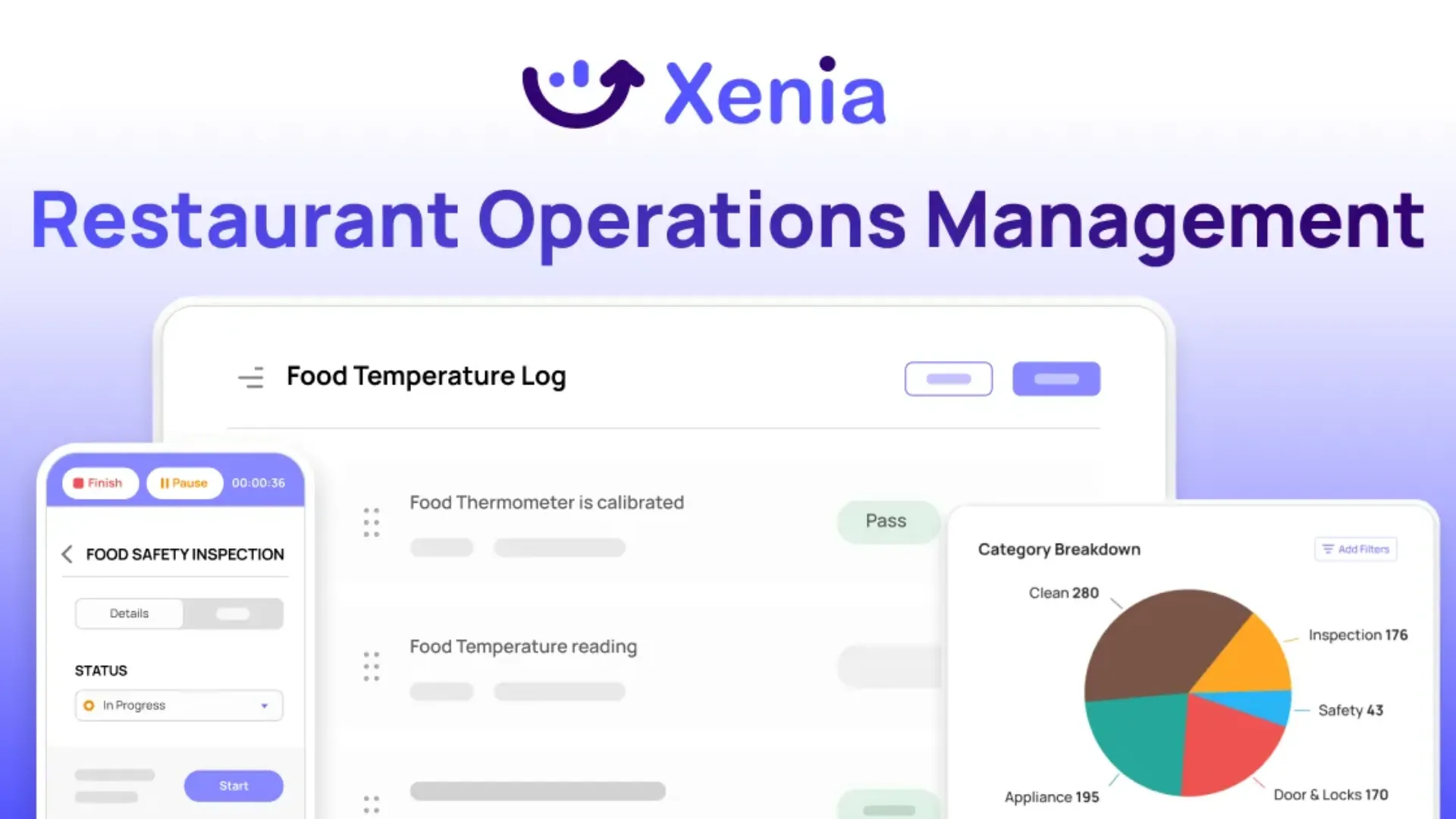
Xenia combines SOP management with daily task execution in one platform built for restaurant operations.
Pre-Built SOP Templates
Start with templates covering common restaurant procedures:
- Opening and closing procedures by department
- Food safety and temperature monitoring
- Equipment operation and cleaning
- Cash handling and deposits
- Customer service standards
Customize templates for your brand. Add your standards, photos, and specific requirements. Deploy across all locations instantly.
SOPs Linked to Every Task
When you assign daily tasks, team members see complete SOPs automatically.
Opening checklist includes "prepare dining room." Click it and the full dining room opening SOP appears. Execute with photo verification. System documents completion.
No searching for procedures. No questions about what's expected. Clear instructions built into daily workflows.
Built-In Photo Verification
Xenia's photo verification capability turns SOPs from documentation into proof of execution.
How photo verification works:
- SOPs specify which steps require photo documentation
- Team members take photos during task execution
- Photos get attached to the completed task automatically
- Managers review execution quality without being on-site
- AI can verify compliance against standards (planogram matching, equipment setup)
This matters for critical procedures. Temperature logs include photos of actual readings. Equipment cleaning shows the work actually done. Dining room setup proves tables meet brand standards.
You're not just tracking that tasks got checked off. You're verifying they got done correctly.
Mobile Access During Shifts
Team members access SOPs from phones or tablets during shifts.
Server needs clarification on service timing? Pull up the service SOP instantly. Cook unsure about proper cooling procedure? Check the food safety SOP right there.
Current procedures available exactly when and where needed with mobile-first platform.
Automated Compliance Tracking
System monitors SOP execution automatically.
Temperature check missed? Alert goes to manager immediately. Equipment cleaning skipped? Corrective action assigns automatically. Photos show improper execution? System flags for retraining.
Compliance happens through systems, not constant manager supervision.
Performance Analytics
See which SOPs get followed consistently and where execution gaps appear.
Analytics show:
- Completion rates by location and procedure
- Time required vs estimated for each SOP
- Which procedures generate the most questions
- Where training would deliver the biggest impact
Optimize based on actual execution data with operational analytics, not assumptions.
Update Once, Deploy Everywhere
Revise an SOP at corporate. Every location sees the update automatically.
No emailing PDFs to managers. No hoping everyone prints the latest version. No locations working from outdated procedures.
One source of truth, always current.
Conclusion
Restaurant operating procedures work when you follow a simple process.
Start with these free restaurant server checklist templates and kitchen SOPs. Customize them for your operation. Test with a few team members. Link them to your daily checklists. Measure the improvement.
Then expand to other departments and procedures.
Xenia SOP management software makes this process simple with pre-built templates, mobile access, task integration, and automated compliance tracking. Your team accesses current SOPs during shifts. You verify execution without constant supervision.
Want to see how streamlining restaurant operations with standard operating procedures actually works? Book a demo.
Frequently Asked Questions
Got a question? Find our FAQs here. If your question hasn't been answered here, contact us.
How do you implement SOPs in a restaurant?

Implementation requires more than just creating documentation. Train your team on each SOP properly. Connect SOPs to daily task lists so team members reference procedures during execution. Use photo verification to confirm proper completion. Track compliance across locations. Most importantly, link SOPs directly to your daily workflows instead of keeping them separate in binders.
What's the difference between restaurant SOPs and checklists?
SOPs explain how to complete tasks correctly with detailed step-by-step instructions. Checklists track what needs completion with simple checkboxes. The most effective approach combines both, checklists show what tasks are due today, and each checklist item links to the complete SOP showing how to execute properly. This connection transforms documentation into accountability.
What should be included in restaurant standard operating procedures?
Strong restaurant SOPs include a clear purpose explaining why it matters, the specific role responsible, timing or triggers, numbered step-by-step instructions, what success looks like, and common mistakes to avoid. Add photos for procedures involving equipment, plating, or visual standards. Keep each SOP to one page when possible.
How do I create an SOP for my restaurant?
Start by observing your best team member execute the procedure. Document each step in simple language your team actually speaks. Include the purpose, who does it, when it happens, numbered steps, success criteria, and common mistakes to avoid. Add photos for visual tasks. Test the SOP with 2-3 team members, refine based on their feedback, then roll it out with proper training.

A Modern, AI-Powered Platform Built for Restaurant Operations
Xenia brings kitchen operations, food safety, audits, and team communication into one mobile-first platform. Restaurant teams execute daily work consistently, maintain compliance, and resolve issues faster, while leadership gets real-time visibility across all locations.
.webp)
Why Restaurant Operators Choose Xenia:
🤖 AI-Powered Operations, Convert paper logs instantly and verify food presentation and kitchen cleanliness automatically. Get instant answers about food safety trends without building reports.
🍽️ Food Safety & Compliance, Track line checks and temperature logs with automated alerts. Trigger corrective actions when readings exceed safe ranges. Maintain audit-ready records for health inspections.
📊 Multi-Location Control, Monitor food safety compliance and task completion across regions. Benchmark locations to identify training needs. Export reports for operational reviews.
One platform for kitchen operations, food safety, and compliance across all locations.

.svg)
.webp)
%201%20(1).webp)

.svg)
%201%20(2).webp)




