

Conditional Audit Type
What is conditional visibility?
Conditional visibility is branching logic on audit and checklist questions tied to a location's attributes. If a store has a patio, the patio questions appear. If it doesn't, they never show, and they never count against the score. This is the core of multi-location audit software that has to handle real format variation across a chain.
It's deterministic location-attribute branching, not AI. Each store record carries attributes: has patio, has drive-thru, has tap system, has espresso bar. The audit template reads those attributes and renders only the matching question set. The store walk at a no-patio unit never loads the patio section in the first place.
Conditional visibility isn't the same as skip logic. The two get blurred constantly, so the distinction matters:
- Answer-based branching (skip logic): a follow-up question appears because of how the auditor answered the last one. "If the walk-in temp is out of range, ask what corrective action was taken." The trigger is the answer, mid-audit.
- Location-attribute visibility (conditional visibility): the question set is decided before the audit starts, by what the store physically is. The no-patio store never sees the patio section at all.
Conditional visibility pairs with nullify scoring, a separate feature that keeps N/A items out of the denominator so a missing format never lowers a store's score. They work together but they aren't the same thing. For the deeper pairing, see how nullify scoring keeps N/A audit items from tanking the score and the broader conditional audits overview. When attribute groups map to point values, it also helps to understand weighted audit scoring with critical-item thresholds and how franchise-tier conditional audits scope question sets by store type.
Worked example, conditional visibility in action
Here's the patio vs no-patio problem on a real quarterly audit, and what conditional visibility changes. A regional QSR runs one brand-standards audit across 200 units. Roughly half the units, the suburban and Sunbelt sites, have outdoor patios. The dense urban units don't. Chains now build a menu of venues off one franchise system: drive-thru-only, endcap, standalone, and patio prototypes, so this split is the norm, not an edge case.
The audit has a 6-item patio section: patio furniture condition, umbrella and shade condition, patio cleanliness, patio trash cadence, patio signage, and patio lighting. Here's how each approach handles a no-patio store.
Static template, no conditional logic. The no-patio store still gets all 6 patio items on its form. The auditor either marks them N/A, which makes the score math murky, or skips them, which makes the store look incomplete. A 0 out of 6 patio section drops a perfect store from 100% to about 91% on a 65-item audit. That penalty exists purely because the store doesn't have a patio.
With conditional visibility. The store record says the patio attribute is no. The patio section never renders for that unit. Its denominator drops from 65 to 59. The store is scored only on what it actually operates. A location without a patio doesn't get dinged on patio cleanliness, and a unit without a fryer doesn't fail on fryer temp logs. Then nullify scoring takes any shown-but-not-applicable item out of the denominator so it counts for nothing. Both patio and non-patio stores can score a true 100%.
The same pattern repeats across every vertical:
- Restaurant: patio, drive-thru, and espresso bar variation across franchises.
- C-store: tap system vs food service vs fuel-only sites. See tap-system vs fuel-only c-store audits for the forecourt version.
- Retail: mannequin-display stores vs without, with different planogram sections per format.
- Hospitality: room types (king, suite, accessible) drive different inspection question sets.
The drive-thru case follows the same logic, walked through in drive-thru vs dine-in audits. And because format changes by season too, the seasonal conditions audit shows how a patio section can turn on in spring and off in winter without rebuilding the template.
How does conditional visibility differ from static audits?
A static audit shows every question to every store. A conditional audit shows each store only the questions that match its format.
**
-, Static audit, Conditional audit
Question set, Same questions for every location, Question set matches each store's format and attributes
No-patio store on patio items, Marked N/A or 0-score skewed, Patio section never appears
Score accuracy, Penalizes stores for missing equipment they never had, Reflects only what the store actually operates
Template count, Often one template per format-with manual duplication, One template handles 100+ format variations
Maintenance, Editing a dozen near-duplicate templates, Edit once-attribute groups update everywhere
Scoring of hidden items, N/A items can still drag the denominator, Nullify scoring removes them from the denominator
**
For a franchise compliance officer running brand standards across 200 units, the bottom two rows are where the time goes. Static logic forces a separate template per format, so a single wording change means editing a dozen near-duplicates by hand. Conditional visibility means one template, edited once, with attribute groups updating everywhere.
The competitor reality grounds the static side. Zenput, now rebranded Crunchtime Ops Execution after the 2022 Crunchtime acquisition, was best-in-class for digital checklists. It supports basic branching, but it documents no native store-attribute conditional visibility, and its lower pricing tiers cap the number of forms you can deploy, so the common workaround for format variation, a separate template per format, runs straight into the form ceiling.
See the Zenput alternatives breakdown and the Xenia vs Zenput comparison. SafetyCulture (iAuditor) offers answer-triggered logic fields, but that's answer-based branching, so the no-patio store still sees the patio question before any answer can hide it. RizePoint supports conditions per category, but its conditional logic sits in optional-feature territory and its scoring is penalty-based with no nullify, which is exactly the N/A-item-hurts-the-score failure.
This also answers the common question: why not just mark patio questions N/A? N/A is a manual band-aid. It depends on every auditor remembering to mark it, it leaves the score math ambiguous, and it produces inconsistent scores across auditors, which kills cross-store benchmarking. The fairness fix is structural, not procedural.
.svg)

Priced on per user or per location basis
Available on iOS, Android and Web


How to set up conditional visibility in Xenia
- Tag each location with its format attributes. On the store record, set what the location actually has: patio, drive-thru, espresso bar, tap system, food service.
- Build one audit template, with sections grouped by format. Keep the patio items in a patio section, the drive-thru items in a drive-thru section, and so on.
- Attach a visibility rule to each format-specific section. Set the patio section to show only when the store's patio attribute is yes. Repeat for drive-thru, espresso bar, and tap system.
- Pair the section with nullify scoring. Set hidden and non-applicable items to count for nothing, so a missing format never lowers a store's score.
- Assign the single template to all locations. Each store renders only its matching question set automatically.
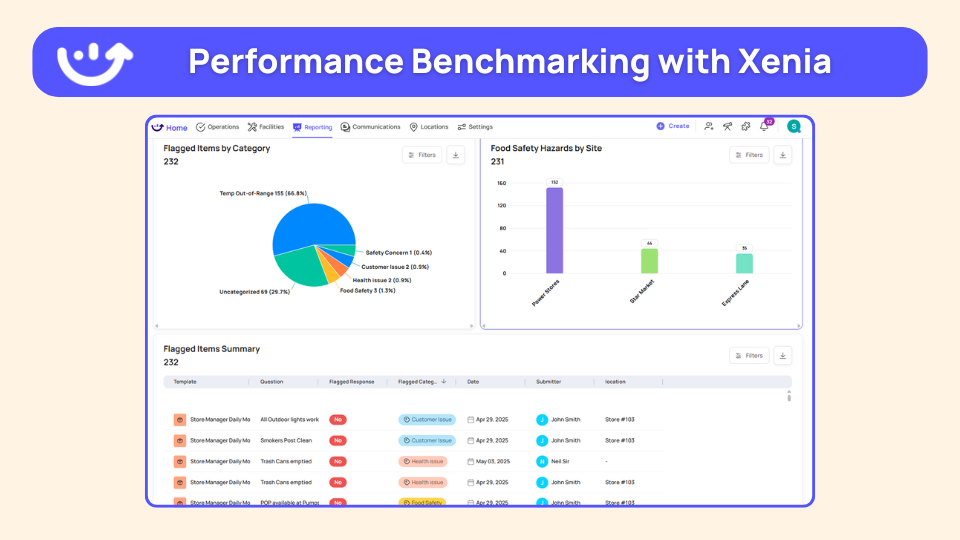
- Audit and review by attribute group. Filter the dashboard by format so you compare patio stores to patio stores and fuel-only to fuel-only.
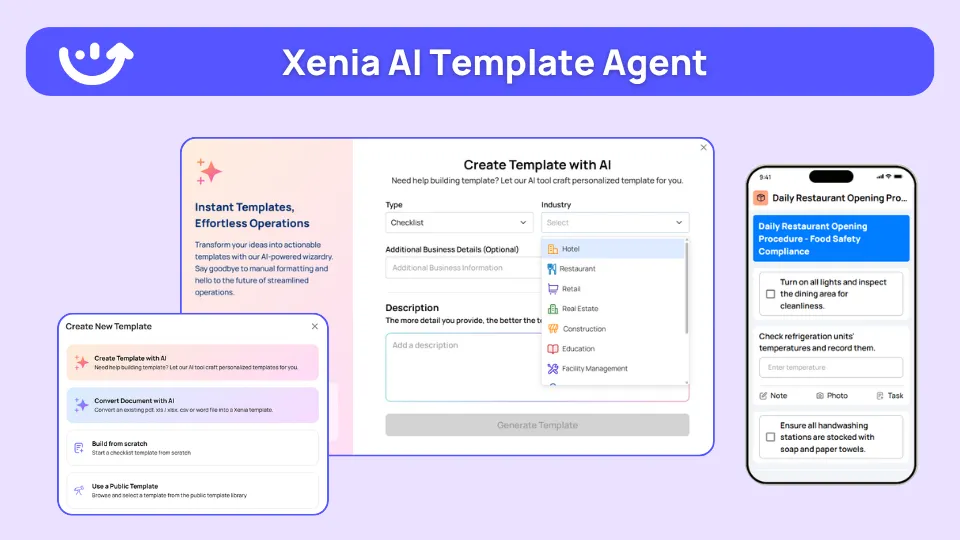
To speed up the build, the AI Template Agent can convert an existing SOP PDF, say a patio opening procedure, into a digital form with the conditional questions already grouped.
Where do operators see results?
Multi-unit operators adopt conditional visibility for one reason: the audit score finally reflects what each store is actually responsible for. That makes DM walks and cross-store benchmarking trustworthy again. The same audit template can serve 100 franchises, but units with drive-thrus see drive-thru questions, units with patios see patio questions, and units with espresso bars see espresso bar questions.
Newk's Eatery runs this pattern across its multi-unit footprint, with one template carrying the brand-standard audit across locations that don't all share the same physical format.
Format variation isn't a niche edge case, and it's growing. U.S. convenience stores hit $335.5 billion in sales in 2024, with foodservice climbing to nearly 29% of in-store revenue, so the same banner now runs fuel-only sites next to full-foodservice and tap-system sites (NACS on 2024 c-store foodservice growth). One template that reads store attributes is how operators keep audits fair as the formats multiply.
Frequently Asked Questions
Got a question? Find our FAQs here. If your question hasn't been answered here, contact us.
What is the patio vs no-patio audit problem?

Why can't I just leave patio questions as N/A?
How does conditional visibility solve format variations?
Can I use conditional logic for drive-thru, espresso bar, and other format variations?
Does Zenput support conditional visibility?
What is nullify scoring and how does it pair with conditional visibility?


A Modern, AI-Powered Platform Built for Restaurant Operations
Xenia brings kitchen operations, food safety, audits, and team communication into one mobile-first platform. Restaurant teams execute daily work consistently, maintain compliance, and resolve issues faster, while leadership gets real-time visibility across all locations.
.webp)
Why Restaurant Operators Choose Xenia:
🤖 AI-Powered Operations, Convert paper logs instantly and verify food presentation and kitchen cleanliness automatically. Get instant answers about food safety trends without building reports.
🍽️ Food Safety & Compliance, Track line checks and temperature logs with automated alerts. Trigger corrective actions when readings exceed safe ranges. Maintain audit-ready records for health inspections.
📊 Multi-Location Control, Monitor food safety compliance and task completion across regions. Benchmark locations to identify training needs. Export reports for operational reviews.
One platform for kitchen operations, food safety, and compliance across all locations.

.svg)
.webp)
%201%20(1).webp)

.svg)
%201%20(2).webp)


