.webp)
Post Summary
Picture a COO at a 50-unit casual dining brand. She runs six tools just for back-office work. One for accounting. One for scheduling. One for inventory. One for food cost. One for audits. And a shared drive full of SOPs nobody updates. Every Monday she spends two hours reconciling numbers that should talk to each other automatically.
That's not a people problem. That's a stack problem.
The restaurant back office software category has expanded well beyond accounting in 2026. Today, it includes everything from food cost tracking to operations execution and multi-location reporting.
This guide breaks down what the modern back office actually covers, how to decide between a suite and best-of-breed tools, and which platforms are worth your time when you run 25 or more locations.
.webp)
Related Resources
- How multi-unit operators approach restaurant operations management
- Convenience store back office software
- Multi-unit operations execution: what it takes at 50-plus locations
- Restaurant365 alternatives to consider
- Restaurant reporting: what good actually looks like
What restaurant back office software actually includes (7 categories)
Restaurant back office software is any platform that handles the operational, financial, and compliance workflows that happen off the floor, away from the guest-facing experience.
The modern definition covers seven distinct categories:
**
Category, What it covers
Accounting and AP/AR, GL management-vendor payments-invoice processing-payroll sync
Inventory and food cost, Par levels-waste tracking-variance reporting-order guides
Labour-scheduling and payroll, Shift scheduling-time and attendance-payroll export
Operations execution, Audits-line checks-SOPs-corrective actions-daily checklists
Reporting and BI, Multi-location dashboards-trend data-KPI tracking
Vendor management, Supplier contacts-purchase orders-delivery verification
Document management, SOP storage-policy distribution-version control
**
Most operators ask about the first two categories when they search for restaurant back office software.
They often forget that operations execution, the daily audits, and checklist workflows that actually drive consistency on the floor, is now a core part of the back office layer. If that piece is missing, you'll have clean financial reporting sitting on top of messy operations.
Single suite vs best-of-breed: which wins at 25 or more locations?
This is the question every VP of Ops eventually faces. There's no clean universal answer, but there are patterns.
When a suite tends to make sense
Under 25 locations with a relatively simple menu, low multi-brand complexity, and a small ops team, a single suite reduces the overhead of managing multiple vendors. You trade some depth for simplicity. For brands in early growth mode, that trade is worth it.
When best-of-breed tends to win
At 50-plus locations, especially across multiple states or brands, a single suite often can't serve every category at the depth you need. Your accounting team wants Restaurant365. Your ops team wants something purpose-built for multi-location execution. Your IT team wants something that integrates cleanly with your POS and HRIS.
Best-of-breed wins when depth matters more than consolidation. The honest downside: you take on integration management, and someone on your team owns keeping those connections running.
The hybrid model most operators actually use
The most common pattern at 30-to-100-unit brands is a hybrid stack. A purpose-built accounting and food cost platform handles the financial back office. A separate operations execution layer handles daily workflows, audits, and compliance. These two systems share data through integrations rather than trying to do everything inside one platform.
This model works because accounting and operations have different update cycles, different users, and different needs for depth.
5 best restaurant back office platforms in 2026
Here's an honest look at the platforms worth evaluating, with clear ICP fit for each.
.svg)
.webp)

1. Xenia
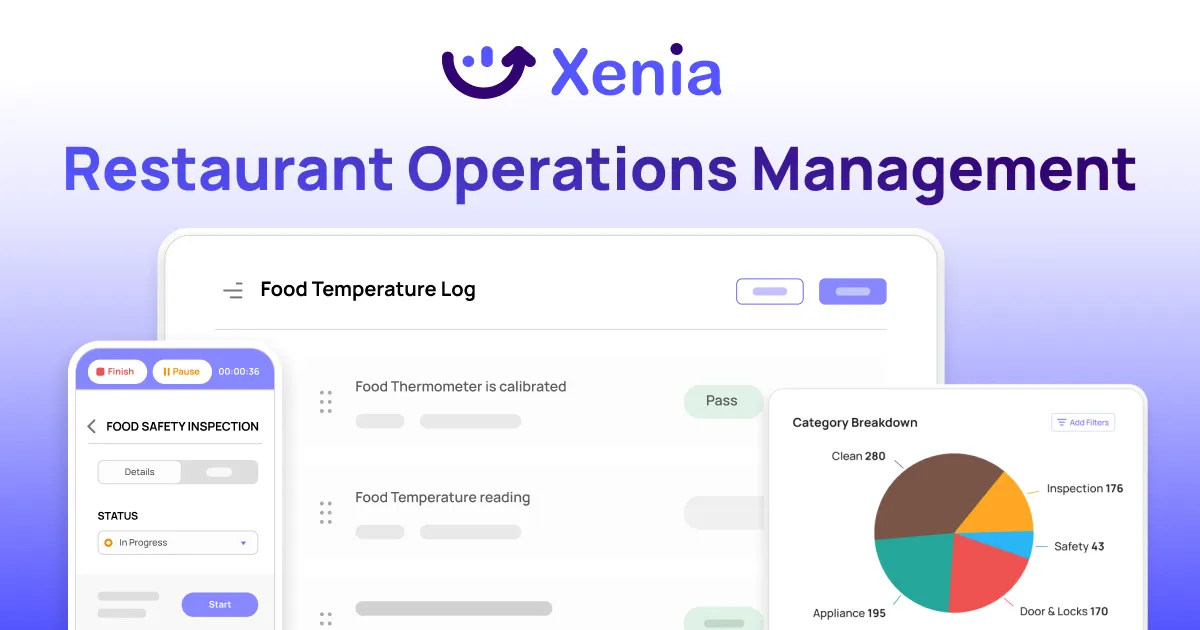
Xenia does not do accounting. That is worth saying clearly at the start. But that leaves a lot of ground it does cover, and it covers it thoroughly.
On the operations execution side, your teams run daily checklists, opening and closing procedures, shift handoffs, and line checks through the platform. Tasks are assigned by role, tracked in real time, and tied to completion data you can actually report on.
Audits and inspections are a core part of what Xenia does. Weighted scoring, conditional logic, mandatory photo verification, and automatic corrective action generation when something fails. District manager visits, brand standard audits, health inspection readiness checks, all of it runs through the same system and feeds the same reporting layer.
Reporting is where the back-office connection happens. Multi-location dashboards show checklist completion rates, audit scores, temperature events, and open work orders across every location in one view. Automated temperature monitoring and AI Photo Analysis add verification that most back-office platforms simply don't have.
Document management is built in. SOPs, training guides, policy documents, and manuals all live in a central library with version control and acknowledgment tracking. When a procedure changes, you push it to the right locations and know who has seen it.
Communication runs through the same platform. Announcements, group channels, direct messages, all tied to tasks and work orders so context doesn't get lost between a message and the action it's supposed to drive.
Xenia plugs into your existing financial stack through HRIS integrations. It works alongside Restaurant365 or MarginEdge rather than replacing them.
For operators running multi-location operations execution, it is where the financial back office finally connects to what is actually happening on the floor. You can explore the full operations execution system capability set to see where it fits in your current stack.

Priced on per user or per location basis
Available on iOS, Android and Web


2. Restaurant365

Restaurant365 covers accounting, inventory, scheduling, and payroll in one platform. It's the closest thing to a true suite in this category. If you want one vendor and one contract for the financial back office, this is the shortlist starter. The trade-off: it covers operations execution lightly, and most multi-unit operators end up supplementing it with a purpose-built ops layer like Xenia.
3. Toast Back Office

If your restaurants run Toast POS, the native back office integration removes a major data-sync headache. Toast Back Office pulls sales data directly into labor cost and reporting without a third-party connector. The limitation is clear: you're locked into the Toast ecosystem. Operators who run multiple POS systems across brands or regions find this limiting fast.
4. MarginEdge
MarginEdge focuses on invoice processing and food cost management. It reads invoices from photos, syncs with most major POS systems, and gives food cost variance reporting that most operators say is cleaner than what they get from generalist platforms. It doesn't try to be an operations execution tool, which is exactly why it pairs well with dedicated ops platforms.
5. Compeat (FoodCo)

Compeat has been around long enough that many multi-unit operators inherited it. It handles accounting and inventory well for brands with a straightforward financial structure. The UI is dated, the integrations are fewer, and it lacks modern ops execution features. Worth knowing if you're evaluating a stack that already includes it.
5 signs your restaurant's back office stack is too complex
You don't always notice complexity creeping in. It usually looks like this:
The same data gets entered in three or more places. Your POS feeds one system, someone manually re-enters it into the accounting platform, and a third tool gets a spreadsheet export on Fridays. That's not a workflow. That's a liability.
Your managers spend five or more hours a week reconciling reports. When the numbers from your food cost tool don't match the numbers from your accounting tool, someone has to investigate. That investigation time adds up fast across dozens of locations.
Vendors get paid late because AP lives in three tools. When invoices come in through email, get logged in a shared inbox, and need approval through a separate platform, something always falls through.
Food cost variance goes unexplained because line-check data isn't connected to the back office. Your accounting platform shows food cost is up 2 percent this week. But nobody knows which locations are driving it because the actual line check data lives in a separate app that doesn't sync.
A new tool gets added every quarter without retiring an old one. This is the most common pattern. Each tool solves one problem when it's added. Over two years, you have eight tools and no one has removed anything.
How to consolidate: a 90-day back office audit and rollout
Back office consolidation is not a weekend project. Here's a realistic timeline.
Days 1 to 30: inventory your current stack
List every tool your ops, finance, and field teams use. Map the data flows between them. Identify where data gets duplicated, where it gets lost, and which integrations are already breaking. This step alone usually reveals two or three tools the team isn't actually using.
Days 31 to 60: pilot consolidation candidates in three locations
Pick a small cluster of three locations with different performance profiles, one strong, one average, one underperforming. Run the new platform alongside existing tools. Don't rip anything out yet. You need real usage data before you can make a fair comparison.
Days 61 to 90: decision, contracts, and rollout plan
Based on pilot data, decide which tools to retire, which to keep, and which integrations need to be built or purchased. Write the rollout plan location by location, not all at once. If you try to roll out to 50 locations simultaneously, your support load will break the adoption.
For a deeper look at how this maps to restaurant-specific ops workflows, the guide on restaurant operations tool consolidation covers the decision framework in more detail. The restaurant operations platform breakdown is also worth reading before you build your shortlist.
Conclusion
Six tools for a 50-unit brand isn't a sign you're doing things wrong. It's a sign the back office category has grown faster than most vendors have kept up with. The financial side has good solutions. Operations execution is where most stacks fall short.
The fix isn't one platform that does everything poorly. It's a stack with clear boundaries. Accounting does accounting. Ops execution does ops execution. That's where Xenia fits. While Restaurant365 or MarginEdge handles your financials, Xenia runs the execution layer your numbers actually depend on.
Book a demo to see how it fits your current stack.
Frequently Asked Questions
Got a question? Find our FAQs here. If your question hasn't been answered here, contact us.
What is the best restaurant back office software in 2026?

Depends on your gaps. Restaurant365 for accounting. Xenia for operations execution. MarginEdge for AP and food cost. Toast Back Office if Toast POS is already in place. No single platform wins across all seven categories.
Should multi-unit restaurants use a single back office suite?
Under 25 locations, probably yes. At 50-plus locations or across multiple brands, a hybrid stack usually wins. Suite for accounting and food cost, separate tool for operations execution. Fewer disconnected systems is the goal, not one vendor who does everything poorly.
How many back office tools does a typical restaurant run?
Operators with 25-plus locations typically run 6 to 10 separate tools. Accounting, scheduling, inventory, food cost, audits, and reporting usually each live in their own system with little integration between them.
What is restaurant back office software?
Any tool that handles workflows off the floor. Accounting, inventory, food cost, scheduling, payroll, audits, reporting, and document management. The definition in 2026 is broader than just accounting.


A Modern, AI-Powered Platform Built for Restaurant Operations
Xenia brings kitchen operations, food safety, audits, and team communication into one mobile-first platform. Restaurant teams execute daily work consistently, maintain compliance, and resolve issues faster, while leadership gets real-time visibility across all locations.
.webp)
Why Restaurant Operators Choose Xenia:
🤖 AI-Powered Operations, Convert paper logs instantly and verify food presentation and kitchen cleanliness automatically. Get instant answers about food safety trends without building reports.
🍽️ Food Safety & Compliance, Track line checks and temperature logs with automated alerts. Trigger corrective actions when readings exceed safe ranges. Maintain audit-ready records for health inspections.
📊 Multi-Location Control, Monitor food safety compliance and task completion across regions. Benchmark locations to identify training needs. Export reports for operational reviews.
One platform for kitchen operations, food safety, and compliance across all locations.

.svg)
.webp)
%201%20(1).webp)

.svg)
%201%20(2).webp)