

.webp)
Post Summary
Your restaurant runs 16 hours a day.
Staff scheduling changes three times weekly. Food orders need placing twice per week. Temperature logs require checking every 4 hours. Opening checklists have 47 items. Closing has 39.
You're managing all of this manually. Spreadsheets. Group texts. Paper logs. Mental reminders.
Meanwhile, the restaurant group down the street somehow runs 50 locations with less chaos than you have managing 3.
Here's what they know: Restaurant automation isn't about replacing people. It's about eliminating the repetitive manual work that burns out your team and creates operational gaps.
This complete restaurant automation guide shows you exactly which systems deliver ROI, how to implement restaurant workflow automation without disrupting operations, and what automation in the restaurant industry actually looks like in 2026.
.svg)

Priced on per user or per location basis
Available on iOS, Android and Web


What is Restaurant Automation?
Restaurant automation means using technology to handle repetitive tasks so your team doesn't have to do them manually.
This can include things like automatic temperature monitoring, digital task tracking, inventory management, compliance logs, and workflow management. It cuts down on busywork for managers and helps make sure everything gets done correctly.
Think of restaurant automation as:
- Temperature sensors logging readings automatically (no paper logs)
- Task systems assigning work based on schedules (no daily briefings)
- Inventory tracking usage in real-time (no manual counts)
- Compliance systems documenting everything (audit-ready always)
Restaurant automation vs manual processes:
**
Manual Process, Automated System, Time Saved
Paper temperature logs checked 4x daily, Digital sensors logging continuously, 30 min/day
Manager assigns tasks verbally each shift, System assigns tasks to roles automatically, 45 min/day
Manual inventory counts weekly, Real-time tracking with usage alerts, 3 hours/week
Compliance documentation compiled for audits, System generates reports automatically, 5 hours/audit
**
The restaurants implementing restaurant operations automation aren't working harder. They're working smarter with systems handling routine work.
Restaurant Automation vs AI: What's the Difference?
People confuse automation with AI. They're different.
Restaurant Automation:
- Executes predefined tasks on schedule
- Example: Temperature sensor logs reading every 30 minutes
- No learning or adaptation required
- Handles repetitive, predictable workflows
AI in Restaurants:
- Learns from data and makes predictions
- Example: AI predicts tomorrow's sales to optimize ordering
- Adapts based on patterns
- Handles complex decision support
The reality: Most restaurants need both. Automation handles execution. AI helps with optimization.
For a deeper understanding of AI capabilities, see our comprehensive guide on AI in restaurants.
Example showing the difference:
Automation: The system automatically assigns "Clean walk-in cooler" to the closing shift every Friday at 8pm.
AI: System analyzes cleaning data and customer feedback, then recommends shifting deep cleaning to Thursday when foot traffic is 15% lower.
Use automation for execution. Use AI for optimization.
Why Restaurant Automation Matters More in 2026
Manual processes don't scale past 3-5 locations.
The operational reality:
Manual restaurant operations:
- Manager spends 2-3 hours daily on administrative work
- Tasks get missed when things get busy
- Compliance documentation assembled manually for audits
- Information gaps between shifts
- No visibility into what's actually complete
Automated restaurant operations:
- Systems handle routine workflows automatically
- Tasks tracked with photo-verified completion
- Compliance documentation generated automatically
- Real-time visibility across all locations
- Managers focus on people and hospitality
The cost of staying manual:
**
Manual Process Issue, Annual Cost Impact (per location)
Manager time on admin work (15 hrs/week @ $60K salary), $18000
Missed compliance tasks causing violations, $5000-15000
Inconsistent execution reducing revenue 3-5%, $60000-100000
Staff turnover from burnout (2 additional employees), $10000
Total manual process cost, $93000-143000
**
Restaurant automation technology eliminates these costs while improving restaurant execution quality.
7 Core Restaurant Automation Systems
1. Temperature Monitoring Automation
The manual problem: Staff check and log temperatures on paper 4-6 times daily. Logs get missed when busy. Temps drift overnight when nobody's there. Health inspectors find incomplete logs.
How automation solves it:
Digital temperature sensors installed in refrigeration units, freezers, and hot holding equipment monitor continuously and log automatically.
What automated temperature monitoring does:
- Logs temperatures every 15-30 minutes automatically
- Sends immediate alerts when temps drift out of safe range
- Creates audit-ready reports with complete historical data
- Eliminates manual paper logging entirely
- Monitors 24/7 even when restaurant closed
Real impact:
- 100% compliant temperature logs (vs 60-70% with manual)
- Issues caught immediately instead of hours later
- 80% reduction in temperature-related health violations
- 30 minutes daily saved per location
- Zero food loss from overnight equipment failure
For comprehensive food safety automation, explore temperature monitoring systems integrated with food safety workflows.
2. Task Management Automation
The manual problem: Managers verbally assign tasks each shift. Team members forget what they're responsible for. Tasks fall through cracks when people are busy. No way to verify completion.
How automation solves it:
Restaurant task automation systems assign work to roles automatically based on schedules, require photo verification of completion, and provide real-time visibility into what's done vs. pending.
What automated task management does:
- Assigns recurring tasks to roles automatically (no daily briefings)
- Sends push notifications when tasks are due
- Requires photos before marking complete
- Tracks completion rates by location and person
- Alerts managers to overdue items in real-time
Example workflow:
- Monday 6:00 AM → System assigns "Restaurant opening checklist" to opening manager
- Monday 6:45 AM → Opening manager completes checklist with required photos
- System immediately → Alerts if any items marked incomplete
- District manager sees → Real-time dashboard showing all locations' opening status
Real impact:
- 90%+ task completion rates (vs 60-70% verbal assignment)
- 45 minutes daily saved per manager on coordination
- Objective proof of execution for audits
- Issues surfaced immediately instead of days later
- Consistent standards across all locations
Implement comprehensive task management with checklists and SOPs for complete restaurant workflow automation.
3. Equipment Maintenance Automation
The manual problem: Maintenance happens reactively when equipment breaks. Emergency repairs cost 3-5x more than scheduled maintenance. Equipment failures during service lose revenue.
How automation solves it:
Automated equipment management systems schedule preventive maintenance based on manufacturer recommendations, track maintenance history, and alert when service is due.
What automated maintenance does:
- Schedules recurring maintenance automatically
- Creates work orders with equipment details and procedures
- Tracks completion with photos and notes
- Maintains complete equipment service history
- Alerts when manufacturer-recommended intervals approach
Real impact:
- 40-60% reduction in emergency repairs
- Equipment lasts 20-30% longer
- No mid-service breakdowns
- Complete maintenance records for insurance/resale
- Compliance with health and safety requirements
Deploy equipment management with preventative maintenance scheduling to eliminate emergency repairs.
4. Compliance Documentation Automation
The manual problem: Managers compile documentation manually when audits happen. Paper logs scattered across binders. Can't prove tasks were completed. Health inspections find gaps.
How automation solves it:
Restaurant compliance automation systems document everything automatically, including temperature logs, cleaning records, training completion, maintenance history, creating audit-ready reports instantly.
What automated compliance does:
- Logs all operational activities with timestamps
- Captures photo evidence of completion
- Tracks staff certifications and renewals
- Generates compliance reports automatically
- Maintains historical records indefinitely
Real impact:
- Health inspection preparation time reduced from hours to minutes
- 80% reduction in violations
- Complete defensible records for any audit
- Staff certification tracking automatic
- Zero missing documentation
Ensure complete compliance with brand standards compliance and safety compliance automation.
5. Inventory Tracking Automation
The manual problem: Manual counts once weekly. Usage estimated, not measured. Don't know you're running low until you're out. Over-ordering and spoilage waste money.
How automation solves it:
Automated inventory systems track usage in real-time as items are used, alert when quantities get low, and provide data for accurate ordering.
What automated inventory tracking does:
- Tracks par levels and current quantities
- Alerts when items approach reorder point
- Analyzes usage patterns by day/time
- Identifies high-waste items
- Integrates with ordering systems
Real impact:
- 20-30% reduction in food waste
- 95%+ in-stock rate on key items
- 15-25% reduction in inventory carrying costs
- 2-4 hours weekly saved on ordering
- Data-driven ordering decisions
Implement comprehensive inventory management automation for real-time visibility.
6. Communication Workflow Automation
The manual problem: Information scattered across group texts, emails, verbal handoffs. Team members miss updates. No record of what was communicated.
How automation solves it:
Automated communication systems route information to relevant people automatically, maintain conversation history tied to tasks, and ensure critical updates reach everyone.
What automated communication does:
- Task-specific message threads (all context in one place)
- Automatic notifications when action needed
- Company-wide announcements to all locations
- Read receipts showing who saw messages
- Complete communication history
Example automated workflow:
- Issue identified → Photo uploaded showing broken equipment
- System automatically → Creates work order, notifies facilities manager
- Facilities manager → Assigns to technician with equipment details
- Technician → Completes repair, documents with photo
- System automatically → Notifies requester issue resolved
- All communication → Captured in work order thread
Real impact:
- Zero information gaps between shifts
- Critical issues escalated automatically
- Complete audit trail of all communication
- Team always knows who's responsible for what
- End of "I didn't know" excuses
Enable seamless frontline communication for frontline teams.
7. Multi-Location Operations Automation
The manual problem: District managers spend hours compiling reports from each location. Can't see real-time status. Best practices don't scale. Inconsistent execution across locations.
How automation solves it:
Multi-location automation provides centralized visibility into all locations, automates reporting, enables comparison across sites, and scales best practices instantly.
What multi-location automation does:
- Real-time dashboard showing all locations
- Automated performance reports by location
- Benchmarking identifying top/bottom performers
- One-click deployment of tasks/procedures to all sites
- Pattern recognition showing operational trends
Real impact:
- 10-15 hours weekly saved per district manager
- Issues identified 5-7 days earlier
- Consistent execution across all locations
- New locations ramp 40% faster using proven systems
- Data-driven resource allocation decisions
Deploy comprehensive multi-unit operations automation for operations leaders and district/regional leaders.
How to Automate Restaurant Business: Implementation Framework
**
Phase, Timeline, Key Actions
1. Identify Opportunities, Week 1-2, Audit time on admin - compliance - tasks - equipment - inventory. Pick 1-2 highest-impact areas to automate first.
2. Select System, Week 3-4, Single-location: Easy - mobile-first. Multi-location: Centralized visibility - scalable. Must integrate with POS. Choose cloud-based.
3. Pilot, Month 1-2, Test 1-3 locations. Install (1-2 days) → Train (2-4 hrs) → Run parallel (week 1) → Switch fully (week 2) → Optimize (weeks 3-8).
4. Scale, Month 3-6, Deploy to 20-30% of locations (month 3) then expand to the rest (months 4-5). Train superusers & use templates.
5. Optimize, Ongoing, Monthly: Review usage - refine workflows. Quarterly: Compare locations - identify new opportunities.
**
How Xenia Automates Restaurant Operations
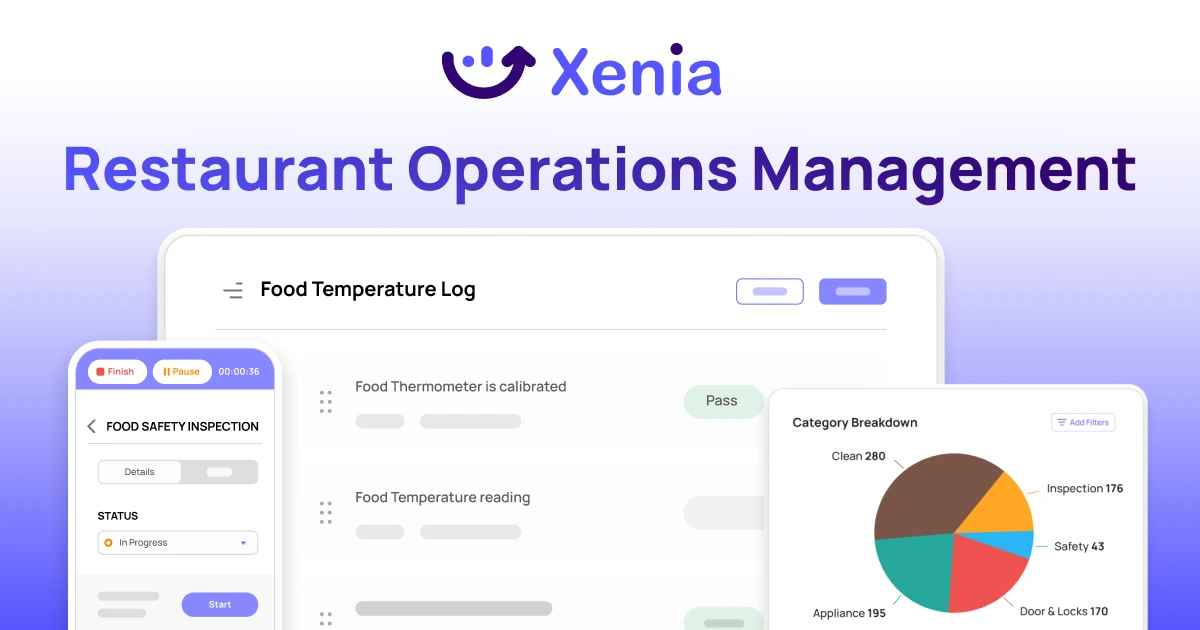
Most restaurants automate with 5-7 different systems. One app for temperature monitoring. Different platforms for task management. Separate system for equipment tracking. Compliance in spreadsheets. Communication in texts and Slack.
Each system creates complexity. Multiple logins. Different interfaces. Data that doesn't connect.
Xenia combines complete restaurant workflow automation in one platform.
What Xenia automates:
**
Operation, Automation Capability
Temperature Monitoring, Digital sensors log continuously - alert immediately on drift
Task Management, Auto-assign to roles - require photos - track completion
Equipment Maintenance, Schedule preventive work - track history - create work orders
Compliance Documentation, Capture everything automatically - generate audit reports
Multi-Location Operations, Real-time visibility - automated reporting - instant deployment
Communication, Task-specific threads - automatic notifications - company announcements
Training Management, Track certifications - assign learning - verify completion
**
Why restaurants choose Xenia for automation:
- Replaces 4-6 different tools with one unified platform
- Mobile-first design for deskless restaurant teams
- Pre-built templates for common restaurant workflows
- Launch in days, not months
- Audit-ready compliance documentation
- True multi-location visibility and control
Customer results:
- Demos Restaurants automated operations across locations, reducing violations and improving consistency.
- Shucking Good Hospitality achieved audit-ready compliance while saving hours weekly on admin work.
- Prince Street Pizza scaled operations systematically as they expanded locations.
FAQs
What is restaurant automation?
Restaurant automation uses technology to handle repetitive operational tasks automatically, temperature monitoring, task management, inventory tracking, and compliance logging, without manual intervention.
What's the difference between AI and regular automation in restaurants?
Automation executes predefined tasks (temperature sensor logs every 30 minutes). AI learns from data and makes predictions (forecasting sales to optimize ordering). Most restaurants need both, automation handles execution, AI helps with optimization.
How do I automate my restaurant business?
Identify highest-impact opportunities (temperature logs, task coordination). Pick 1-2 areas to automate first. Select a system meeting your needs. Pilot with 1-3 locations for 60-90 days. Measure results and refine. Then scale to remaining locations.
What restaurant operations should I automate first?
Start with temperature monitoring (easiest implementation, immediate compliance value). Then task management (biggest time savings). Then equipment maintenance (prevents expensive repairs). Then compliance documentation (audit prep becomes simple).
What's better for multi-location restaurants: separate systems or one platform?
One unified platform like Xenia dramatically outperforms separate systems. Separate systems create multiple logins, different interfaces, data silos, and higher costs. Unified platforms provide a single login, a consistent interface, complete visibility, and a lower total cost.
Conclusion
Restaurant automation takes care of repetitive manual work that wears out your team and slows growth. It helps managers focus on running the restaurant, while tasks like temperature checks, task tracking, equipment maintenance, and compliance are handled automatically.
Manual processes might work for one location, start to break down at a few, and become unmanageable at multiple locations.
Getting started is simple: identify your biggest opportunities, pilot with a few locations, track how it works, then scale step by step.
Your competitors are already using automation, and every month the gap grows as automated restaurants run more smoothly and scale faster.
Xenia offers complete restaurant operations automation in one platform. Built for restaurants, Xenia can be set up quickly with ready-to-use templates and support.
Book a demo to see how restaurant automation can work for you.
Frequently Asked Questions
Got a question? Find our FAQs here. If your question hasn't been answered here, contact us.

Looks like there's no data available in our FAQ section at the moment.

A Modern, AI-Powered Platform Built for Restaurant Operations
Xenia brings kitchen operations, food safety, audits, and team communication into one mobile-first platform. Restaurant teams execute daily work consistently, maintain compliance, and resolve issues faster, while leadership gets real-time visibility across all locations.
.webp)
Why Restaurant Operators Choose Xenia:
🤖 AI-Powered Operations, Convert paper logs instantly and verify food presentation and kitchen cleanliness automatically. Get instant answers about food safety trends without building reports.
🍽️ Food Safety & Compliance, Track line checks and temperature logs with automated alerts. Trigger corrective actions when readings exceed safe ranges. Maintain audit-ready records for health inspections.
📊 Multi-Location Control, Monitor food safety compliance and task completion across regions. Benchmark locations to identify training needs. Export reports for operational reviews.
One platform for kitchen operations, food safety, and compliance across all locations.

.svg)
.webp)
%201%20(1).webp)

.svg)
%201%20(2).webp)




