

Post Summary
Your opening manager walks in at 6 AM.
Checks the fridges. Logs the temperatures. Walks the floor. Reviews last night's closing notes. Assigns tasks to the team.
She did the same thing yesterday. She'll do it again tomorrow.
So will the manager at your other nine locations.
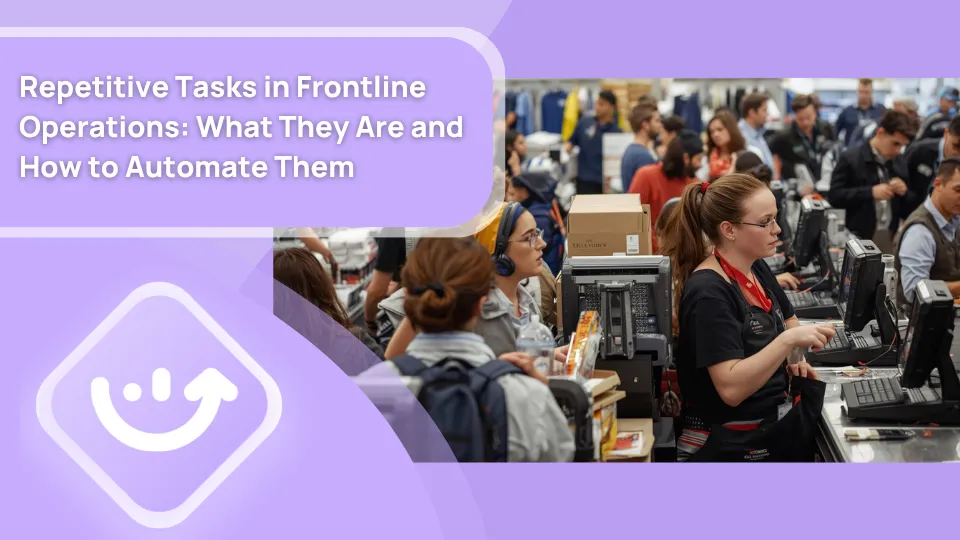
That's not inefficiency. That's frontline operations. Repetitive tasks are how restaurants, retail stores, and C-stores businesses keep standards consistent, customers safe, and inspections clean. They need to happen. Every day. At every location. Without fail.
The problem isn't the tasks. It's how most teams manage them.
Paper logs. Verbal reminders. A group chat nobody reads. A manager chasing three people to finish the same checklist they were supposed to complete two hours ago. A closing report that nobody can find the next morning.
This article breaks down what repetitive tasks look like in frontline industries, why they keep failing, and how to automate the process so your team focuses on doing the work, not managing the chaos around it.
.svg)

Priced on per user or per location basis
Available on iOS, Android and Web


Related resources
- Digital checklists guide: moving off paper across multiple locations
- Restaurant task management: what to track and how to automate it
- Retail task management for multi-location operators
- Restaurant automation: what's worth doing
- How to run a consistent operations execution process across locations
- Convenience store daily task management
What are repetitive tasks in frontline operations?
It's 6:47 AM. You're the opening manager.
Before you turn the lights on, you walk straight to the walk-in cooler and check the overnight temperature log.
Not because you want to. Because if that log is blank, you have a problem. A health inspector problem.
You scan it. Temps logged at 10 PM and 1 AM. Readings in range. You initial it and move on. That took 45 seconds.
It will happen again tomorrow. And the day after. Every single day this location is open. You never skip it. You can't afford to.
That's a repetitive task.
Not the abstract concept. That specific action. That 45-second check that stands between a clean inspection and a citation.
Frontline operations run on hundreds of these. Opening checks. Closing walkthroughs. Temperature logs. Shift handovers. Cash counts. Equipment inspections. Each one feels small in isolation. Together, they are your entire standard of operation.
The problem isn't awareness. Everyone knows these tasks need to happen.
The problem is that when tasks live on a paper clipboard, in someone's head, or buried in a group chat, they get skipped, half-done, or never documented.
And in frontline operations, undocumented means it didn't happen.
Why repetitive tasks fail at scale
Most frontline teams don't drop repetitive tasks because people are careless. They drop them because the system managing those tasks was never built for scale.
Here's what actually breaks down:
Unclear ownership. When a task belongs to everyone, it belongs to no one. The opening checklist gets skipped because the person who usually does it called in sick and nobody stepped in.
No way to verify completion. "Did you do the temp check?" "Yes." But there's no timestamp. No log. No photo. You have no way to confirm it actually happened.
Reminders that depend on people. A shift manager has to remember to remind three different people to do three different things before a specific time. That's a significant cognitive load on top of an already busy shift.
Paper logs that disappear. A completed paper checklist either gets filed somewhere nobody checks, or it gets thrown away. No cross-location visibility. No historical data. No patterns to spot.
Handoffs that break the chain. The closing manager knows what didn't get done. The opening manager finds out by walking into it at 6 AM.
The result is predictable. Tasks get skipped, documented inconsistently, or completed but never verified. And nobody finds out until something actually goes wrong.
Repetitive tasks by frontline industry
Different industries run on different recurring work. Here's what it looks like on the ground, broken out by sector.
Restaurant repetitive tasks
Restaurants have some of the highest-stakes repetitive task requirements of any frontline industry. Food safety compliance, brand standards, and customer experience all depend on daily recurring work getting done consistently.
**
Repetitive task, Frequency, Who owns it
Opening checklist (FOH and BOH), Daily, Opening manager
Temperature log for refrigeration, Multiple times daily, Kitchen staff or manager
Line check before service, Before each service period, Kitchen manager
Cleaning and sanitation checklist, Daily and weekly, All staff
Closing checklist, Daily, Closing manager
Shift handover documentation, Every shift, Outgoing manager
Equipment maintenance check, Weekly or monthly, Manager or facilities
Food waste log, Daily, Kitchen lead
Cash count and reconciliation, Daily, Manager
Staff sign-off on policy updates, As needed, All staff
**
A restaurant group with 15 locations runs this list 15 times every single day. That's thousands of individual task completions every week that need to happen consistently, at the right time, by the right person.
Most groups try to manage this with paper and group chats. It works until it doesn't.
Retail store repetitive tasks
Retail operations have a different mix of recurring work. Planogram compliance, cash handling, inventory receiving, and safety walks make up the bulk of daily recurring tasks for most retail managers.
**
Repetitive task, Frequency, Who owns it
Opening and closing checklist, Daily, Store manager
Planogram compliance check, Weekly, Store manager or visual lead
Cash drawer count and reconciliation, Daily, Manager
Inventory receiving and logging, Per delivery, Stock team
Loss prevention walk, Daily, Manager or LP team
Bathroom and floor cleaning log, Multiple times daily, Store associates
Safety inspection walk, Weekly, Store manager
Staff acknowledgment of new procedures, As needed, All staff
Equipment check (registers-scanners), Weekly, Manager
Promotion and signage compliance check, Per campaign, Visual or operations team
**
The challenge in retail: many of these tasks look identical across locations but have location-specific variations. A store in a mall has different opening requirements than a freestanding location. Managing that variation manually across 20 stores is where things start to fall apart.
Convenience store repetitive tasks
C-stores run high task volume across short shifts, often with minimal staff per location. That makes task accountability especially hard to maintain without a system.
**
Repetitive task, Frequency, Who owns it
Shift opening and closing checklist, Every shift, Shift manager
Fuel pump inspection and safety check, Daily, Manager
Refrigeration and cooler temperature log, Multiple times daily, Staff or automated sensors
Food service prep and holding temperature log, Before and during service, Food service staff
Bathroom cleaning log, Multiple times daily, Staff
Lottery reconciliation, Daily, Manager
Cash count, Every shift, Shift manager
Restocking and facing log, Daily, Stock team
Equipment maintenance log, Weekly or monthly, Manager or facilities
Age-restricted product compliance check, Daily, Manager
**
For C-store operators specifically, convenience store operations covers how high-frequency task management works across a large location footprint.
The real cost of managing repetitive tasks manually
Before getting into how to automate recurring tasks, it's worth naming what manual management actually costs.
It's not just the time spent completing tasks. It's the time spent managing the process around them.
- A manager who sends daily reminders for tasks that should run themselves spends 30 to 60 minutes a day on task follow-up alone
- Paper logs that can't be audited remotely require an in-person visit just to verify compliance
- Missed recurring tasks caught late cost more to fix than tasks caught in real time
- Inconsistent documentation creates liability gaps during health inspections and audits
- Repeated manual effort across 20 or 30 locations multiplies every one of those costs
The manual overhead of managing repetitive tasks at scale is one of the most common hidden costs in multi-unit frontline operations. Most operators know it's a problem. Most haven't quantified it.
How to automate repetitive tasks in frontline operations
Automating repetitive tasks in frontline operations doesn't mean removing people from the work. It means the system handles scheduling, assignment, reminders, and tracking so managers don't have to.
Here's how each piece works in practice.
1. Replace paper checklists with digital ones
A digital checklist does everything a paper checklist does. Plus it timestamps completion automatically, requires photo evidence where needed, alerts managers when something gets missed, and stores all the data where you can actually see it.
When a closing manager completes a digital checklist, the opening manager sees it before they walk in the next morning. No paper. No "did you check the fryers?" conversation at 6 AM.
What changes when you go digital:
- Completion is timestamped automatically, no manual entry needed
- Photos can be required as evidence for specific checklist items
- Missed tasks trigger real-time alerts, not an end-of-day review
- Historical data builds automatically for trend analysis and audits
- All locations are visible from one dashboard without site visits
Xenia's checklists and SOPs tool lets you build and deploy digital checklists across every location. You can start from scratch or use one of 1,000+ prebuilt templates from the Xenia template library.
2. Set recurring task schedules instead of manual reminders
Instead of a manager reminding their team to do the temperature check every morning, the system sends the task automatically at the same time every day. It lands on the right person's phone. They complete it. The manager sees it done.
That's it. No reminder needed. No follow-up required.
Recurring task scheduling removes the human memory dependency from daily operations. Tasks don't get dropped because someone forgot to assign them, a staff member called in sick, or there was a busy shift and the reminder never happened.
Xenia's task management feature lets you set tasks to recur daily, weekly, or on any custom schedule. Tasks are assigned by role, so they automatically move to whoever currently holds that position. You can push recurring tasks to hundreds of locations at once, configured once, running automatically from that point forward.
3. Use conditional logic to trigger follow-up actions automatically
This is where automation gets genuinely useful for frontline operations.
Instead of a checklist item just recording a pass or fail, a digital checklist with conditional logic automatically triggers a corrective action when something fails. A fridge temperature out of range? A follow-up task gets assigned to the right person immediately. A cleaning step marked incomplete? An alert goes to the shift manager before the shift ends.
Nobody has to notice the issue and manually create a follow-up. The system does it.
How a conditional workflow looks in practice:
- A temperature log records a reading above the safe threshold
- The system automatically creates a corrective action task
- That task gets assigned to the shift manager with a completion deadline
- If the task isn't closed by the deadline, an escalation alert goes to the area director
- The full chain gets logged for compliance documentation
Xenia's audits and inspections tool has conditional workflows built in. For a full breakdown of how corrective action tracking works from flagged item to resolved task, the corrective action tracking guide covers the complete workflow.
4. Automate temperature monitoring with IoT sensors
Manual temperature logs are one of the most critical and most frequently unreliable repetitive tasks in food operations.
The issue isn't that staff don't care. It's that manual logging depends on someone remembering to check at the right time, recording it accurately, and doing it consistently across every shift. That's a lot of dependency on human consistency for something with direct food safety consequences.
IoT temperature sensors remove that dependency entirely.
**
Manual temperature logging, Automated IoT monitoring
Checked on a set schedule, Monitored continuously-24 hours a day
Out-of-range readings found at next check, Alert fires the moment a reading exceeds the threshold
Logged manually by staff, Automatic data capture with full historical record
No visibility between scheduled checks, Real-time view across all units and all locations
Dependent on staff accuracy, Sensor data is objective and automatic
**
Xenia's temperature monitoring software integrates with Bluetooth sensors and pulls live readings into your dashboard. Every reading logs automatically for HACCP compliance without manual entry. For C-store operators running large refrigeration footprints, convenience store temperature monitoring covers the specific setup.
5. Digitize SOPs so staff stop asking the same questions
A big chunk of repetitive manager time goes toward answering the same questions every week.
How do we clean the fryer? What's the closing procedure for the safe? Where's the checklist for the walk-in?
When SOPs live in a digital library every team member can access from their phone, those questions drop significantly. Staff find the answer themselves. Managers stop being the manual reference point for every procedure that should already be written down somewhere.
Xenia's SOP AI-powered writer lets you convert paper-based procedures into searchable digital documents quickly. The digital checklists guide covers the broader process of moving off paper across multiple locations.
6. Use role-based assignment so tasks survive staff turnover
One of the most common causes of repetitive task failure in frontline operations is staff turnover.
When the person who "usually does" a task leaves, the task often disappears with them. Someone notices two weeks later. By then it's a compliance gap, not just a missed checklist.
Role-based task assignment fixes this. Tasks are attached to a role, not a person. When a new person steps into that role, they inherit the task automatically. No manual reassignment. No gaps.
For multi-location operators dealing with constant turnover across a large frontline workforce, this single feature saves meaningful manager time every month.
7. Track completion across all locations in one view
The final piece of automating repetitive tasks is visibility.
When every recurring task across every location runs through one platform, a director of operations sees completion rates in real time across the entire network. Not because someone sent a report. Because the data is live.
Which locations consistently miss the closing checklist? Which shift has the lowest completion rate? Which locations haven't flagged a single temperature issue in three months, suggesting they're not actually logging?
You can see all of it without calling anyone.
Xenia's frontline reporting and multi-unit operations dashboard gives you this view updated in real time. For more on what a full multi-location visibility setup looks like, multi-unit operations execution is worth reading alongside this article.
How to handle repetitive tasks without burning your team out
Automating repetitive tasks isn't just about operations efficiency. It's about making the work more sustainable for the people doing it every day.
When a frontline team member spends their entire shift doing manual checks with no visibility into whether their work gets noticed, burnout follows quickly. Digital tools change the dynamic. Completion is visible. Recognition is easier. The mental load of remembering what needs to happen next moves from the person to the system.
A few things that help beyond the technology itself:
Keep checklists focused and short. A 40-item opening checklist is exhausting and hard to complete accurately. Break it into focused checklists by function. Kitchen opening. FOH setup. Safety walk. Each one short, specific, and completable in under five minutes.
Show completion data to the team, not just managers. When team members see their own completion rate, they take ownership of it. Visibility works both ways.
Alert for misses in real time, not end of day. Instead of reviewing completion after a shift, set automated alerts for missed tasks so managers can address gaps while there's still time to fix them.
Review your recurring task list every quarter. Tasks that made sense six months ago might not be relevant now. Remove anything genuinely redundant. Add anything that's currently managed verbally but should be documented.
How Xenia helps frontline teams automate repetitive work
Managing repetitive tasks manually across multiple locations creates inconsistency, compliance gaps, and manager burnout.
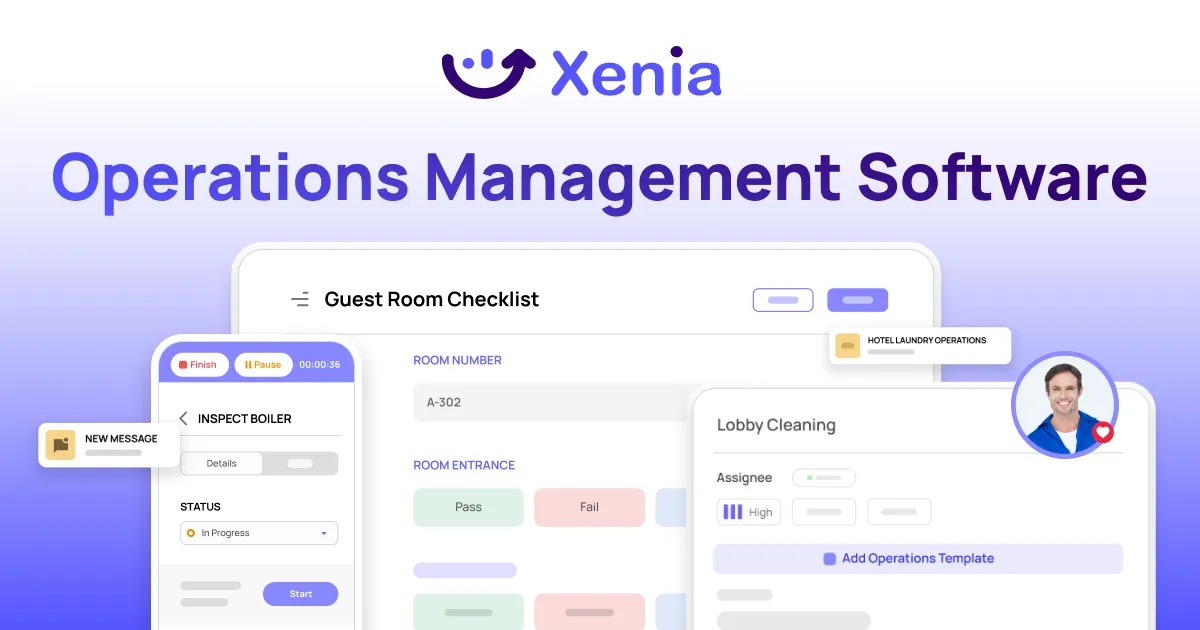
Xenia's task management and checklists and SOPs tools let operations teams automate recurring work, deploy digital checklists across every location, trigger corrective actions automatically when something fails, and track completion in real time without manual reporting.
For multi-unit operators in restaurants, retail, and convenience stores, that means the daily, weekly, and monthly tasks that keep locations running don't depend on anyone remembering to assign them or chase completion. The system handles it.
Xenia is an operations execution platform. It's not a scheduling or payroll tool. For teams already using workforce management platforms, Xenia covers the operational execution layer those tools don't.
See how it works for your operation.
Conclusion
Repetitive tasks aren't the problem. Every frontline operation runs on them.
Managing them manually across 10, 20, or 50 locations is where things fall apart. Paper-based, verbally-reminded, manager-chased task management creates gaps, inconsistency, and burnout at scale.
Digital checklists, recurring task scheduling, conditional automation, and real-time completion tracking change that. Not by removing the work. By making sure it gets done, every time, at every location, without your managers spending half their shift making sure it does.
If that's the problem your team is dealing with, Xenia is worth a look.
Frequently Asked Questions
Got a question? Find our FAQs here. If your question hasn't been answered here, contact us.
What is the biggest sign a frontline team's repetitive task system is broken?

Managers are the system. If task completion only happens because a specific person remembered to remind someone, that's the problem. A working system runs without the manager as the trigger. When they're out sick and three things get missed, the process needs fixing, not the people.
How many repetitive tasks should a frontline location have per day?
There's no fixed number. But if a single location has more than 30 to 40 individual recurring tasks per day, audit the list. Some tasks can be grouped. Others may be redundant. The goal is enough coverage to stay compliant and consistent, not so much that the team treats the checklist as noise.
What tools do frontline teams use to manage repetitive tasks?
The most common starting point is digital checklists with recurring scheduling built in. From there, teams add conditional workflows that trigger corrective actions automatically, IoT sensors for tasks like temperature monitoring, and role-based assignment so tasks survive staff turnover. Most multi-location operators run all of this through a single operations platform rather than separate tools.
Can you fully automate repetitive tasks in frontline operations?
Not completely. Someone still has to physically check the fridge or walk the floor. But everything around that, the scheduling, reminders, tracking, and follow-up when something gets missed, can all be automated. That's where most of the time and most of the gaps actually live.
What is the difference between a repetitive task and a recurring task?
They sound the same but work differently. A repetitive task is anything that happens over and over. A recurring task is one scheduled to repeat automatically on a set frequency. The goal is to turn your repetitive tasks into recurring ones so the system assigns them without anyone having to think about it.


A Modern, AI-Powered Platform Built Specifically for Frontline Operations
Xenia brings daily operations, maintenance, audits, and compliance into one mobile-first platform. Frontline teams execute work consistently across locations while leadership gets real-time visibility.

Why Multi-Location Operators Choose Xenia:
🤖 AI-Powered Operations, Create digital checklists instantly or convert paper forms with AI. Verify compliance automatically with photo analysis and get instant answers from your operational data.
✅ Daily Operations & Maintenance, Assign work across hundreds of locations in minutes. Report and route issues instantly. Schedule preventive maintenance to catch problems before downtime.
📊 Real-Time Visibility, Track completion, work orders, and performance across all locations through dashboards. Filter by site or asset to spot trends and take action.
Manage operations, maintenance, and compliance across all your locations from one platform

.svg)
.webp)
%201%20(1).webp)

.svg)
%201%20(2).webp)





