

Conditional Audit Type
What is conditional visibility?
Conditional visibility is deterministic branching logic that shows or hides audit questions based on each location's recorded attributes. For an equipment based audit, the attribute is the unit's equipment list: fryer, flat-top, combi oven, walk-in, reach-in, espresso machine, hood type. The branching is not AI and it is not a guess. The equipment field on the location record drives it, every time, the same way.
This is the same logic that solves the "patios vs. no-patios" problem on guest-facing format. Here it runs one level deeper. Patio and drive-thru branch on what guests see. Equipment-attribute branching decides what the kitchen actually has to inspect. The two dimensions stack: a unit can branch on both its service format and its back-of-house equipment from a single template. For the full primer on the underlying logic, see the conditional visibility pillar that defines location-attribute branching.
Conditional visibility pairs with nullify scoring, but they are two different features. Nullify scoring keeps a hidden item out of the scoring denominator so the unit can still reach a true 100%. Conditional visibility hides the fryer question at a fryer-less store. Nullify scoring stops that hidden item from tanking the score.
One controls what appears. The other controls what counts. Operators conflate them constantly, so it is worth keeping them separate in your head. The deeper explanation lives on how nullify scoring pairs with conditional visibility.
For restaurant ops, the practical payoff is simple. The same audit template runs across 100 franchises, but units with espresso bars see espresso-bar questions and units without them never do. Excluding non-applicable items from the score is also a documented audit-scoring best practice, not a Xenia invention, as covered in Falcony's breakdown of audit scoring mechanics.
Worked example, conditional visibility in action
Here is conditional visibility running on a real equipment mix. A 160-unit chain runs one equipment-and-food-safety audit carrying 46 questions, but the equipment list on each location record decides which appear. A unit with a fryer sees the fryer-oil-quality and fryer-temp-log group. A unit with only a flat-top and combi oven skips it and sees the grill-seasoning and combi-calibration group instead. Every unit sees the walk-in group only if it has a walk-in.
Reach-in-only stores see the reach-in group. The equipment attribute, not the auditor's memory, decides the question set. Nullify scoring keeps a fryer-less store from being marked down on the fryer group it could never satisfy, so it can still reach a true 100%.
The question groups map to real QSR equipment, the kind catalogued in Square's commercial kitchen equipment checklist:
The temp thresholds are not arbitrary. Cold-holding at 41F or below and hot-holding at 135F or above come straight from the FDA Food Code 2022 cold-holding and hot-holding rules. Two-stage cooling runs 135F to 70F within 2 hours, then 70F to 41F within 4 more hours, per the FDA guidance on cooling cooked TCS food. The conditional audit decides which temp questions appear. It does not replace the temp-log procedure itself, which lives in the HACCP temp-log how-to.
Here is how the rules read by tier:
**
Tier / Condition, Question groups shown, Question groups hidden
Unit with fryer-walk-in and hot-hold, fryer-walk-in-hot-hold-line check, flat-top-combi-reach-in-espresso
Unit with flat-top and combi oven-no fryer, flat-top-combi-walk-in-hot-hold, fryer-reach-in-espresso
Reach-in-only unit-no walk-in, reach-in-hot-hold, walk-in-fryer-combi
Cafe-format unit with espresso bar, espresso-reach-in, fryer-flat-top-combi-walk-in
**
Dave's Hot Chicken makes this concrete at scale. They run Bluetooth thermometers across every walk-in, hot-hold, and line station at 321 locations after migrating from RizePoint. The equipment groups that appear at a unit map directly to the temp sources that unit actually has. A line station with a Bluetooth probe gets the line-check group.
A unit without that hardware does not see it. The audit reflects the kitchen, not the template's assumptions. Sibling formats branch on service rather than equipment, which is the line drawn in the drive-thru vs. dine-in audit guide.
How does conditional visibility differ from static audits?
A static audit shows every question at every unit and leaves the auditor to mark non-applicable items by hand. An equipment based audit renders only the groups a unit actually has, and nullify scoring keeps the score honest. That is the core difference, and it shows up in three documented failure modes of static templates.
Competitors solve equipment inspection a different way. SafetyCulture and GoAudits ship separate templates per asset type, or link inspections to assets, rather than rendering equipment groups inside one ops audit. SafetyCulture's asset question lives on the template title page and attributes the inspection to an asset, which is not question-level equipment branching.
GoAudits offers strong standalone checklists like Kitchen Equipment Maintenance and Commercial Refrigeration as separate templates, so the operator picks the template per asset instead of running one audit that auto-renders the relevant groups.
**
Dimension, Static or per-asset templates (SafetyCulture-GoAudits), Equipment-attribute conditional audit (Xenia)
Templates to maintain, One per equipment type or one template showing every question, One template for the whole chain
Who decides which questions appear, The auditor by memory or manual N/A, The equipment list on the location record
Fryer-less store on fryer questions, Marked N/A by hand or scored as a miss, Group hidden automatically
Reaching 100%, Hard if N/A stays in the denominator, True 100% via nullify scoring
Adding a new equipment type chain-wide, New template or bulk edits per site, Update the groups once-units pick them up by attribute
**
For a restaurant ops director, the math is plain. With nullify scoring, a unit without a fryer doesn't fail on fryer temp logs, and a location without a patio doesn't get dinged on patio cleanliness. Zenput is the usual displacement target here, since per-location question branching is where it falls short. The best Zenput alternatives roundup covers that gap in more detail.
.svg)

Priced on per user or per location basis
Available on iOS, Android and Web


How to set up conditional visibility in Xenia
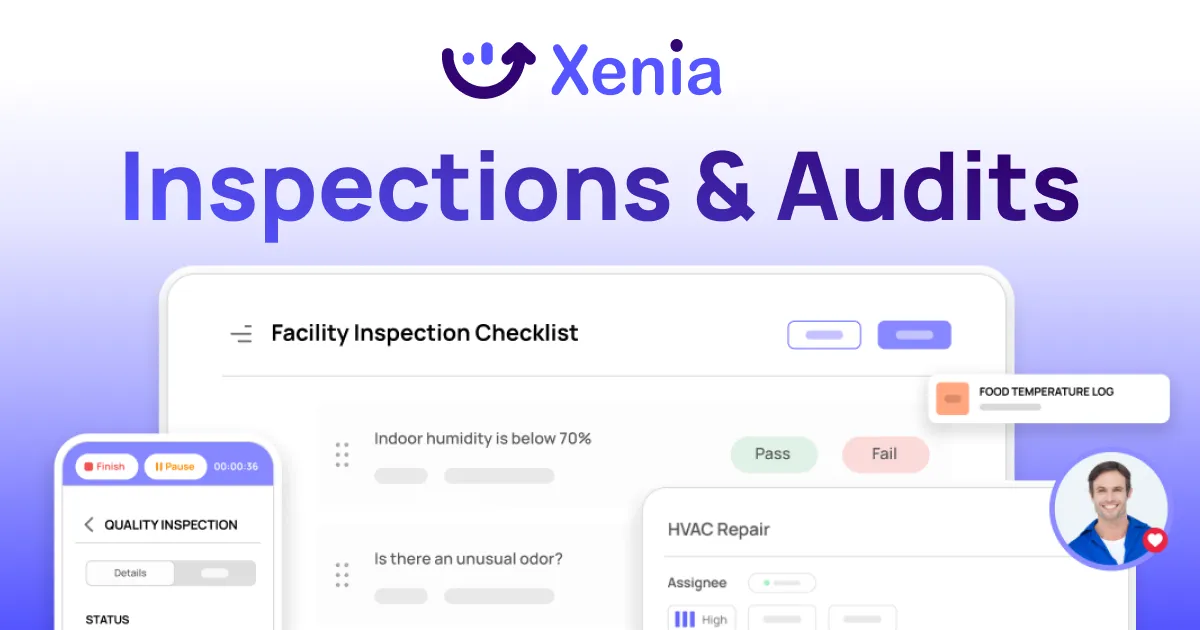
Setting up an equipment based audit takes six steps, and the first one does most of the work.
If you want the broader setup context across audit types, the conditional audits overview ties these steps to the rest of the audit library.
Where do operators see results?
Operators see results in three places: fewer false negatives, honest cross-store comparison, and one template to maintain instead of one per equipment type. The number on the dashboard finally reflects the kitchen.
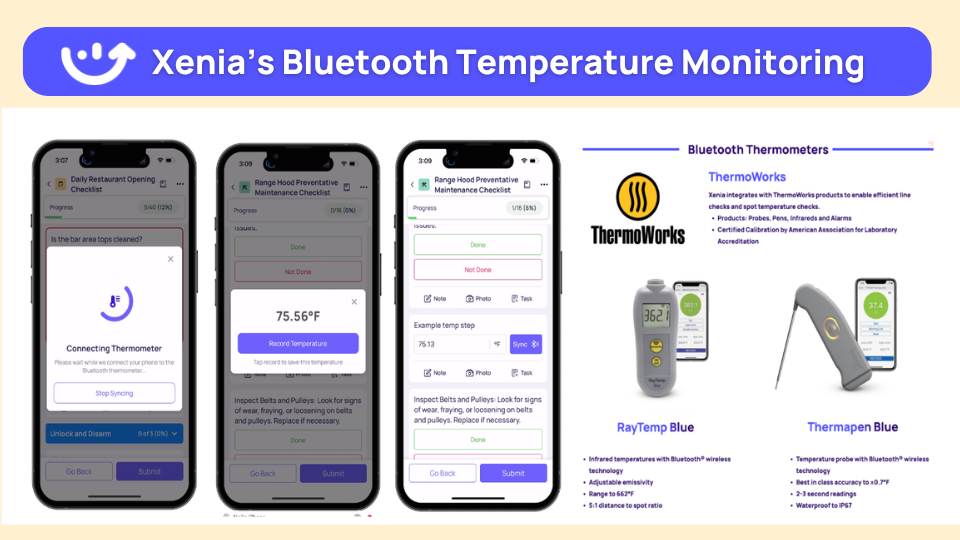
Dave's Hot Chicken proves the pattern at 321 locations on Bluetooth thermometers after leaving RizePoint. The equipment groups that render at each unit map to the temp hardware that unit has. Pairing audits with automated Bluetooth thermometer temp logging means walk-in and hot-hold readings log without manual data entry, and the 41F and 135F holding-temperature thresholds drive the alerts.
The C-store side has its own equipment variation. H&S Energy runs continuous sensor deployment across 360-plus stores, the Power Market sensor-scale customer story being the linkable example. Huck's runs conditional checklists that show temp questions only at tap-system stores, proof that equipment-driven branching is already in production for convenience retail.
That branch starts as a store-format question in the tap-system vs. fuel-only C-store audit guide, then goes deeper into which cooking and cold-holding equipment is installed. C-store chains with mixed formats can run one audit and hide irrelevant questions per location group.
This matters more every year. Foodservice accounted for 27.7% of in-store sales and 38.6% of in-store gross margin dollars at convenience stores in 2024, per the NACS State of the Industry Report of 2024 Data. A fuel-only store and a hot-food store can no longer share one undifferentiated template. The cooking equipment decides what gets inspected.
Frequently Asked Questions
Got a question? Find our FAQs here. If your question hasn't been answered here, contact us.
Why should audit questions depend on the equipment a store actually has?

How does conditional logic know which equipment groups to show a unit?
Can one template cover stores with fryers, flat-tops, walk-ins, and reach-ins?
How do you stop a store without a fryer from failing on fryer-temp questions?
How is equipment-attribute branching different from store-format branching?
How do operators keep the equipment list current so the right questions always appear?


A Modern, AI-Powered Platform Built for Restaurant Operations
Xenia brings kitchen operations, food safety, audits, and team communication into one mobile-first platform. Restaurant teams execute daily work consistently, maintain compliance, and resolve issues faster, while leadership gets real-time visibility across all locations.
.webp)
Why Restaurant Operators Choose Xenia:
🤖 AI-Powered Operations, Convert paper logs instantly and verify food presentation and kitchen cleanliness automatically. Get instant answers about food safety trends without building reports.
🍽️ Food Safety & Compliance, Track line checks and temperature logs with automated alerts. Trigger corrective actions when readings exceed safe ranges. Maintain audit-ready records for health inspections.
📊 Multi-Location Control, Monitor food safety compliance and task completion across regions. Benchmark locations to identify training needs. Export reports for operational reviews.
One platform for kitchen operations, food safety, and compliance across all locations.

.svg)
.webp)
%201%20(1).webp)

.svg)
%201%20(2).webp)


