

Conditional Audit Type
What is conditional visibility?
Conditional visibility is branching logic on audit questions tied to a location or context attribute. When that attribute is the hour of day, conditional visibility becomes daypart branching: the active daypart at the time of the walk decides which question groups appear. A breakfast walk shows breakfast questions. A late-night walk shows close-down questions. Nobody scrolls past questions for a daypart the store is not running. You can read the full mechanics in our explainer on how conditional visibility works in multi-location audits.
Conditional visibility pairs with nullify scoring, and the two are different features. Conditional visibility hides the irrelevant questions. Nullify scoring keeps those hidden questions out of the score denominator, so a clean breakfast walk reaches a true 100% instead of a capped number. See how nullify scoring stops false negatives in multi-format audits for the scoring side.
Daypart is a distinct branching dimension. The other spokes in this Collection cover two others:
- Physical-format branching asks: does this store have the thing? A patio, a drive-thru, a tap system.
- Seasonal branching asks: what time of year is it? Summer patio-furniture checks, winter heater checks.
- Daypart branching asks: what time of day is it right now? Breakfast hot-hold versus late-night close-down.
One store can carry all three in a single template. The daypart dimension matters because revenue and risk concentrate by meal period. Per TransUnion's 2024 QSR traffic research, 64% of quick-service restaurants reported increased traffic across all dayparts, and another 17% reported gains in some. Each daypart runs different equipment, different menu items, and different failure modes. A breakfast walk and a dinner walk are not the same audit. This is deterministic time-attribute branching, not an AI guessing the daypart.
Worked example, conditional visibility in action
Here is the pattern in practice. A 120-unit QSR runs one operations-assessment template carrying 41 questions across three dayparts. The active daypart at the time of the walk decides which question groups render:
Auditors never scroll past questions for a daypart the store is not running. Nullify scoring keeps the inactive dayparts out of that walk's denominator, so a clean breakfast walk reaches a true 100% instead of a capped 66% (27 of 41).
The breakfast set carries a food-safety hook. Cooked eggs and egg-containing breakfast items must be held hot at 135°F or above per the FDA's egg-safety temperature guidance. The broader standard for time/temperature-control-for-safety food is cold at 41°F or below and hot at 135°F or above, per the USDA FSIS safe-temperature chart.
A breakfast walk should check egg and biscuit hot-hold. A dinner walk has no reason to ask it, and a breakfast-only store should never be scored against a dinner-service question. For the temperature thresholds behind these checks, see our guide to hot-holding and cold-holding temperature requirements.
The lunch set weights the highest-volume window. Speed-of-service and order accuracy get checked harder than they do at breakfast. The late-night set drops most of the daytime menu and adds close-down security and cash-handling readiness. Late-night and the so-called fourth and fifth dayparts have grown with 24-hour culture, and snacking alone represents about 19% of quick-serve traffic per NPD research cited by QSR Magazine.
The same logic runs at fuel-plus-food convenience stores. Foodservice led in-store sales in 2025 at 28.5% of total in-store sales and 38.9% of in-store gross-profit dollars, per NACS State of the Industry data. A C-store's morning daypart walk checks roller-grill breakfast items and the coffee program.
The afternoon walk checks prepared-food hot-hold and the hot case. C-store chains with mixed formats can run one audit and hide irrelevant questions per location group, so the inactive dayparts nullify out and the morning shift scores on what it actually runs. This is the same template logic the drive-thru versus dine-in conditional audit uses for physical-format variation.
How does conditional visibility differ from static audits?
A static audit shows every question to every store on every walk. A daypart conditional audit shows only the questions for the daypart being audited, and nullify scoring keeps the rest out of the score. The difference is the gap between a 41-question form that penalizes a breakfast walk for 14 dinner questions and a 27-question breakfast walk that scores 100% on what it ran.
**
Dimension, Static / duplicate-template approach, Daypart conditional audit (Xenia)
Templates to maintain, Separate breakfast-lunch and dinner forms, One template-three daypart question groups
Questions shown on a breakfast walk, All 41 including 14 dinner questions, Only the 27 breakfast questions
Scoring on inactive-daypart questions, Counted as misses or manual N/A, Nullified-out of the denominator
True breakfast score ceiling, Capped at 27 of 41-about 66%, A true 100%
Editing a single question, Update it in every duplicate template, Update once-applies everywhere
What decides which questions show, Auditor scrolls and skips or picks the right form, The active daypart attribute-deterministic
**
The static pattern is what most published daypart templates do. SafetyCulture, for example, publishes a standalone lunch restaurant operations assessment with no conditional logic for multiple dayparts, alongside a separate combined ops-assessment template. That means a form per daypart to download, maintain, and edit one by one.
The failure mode is simple in operator terms: a breakfast-only kiosk should never see the dinner line-check questions, and a clean breakfast walk should never be capped because the form carries dinner questions it cannot answer.
Two things a daypart audit is not, worth naming so the lines stay clear. It is not a mid-shift restaurant line check, which is a recurring daily-ops task, not a branching audit template. And it is not a seasonal conditions audit, which branches on time of year (summer patio furniture, winter heaters), not hour of day. Daypart is the time-of-day dimension neither of those covers.
.svg)

Priced on per user or per location basis
Available on iOS, Android and Web


How to set up conditional visibility in Xenia
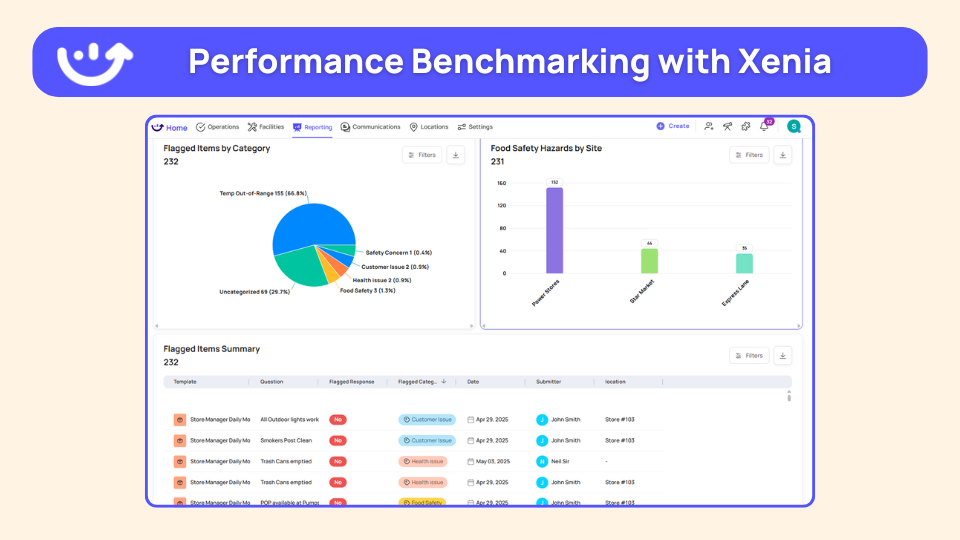
Setting up a daypart conditional audit in Xenia takes one template and a daypart attribute. Here is the sequence:
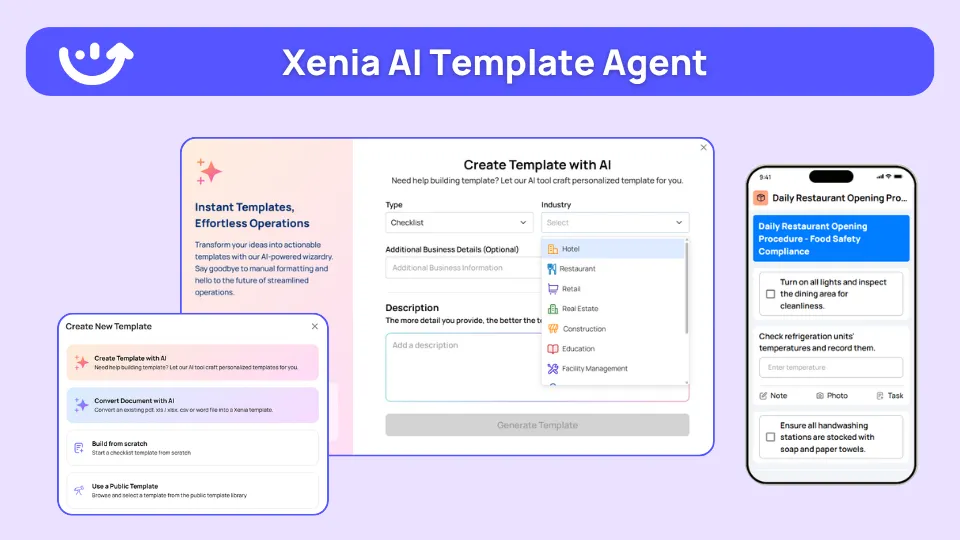
If you already have a daypart SOP written up, the AI Template Agent can convert that PDF into a digital form with conditional logic, which cuts a franchise rollout from weeks to days. Conditional visibility lets you ask different questions at different locations without penalizing stores for N/A items, the patios-versus-no-patios problem solved. One audit template handles 100-plus format variations.
Where do operators see results?
Daypart conditional audits show up as cleaner scores, less auditor scroll-time, and a roll-up that compares the same daypart across every store, without maintaining four separate audit forms. The 50-location ops director does not want a wall of completion percentages. They want to see which daypart at which store is forming the next failure. That is the view a daypart audit feeds.
Dave's Hot Chicken runs a multi-daypart QSR audit architecture across 321 locations. Dave's migrated from RizePoint, and the verified drivers were weighted scoring, Bluetooth thermometer integration across walk-ins, hot-holds, and line stations, and corrective-action workflows with deadlines and escalation.
The daypart angle is direct: with Bluetooth thermometers logging temps automatically, the breakfast egg-hold and line-station questions are evidence-backed rather than clipboard entries. Newk's Eatery is the franchise-scale proof point, with 100-plus franchise locations automated in a single rollout, the kind of multi-unit deployment a daypart template is built for.
The reporting layer is where multi-unit operators read the daypart story:
This is the audit-execution gap the daypart SERP leaves open. Sales-analytics tools cover daypart profitability, and feedback tools cover daypart satisfaction, but neither renders and scores the right questions per shift. For the broader picture of how conditional logic adapts audits across every store format, start with our conditional audits overview, and operators weighing a switch from a checklist-only incumbent can compare Xenia against Zenput. Daypart audits run across the restaurant operations and audit programs hub and the same logic extends to convenience store operations.
Frequently Asked Questions
Got a question? Find our FAQs here. If your question hasn't been answered here, contact us.
Why does a breakfast walk need different questions than a dinner walk?

How does conditional logic know which daypart questions to show?
Can one template cover breakfast, lunch, dinner, and late-night without four separate audits?
How do you stop a breakfast-only store from being scored on dinner-service questions?


A Modern, AI-Powered Platform Built for Restaurant Operations
Xenia brings kitchen operations, food safety, audits, and team communication into one mobile-first platform. Restaurant teams execute daily work consistently, maintain compliance, and resolve issues faster, while leadership gets real-time visibility across all locations.
.webp)
Why Restaurant Operators Choose Xenia:
🤖 AI-Powered Operations, Convert paper logs instantly and verify food presentation and kitchen cleanliness automatically. Get instant answers about food safety trends without building reports.
🍽️ Food Safety & Compliance, Track line checks and temperature logs with automated alerts. Trigger corrective actions when readings exceed safe ranges. Maintain audit-ready records for health inspections.
📊 Multi-Location Control, Monitor food safety compliance and task completion across regions. Benchmark locations to identify training needs. Export reports for operational reviews.
One platform for kitchen operations, food safety, and compliance across all locations.

.svg)
.webp)
%201%20(1).webp)

.svg)
%201%20(2).webp)


