

Summary
What multi-location audit software actually does in 2026
Multi-location audit software digitizes the store inspection and connects it to an above-store rollup. A compliance officer or ops director sees every location's score in one view and drills into any single site, region, or manager.
The defining difference from a single-store audit app isn't the checklist. It's what happens after the checklist is submitted. The data aggregates across the network, and a failed item becomes a tracked corrective task instead of a note buried in a PDF.
The single biggest requirement for multi-unit operators is centralized visibility. As GetApp's 2026 review of franchise management software with multi-location support puts it, the core need is the ability to see what's happening across every location from one dashboard. A tool that forces a separate login per site isn't a real multi-location platform. It's a single-store app sold in bulk.
Two terms anchor this category:
- Roll-up reporting. One dashboard aggregates audit scores across all locations and lets you drill into a single site, region, or manager. You compare scores, surface repeat failures across regions, and spot top and struggling stores at a glance.
- Above-store view. The regional or corporate scope that sees the whole network, distinct from the store-manager scope that sees one store.
Most compliance platforms were built for single-location or general-industry use. They handle basic task management but miss the franchise-specific problem of satisfying both a corporate auditor and a government inspector with one template.
The buying wave is real. The franchise management software market is forecast to grow from $1.7 billion in 2024 to $4.5 billion by 2034, a 10.2 percent compound annual growth rate.
If your Monday morning starts with twelve spreadsheets and a guess about which store is about to fail a health inspection, you're running single-store tooling at multi-location scale.
The fix is one screen that shows the whole network and lets you act on it. For the broader category, see how inspection management software ties audits to closure across a chain.
Buyer criteria: roll-up reporting, conditional visibility, corrective-action closure
Three criteria separate genuine multi-location audit software from a single-store app dressed up with extra logins: roll-up reporting, conditional visibility, and corrective-action closure.
Score every shortlist platform against these three before you score it on anything else. Most tools handle one well, two poorly, and the third not at all.
Walk your shortlist through these six checks in order:
- Roll-up reporting and location hierarchy. Can a DM see only their district, a regional see all regions, and corporate see everything, on one login with no extra seats? With Xenia, DMs see only their district, regional managers see all regions, and store managers see their store. One account, multiple scopes, no over-visibility and no data silos.
- Conditional visibility. Does one template adapt to each store's format, or do you maintain a separate template per format? This is the criterion most single-store tools fail.
- Nullify (N/A) scoring. When a store doesn't have a fryer or a patio, do those items get scored as failures, or do they count for nothing? Nullify scoring means N/A items don't tank the score. You count only the things a store is supposed to have.
- Weighted scoring with thresholds. Does a temperature failure count the same as a smudged menu board? If yes, the score is noise. Weighted scoring and color-coded thresholds let you set critical items like temp failures and food safety at 10 points and minor items at 1 point.
- Corrective-action closure. Does a failed item become a tracked task with an owner, a deadline, and escalation, or does closure happen by hand in another tool? Most platforms collect audit data. Few drive it to closure.
- Offline mode, QR work requests, and rollout speed. Secondary, but decisive for chains with rural sites or weekend rollouts.
Weighted scoring is the criterion buyers underrate most. Here's why it matters:
Audit signalUnweighted scoringWeighted scoringTemp failure in the walk-inCounts as 1 of N itemsCounts as 10 points (critical)Smudged menu boardCounts as 1 of N itemsCounts as 1 point (cosmetic)What an 87% meansCould be all critical or all cosmetic, same numberA clear signal where a critical failure reads differently than cosmetic onesDM walk focusGuessworkFocuses where the real risk is
These criteria are now table stakes at the top end of the category. Certainty Software markets conditional logic that adapts forms to site-specific regulations, and Audit Now lists weighted scoring plus conditional logic that triggers follow-up actions.
So the real question isn't whether a vendor lists these features. It's whether all three work together natively or are bolted on as separate add-ons.
Multi-location audit platforms compared (SafetyCulture, RizePoint, Bindy, YOOBIC, Xenia)
No single platform owns multi-location audits. SafetyCulture owns horizontal scale. RizePoint owns food-safety and franchise audit tenure. Bindy owns retail audits. YOOBIC owns frontline learning. Xenia owns the combination of weighted plus conditional plus corrective-action closure in one app.
Match the platform to where your format variation and closure burden actually live.
**
Platform, Built for, Conditional visibility and nullify, Corrective-action closure, Beyond audits, Pricing model
Xenia, Multi-unit ops in restaurant-c-store-retail-hospitality, Native conditional visibility plus nullify scoring, End-to-end-failure to task to escalation in one record, Work orders-QR requests-announcements with signature-daily ops, Flat per-location
SafetyCulture (iAuditor), Horizontal inspection at scale-mining to restaurant, Logic available-not franchise-format-specific at depth, Strong on the audit-lighter on closure, Limited work-order depth, Per-seat
RizePoint, Food safety and franchise audit-mobile-first, Conditional logic is an add-on-penalty-based scoring, Audits collect data- closure lives in another tool, Audit-only, Quote-based
Bindy, Retail audits and brand standards, Retail-format logic, Audit-centric, Limited comms and work orders, Per-seat
YOOBIC, Frontline learning and engagement, Limited audit-specific logic, Acknowledgment-centric-not closure-centric, Learning and tasks, Quote-based
**
Each incumbent earns its strength. SafetyCulture (iAuditor) is one of the most widely used inspection platforms, with a deep template library and a broad feature set, a solid choice for digitizing inspections without technical skills.
Bindy helps multi-unit retail and hospitality gain visibility and execute standards at every site. RizePoint positions itself across the entire quality management continuum and pioneered mobile food-safety auditing. RizePoint pricing is quote-based and per-user, which adds cost as your headcount grows.
The honest gap is this. SafetyCulture wins on scale and content depth, and Xenia doesn't match its global template library. What Xenia adds is franchise-specific conditional visibility, nullify scoring, and corrective-action closure that live in one record.
If you're weighing the two head to head, the Xenia vs SafetyCulture comparison for multi-unit operators lays out where each fits. For the food-safety incumbent, the Xenia vs RizePoint comparison for QSR operators covers the same trade-offs.
.svg)

Priced on per user or per location basis
Available on iOS, Android and Web


Conditional visibility: why one-size-fits-all checklists penalize multi-format chains
Conditional visibility is the audit feature that shows different questions at different locations based on each store's attributes. Units with patios see patio questions. Units without them don't.
Paired with nullify scoring, those N/A items don't penalize the store's audit score. One template handles 100-plus format variations without manual editing.
Two features do the work here, and they aren't the same thing:
- Conditional visibility is branching logic on audit questions tied to a location's attributes: drive-thru, patio, tap system, fuel-only, room type. It hides the question.
- Nullify scoring makes sure a hidden or N/A item doesn't drag down the score. A store without a fryer doesn't fail on fryer temp logs.
Conditional visibility hides the question. Nullify scoring protects the score. Never conflate them.
The clearest example is the patios-versus-no-patios problem. A regional QSR runs one quarterly audit across 200 locations. Southern units have outdoor patios. Dense urban units don't.
With a one-size-fits-all checklist, the urban units score a zero on patio cleanliness for something they don't have. The audit score becomes a lie. Conditional visibility shows patio questions only where there are patios. Nullify scoring makes sure the units without patios get nothing applied to their score.
The problem spans every vertical:
- Restaurant. Drive-thru, patio, and espresso-bar questions appear only at units that have them.
- C-store. Tap-system, food-service, and fuel-only formats each see their own question set. If a store has a tap system, the tap temp questions appear. If it doesn't, they don't, and it's not marked down.
- Retail. Mannequin-display versus non-display stores, with different planogram sections per store format.
- Hospitality. Room types like king, suite, and accessible drive different inspection sets without duplicating templates.
RizePoint treats conditional logic as an add-on rather than a native capability. Certainty markets conditional logic that adapts forms to site-specific regulations. The Xenia difference is that conditional visibility pairs with nullify scoring natively, so format variation never penalizes the store.
To go deeper, see the conditional audits overview built for 100-plus store format variations and how franchise-tier conditional audits ask different questions of corporate, franchisee, and licensee units.
The multi-location rollout playbook
A multi-location audit rollout doesn't have to take six weeks per template. The fast path is to convert existing SOPs to digital forms, build one conditional template per audit type instead of one per format, pilot with a single region, then scale to the network.
Newk's Eatery automated 100-plus franchises in one rollout. Tempstop went fully paperless in 14 days.
Run the rollout in this order:
- Inventory your SOPs. List every audit type you run today, including food safety, brand standards, line check, and opening or closing. Pull the PDFs.
- Convert SOPs to digital forms. Use the AI Template Agent to turn each SOP PDF into a digital audit form with conditional logic and required fields. This is where the weeks-to-days time saving lives.
- Build one conditional template per audit type, not one per format. Add conditional visibility so each store sees only its relevant questions, and nullify scoring so N/A items don't penalize the score.
- Set weighted point values and a passing threshold. Critical items at 10, important at 5, cosmetic at 1. Set the threshold that triggers a corrective action.
- Wire the corrective-action workflow. Every failure auto-creates a task with an owner, a deadline, and an escalation rule.
- Set the location hierarchy and scopes. DMs see their district, regionals see all regions, corporate sees everything, one login each.
- Pilot with one region. Run the template at 5 to 15 stores for a cycle. Tune the questions and the weights.
- Scale to the network and put the dashboard on the wall. Roll out to all locations. The above-store dashboard becomes the Monday-morning view of open corrective actions, high-risk stores, and trends.
Real rollouts back this up. Newk's Eatery automated 100-plus franchises in one rollout, and Power Market deployed across 360 locations with bilingual checklists and QR codes.
Where Xenia leads: weighted + conditional + corrective-action closure
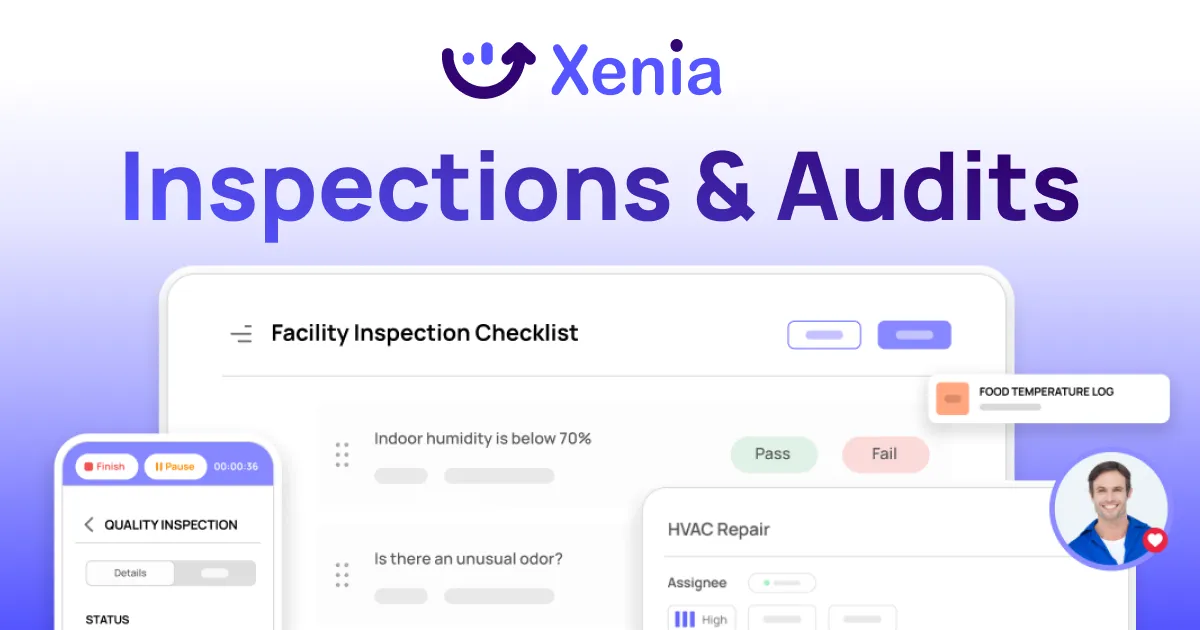
Xenia leads multi-location audits on the combination that incumbents split across add-ons and separate tools. Weighted scoring makes the score track what matters. Conditional visibility plus nullify scoring make one template fit every format fairly. Corrective-action closure makes every failure a tracked task in the same record as the audit.
The audit trail and the closure trail are one record, not two systems. The three-part differentiator works like this:
- Weighted scoring. Critical items like temp failures, food safety, and fuel pricing accuracy get 10 points. Cosmetic items get 1. The score finally separates a real risk from a smudged label. This is deterministic point assignment, not AI guessing.
- Conditional visibility plus nullify scoring. One template, every format. N/A items don't tank the score.
- Corrective-action closure. An audit failure triggers a follow-up question and a required photo, auto-creates a corrective task with an assignee and a deadline, then escalates to the DM if it isn't closed in time. Most platforms collect audit data. Few drive it to closure.
A few supporting capabilities make the spine work without bolting on extra tools:
- Follow-up questions with required image capture fire at the moment of failure, so evidence is captured during the audit, not reconstructed after.
- Location hierarchy and scoped permissions give a DM their district, a regional all regions, and corporate everything, on one login.
- The AI Template Agent converts an existing SOP PDF into a digital audit form with conditional logic, cutting rollout from weeks to days.
- Custom dashboards surface what's coming up as a problem, like open corrective actions and high-risk locations, not just a completion percentage.
Frequently Asked Questions
Got a question? Find our FAQs here. If your question hasn't been answered here, contact us.
What is multi-location audit software?

How is it different from a single-store audit app?
What roll-up reporting do multi-unit operators need?
How does conditional visibility help franchise operators?
How does Xenia compare to RizePoint for multi-location audits?
How long does multi-location audit rollout take?


A Modern, AI-Powered Platform Built for Restaurant Operations
Xenia brings kitchen operations, food safety, audits, and team communication into one mobile-first platform. Restaurant teams execute daily work consistently, maintain compliance, and resolve issues faster, while leadership gets real-time visibility across all locations.
.webp)
Why Restaurant Operators Choose Xenia:
🤖 AI-Powered Operations, Convert paper logs instantly and verify food presentation and kitchen cleanliness automatically. Get instant answers about food safety trends without building reports.
🍽️ Food Safety & Compliance, Track line checks and temperature logs with automated alerts. Trigger corrective actions when readings exceed safe ranges. Maintain audit-ready records for health inspections.
📊 Multi-Location Control, Monitor food safety compliance and task completion across regions. Benchmark locations to identify training needs. Export reports for operational reviews.
One platform for kitchen operations, food safety, and compliance across all locations.

.svg)
.webp)
%201%20(1).webp)

.svg)
%201%20(2).webp)


