Post Summary
SafetyChain does what it says. But most manufacturers running 1 to 15 locations hit a wall with it fast.
Load times slow your team down. Building dynamic forms needs someone with dev-level skills. And the maintenance overhead alone eats hours your QA team doesn't have.
You're not looking to downgrade. You're looking for a QMS platform that fits your actual team size, workflow, and budget without needing a full-time administrator just to keep it running.
This list covers 9 SafetyChain alternatives worth considering. For each one, you'll see what it's genuinely good at, where it falls short, and a quick verdict so you can move fast.
What to look for before you switch
Before you jump into product demos, ask these questions:
**
Question, Why it matters
Can non-technical staff build and edit forms without help?, If every form change needs IT-you've just created a new bottleneck
Does it handle daily inspections AND audits or just one?, Some tools only cover one. You need both
How fast is the mobile interface on the floor?, Slow apps get abandoned. Compliance drops
Does it auto-assign corrective actions after a failed step?, Flagging a problem and fixing it are two very different things
What does onboarding actually look like in practice?, A 6-month implementation for a 5-location site is a serious red flag
**
9 best SafetyChain alternatives for manufacturers
.svg)
.webp)
**
Platform, Best for, Mobile-first, AI features, Setup speed
Xenia, 1-15 location manufacturers, Yes, AI form converter-AI Template Agent, Fast (days)
BenchMark Gensuite, Enterprise EHS and ESG, Partial, ESG analytics, Moderate
Intelex, Quality and risk consolidation, Partial, Limited, Slow
Workhub, Very small teams-basic compliance, Yes, None, Very fast
Cority, Regulated mid-large manufacturers, Partial, Limited, Slow
MasterControl, Regulated product lifecycle, Partial, Workflow automation, Slow
TrackWise Digital, AI-assisted quality decisions, Yes, AI auto-categorization, Moderate
ETQ Reliance, Custom workflow design, Partial, ETQScript automation, Moderate
ComplianceQuest, Supplier QMS and AI CAPA, Partial, AI trend detection, Moderate
**
1. Xenia
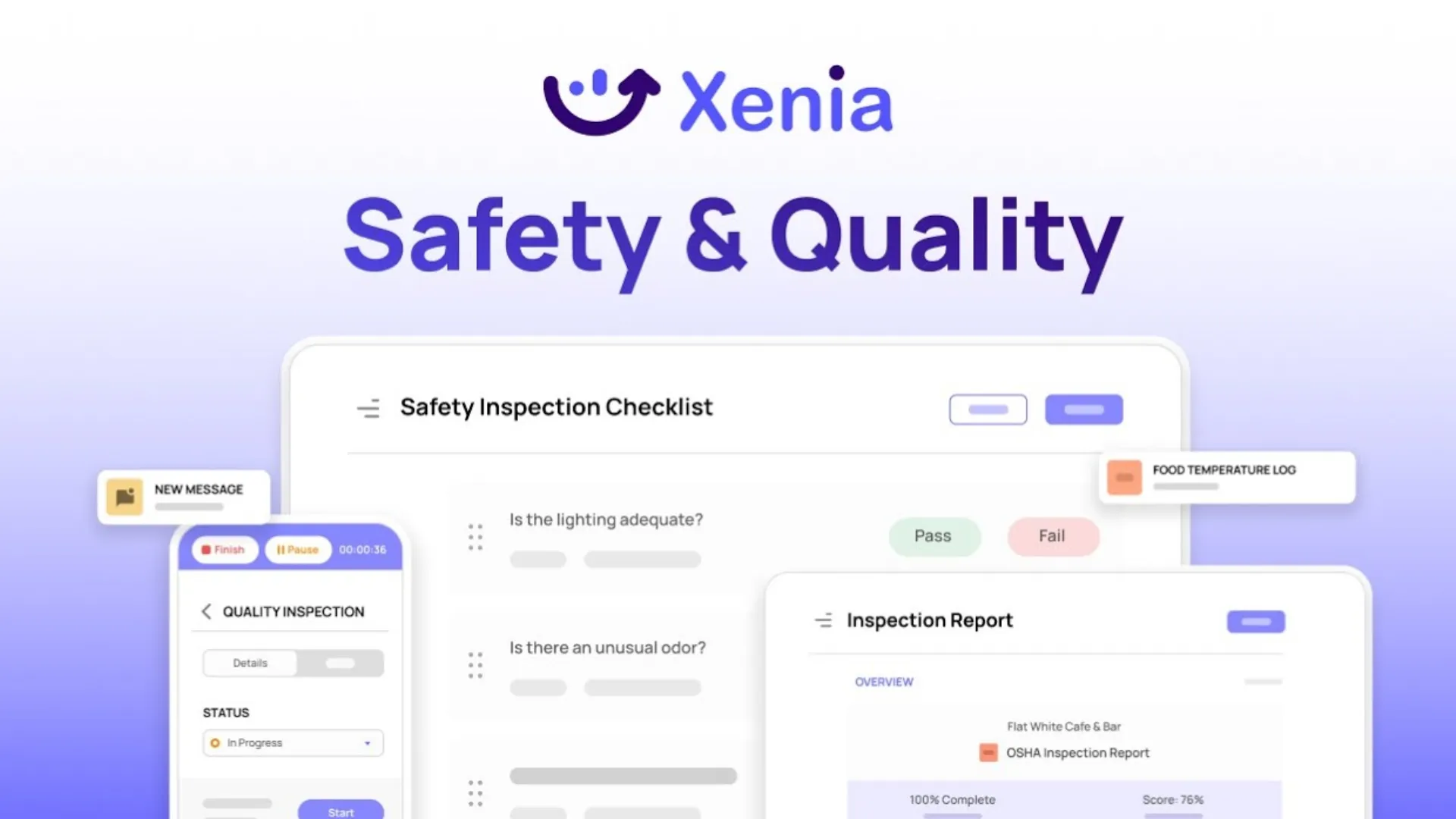
Xenia is a frontline operations execution platform built for manufacturing and multi-site teams. It covers daily inspections and audits, corrective action tracking, recurring task scheduling, work orders, and team communication in one place.
No developer setup. No months-long implementation.
The biggest gap between Xenia and SafetyChain shows up on the floor. In Xenia, inspectors build and run checks from a phone. Managers see results in real time across every location. And if you've got existing PDFs or Excel checklists sitting on a shared drive, Xenia's AI Template Agent converts them into digital forms in hours, not weeks.
That last part is worth stopping on. Most manufacturers spend weeks rebuilding forms when they switch platforms. With Xenia, you upload what you already have and the platform does the conversion.
It's why operators who came from SafetyChain specifically call out the AI form converter as a game-changer. You're not starting from zero.
What Xenia offers that SafetyChain doesn't:
- AI form converter that ingests your existing PDFs, Excel files, and CSVs and builds checklists automatically
- Mobile inspection and audit builder your floor team can use without training
- Conditional if-then logic that auto-triggers follow-up steps, alerts, and work orders when a step fails, no dev required
- Quality assurance workflows and EHS inspection tools connected in one platform
- Recurring inspections schedule with flexible daily/weekly/interval frequencies and missed-task alerts
Key features:
**
Feature, What it does
AI Template Agent, Converts your existing PDFs-Excel and CSVs into digital inspection forms automatically
19 step types, Pass/fail-photo capture-number entry-multiple choice-text input-signatures and more
Conditional if-then logic, Failed steps trigger follow-up questions-alerts or work orders automatically
Recurring inspection scheduler, Set daily-weekly or interval-based inspections with missed-task alerts
Corrective action tracking, Failed items become assigned tasks with owners-deadlines and completion tracking
Frontline reporting dashboard, See completion rates-compliance scores-flagged items and trends across all locations
Role-based permissions, Control exactly what each user level can see or change
Offline mode, Inspections work without internet and sync automatically when you reconnect
Safety and compliance workflows, Run floor safety compliance tracking alongside operational checks in the same platform
**
Pricing: Book a demo to get pricing based on your location count and user needs. A 14-day free trial is available.
Verdict: If SafetyChain was too heavy to maintain, Xenia is the natural next step. Strong QMS capability, mobile-first design, and built so your floor team can actually use it from day one.

Priced on per user or per location basis
Available on iOS, Android and Web


2. BenchMark Gensuite EHS
BenchMark Gensuite is a cloud-based platform for managing EHS, sustainability, and ESG programs at scale. It's built for larger organizations tracking compliance across multiple regions and regulatory frameworks simultaneously.
The Equipment Management Suite handles preventive maintenance schedules, inspection history, and configurable reporting across large divisions. Teams can manage safety programs without building separate workflows for each unit.
It's solid. But it's sized for enterprise, and the pricing, complexity, and implementation timeline all reflect that. If you're running fewer than 15 locations without a dedicated EHS team, you'll be paying for features you won't touch.
If you want to see how it stacks up in more detail, we've covered BenchMark Gensuite alternatives in a separate piece.
What this tool offers that SafetyChain doesn't: Dedicated ESG metrics tracking and sustainability reporting alongside traditional EHS management.
Key features:
- Regulatory compliance management across multiple industries and jurisdictions
- ESG metrics tracking with sustainability reporting built in
- Real-time inspection management and assessment tracking
- Centralized document management across all divisions
Pricing: Contact the vendor.
Verdict: Right fit for mid-to-large manufacturers with active ESG obligations and a dedicated EHS team. Too much overhead for most 1 to 15 location operations.
3. Intelex

Intelex pulls quality management, floor safety compliance tracking, and risk management into one system. It's designed for businesses that are tired of running three separate platforms and want audit management, corrective actions, and supply chain visibility all connected.
Audit management is a genuine strength. You can build audits, run them, track findings, and link corrective actions in one workflow. Supply chain risk visibility is also built in, which matters if supplier quality is part of your QMS scope.
The setup process is not fast. Smaller teams often find implementation takes longer than expected, and you'll want a dedicated resource assigned to manage the rollout.
We've also covered Intelex alternatives if you're evaluating this category more broadly.
What this tool offers that SafetyChain doesn't: Integrated quality, risk, and supply chain management without needing third-party connectors.
Key features:
- Regulatory compliance tools with automated corrective action triggers
- Audit management covering scheduling, findings, and resolution in one workflow
- Compliance tracking across training, licensing, and regulatory standards
- Supply chain risk visibility and supplier management
Pricing: Contact the vendor.
Verdict: Strong for manufacturers who want to consolidate quality and risk management. Budget time and internal resources for the implementation.
4. Workhub
Workhub is a health and safety compliance platform covering training, SOPs, inspections, and incident reporting. It's affordable and designed to get teams up and running fast. Many teams are operational the same day they sign up.
More than 25 customizable tools come included. The free plan gives you access to core features, and the paid tier starts at $3. For very small operations that need basic compliance coverage, the value is straightforward.
Where Workhub falls short is depth. It handles the fundamentals well but doesn't offer the conditional logic, multi-location analytics, or corrective action workflows that a growing manufacturer eventually needs. Once your compliance scope expands beyond basics, you'll be looking for a different platform.
What this tool offers that SafetyChain doesn't: Low-cost entry with no complex onboarding. Works for teams who just need core compliance covered without heavy configuration.
Key features:
- SOP management and distribution across the team
- Regular inspection scheduling with hazard and improvement tracking
- Incident reporting for accidents and near misses
Pricing: Free plan available. Standard plan from $3/month.
Verdict: A solid starting point for very small teams. Most manufacturers outgrow it once compliance requirements go beyond the basics.
5. Cority
.webp)
Cority is a cloud-based enterprise QMS platform built for regulated manufacturing environments. It handles supplier quality, customer complaints, nonconformances, corrective actions, document control, and employee training in one connected system.
Industries like automotive, aerospace, oil and gas, and medical devices are where Cority is strongest. The depth of compliance functionality is serious for organizations that need it.
We've gone deeper on this in our Cority alternatives piece if you're comparing options in this category.
The trade-off is complexity and cost. Cority is not built for small operations. You'll need a dedicated QA resource to manage the rollout and ongoing configuration.
What this tool offers that SafetyChain doesn't: Purpose-built compliance depth for heavily regulated industries like aerospace and medical device manufacturing.
Key features:
- End-to-end corrective action management from incident to resolution
- Pre-built audit templates with findings tracking and automated report generation
- Risk identification and mitigation tools across the organization
- Secure document storage with version control and access management
Pricing: Contact the vendor.
Verdict: Excellent platform for larger, regulated manufacturers. Size and price both match the enterprise use case.
6. MasterControl Quality Excellence
MasterControl replaces paper-based QMS workflows with a fully digital system. Documents, training records, quality events, supplier management, and audits are all connected. Change a document, and the platform automatically triggers the right training updates downstream.
It's particularly strong for manufacturers in regulated industries who need to prove compliance across the full product lifecycle. For teams still running spreadsheets or paper checklists, this is a significant step up.
If you want to explore how ISO-certified QMS software compares across vendors, our piece on ISO 9001 QMS software is worth reading alongside this one.
For smaller or less regulated manufacturing operations, the platform is more than you need and the setup reflects that.
What this tool offers that SafetyChain doesn't: Full product lifecycle compliance automation where documents, training, and quality events are linked and automatically update each other.
Key features:
- Cloud-based document digitization replacing paper records
- Automated compliance across documents, training, audits, and supplier management
- Connected QMS pulling quality data across the full product lifecycle
Pricing: Contact the vendor.
Verdict: Strong for compliance-heavy environments where regulatory documentation is central to operations. Not the right fit for smaller or non-regulated facilities.
7. TrackWise Digital

TrackWise Digital is a cloud QMS with AI built into its core workflows. Auto-summarization and auto-categorization help quality teams process data faster, and analytics run across all quality processes in real time.
It calls itself the first QMS to shift quality management from reactive to proactive using AI. Mobile access and real-time reporting support teams working across multiple sites.
It's a mature platform. But it works best for organizations that already have solid QMS processes in place and want to layer AI capability on top. If your inspection workflows are still inconsistent, this isn't the right first step.
For more context on quality inspection software for manufacturers, see our guide to manufacturing quality inspection software.
What this tool offers that SafetyChain doesn't: AI auto-categorization and cross-process analytics built into the core QMS workflow.
Key features:
- AI auto-summarization and auto-categorization of quality data
- Integrated quality management across connected cross-process modules
- Supplier and stakeholder collaboration within the platform
- Mobile access with real-time reporting across all quality processes
Pricing: Contact the vendor.
Verdict: Right for teams ready to operationalize AI in quality workflows. Not the starting point for manufacturers still getting inspection processes consistent.
8. ETQ Reliance
.webp)
ETQ Reliance has more than 40 pre-built applications and a drag-and-drop workflow engine that lets non-IT staff build and modify quality processes. You don't need to raise an IT ticket to change a workflow.
ETQScript handles more complex automation for business logic when you need it. Document control, CAPA, and safety compliance reporting are built in and connected to each other from the start.
The flexibility is real. But it comes with configuration time, and teams need to invest in setup before they see the full value. It's not plug and play.
What this tool offers that SafetyChain doesn't: Non-IT workflow design with drag-and-drop process building and deep CAPA integration in one system.
Key features:
- Drag-and-drop process design for non-IT users
- 40+ pre-built applications covering quality and compliance use cases
- Document control for safety guidelines, procedures, and records
- CAPA workflow from issue identification through to resolution
- Analytics and floor safety compliance tracking over time
Pricing: Contact the vendor.
Verdict: Good option if your team wants to own quality workflow design without depending on IT. Plan for upfront configuration time before you see the full benefit.
9. ComplianceQuest
.webp)
ComplianceQuest uses AI to detect trends early and organize corrective action plans before problems escalate. It covers manufacturing, supply chain, engineering, and healthcare operations.
Built on Salesforce infrastructure, it's relatively fast to deploy compared to some enterprise QMS tools. Supplier quality management and cross-team collaboration are standout features. The reporting dashboards give quality leaders clear visibility into where risks are building before they become incidents.
What this tool offers that SafetyChain doesn't: AI-driven CAPA trend detection with native Salesforce integration and full supplier value chain visibility in one system.
Key features:
- AI-powered trend identification for early risk detection before problems escalate
- Scalable cloud infrastructure for complex supplier networks
- Advanced dashboards and reporting across quality performance metrics
- Cross-team collaboration tools across the full product value chain
Pricing: Contact the vendor.
Verdict: Strong pick for manufacturers with active supplier quality programs who want AI surfacing problems before they become incidents.
The bottom line
Most manufacturers don't leave SafetyChain because it doesn't work. They leave because it works too hard to maintain.
When your QA team is spending more time managing the software than actually running inspections, something's off. That's the real cost, not just the license fee.
The 9 tools on this list all solve the problem in different ways. BenchMark Gensuite and Cority are built for large regulated enterprises. MasterControl and TrackWise Digital are strong if you're deep in product lifecycle compliance. Workhub works if you're just getting started and need basics covered fast.
But if you're a manufacturer running 1 to 15 locations and you need daily inspections, audits, corrective actions, and real-time visibility without a developer on standby, Xenia is where most teams land.
Your existing checklists convert in hours. Your floor team picks it up without training. And your managers finally get the cross-location visibility they've been building Excel reports to compensate for.
Book a demo and bring your current SafetyChain forms. Most teams know within one session whether it's the right fit.
Frequently Asked Questions
Got a question? Find our FAQs here. If your question hasn't been answered here, contact us.
What should I look for in a QMS for a manufacturer with fewer than 15 locations?

Focus on three things: how quickly a non-technical team member can build and edit a form, whether the mobile interface actually works without frustration on the floor, and whether corrective actions are automated or still manual. Those three factors separate platforms that get used from platforms that collect dust.
How is Xenia different from a traditional QMS like SafetyChain or MasterControl?
Xenia is a quality assurance and operations execution platform, not a pure QMS. That means it's built for daily floor-level execution, recurring inspections, task assignments, work orders, and team communication, not just compliance documentation. It fills the gap between heavy enterprise QMS tools and what a frontline manufacturing team actually needs every shift.
Can I import my existing checklists when switching QMS platforms?
It depends on the platform. Xenia's AI Template Agent turns your existing PDFs and Excel-based checklists into digital forms automatically. Most other platforms on this list require you to rebuild forms from scratch, which adds weeks to your switch.
What QMS features matter most for multi-site manufacturers?
Three things matter more than anything else: cross-location inspection standardization, real-time reporting across sites, and corrective actions that automatically route to the right person. Without those three, you end up with inconsistent compliance data and manual follow-up after every audit.
Is there a SafetyChain alternative built specifically for small manufacturers?
Yes. Xenia and Workhub are both designed for smaller operations. Xenia gives you inspection, audit, and corrective action workflows with a mobile-first interface and no complex setup. Workhub is the lower-cost entry point if your compliance needs are basic.
What is the most common reason manufacturers switch away from SafetyChain?
Maintenance burden. SafetyChain requires developer-level upkeep to manage dynamic forms, automation logic, and configuration changes. For manufacturers running 1 to 15 locations without a dedicated IT team, that overhead stops making business sense. Teams end up working around the platform rather than with it.


A Modern, AI-Powered Platform Built Specifically for Frontline Operations
Xenia brings daily operations, maintenance, audits, and compliance into one mobile-first platform. Frontline teams execute work consistently across locations while leadership gets real-time visibility.
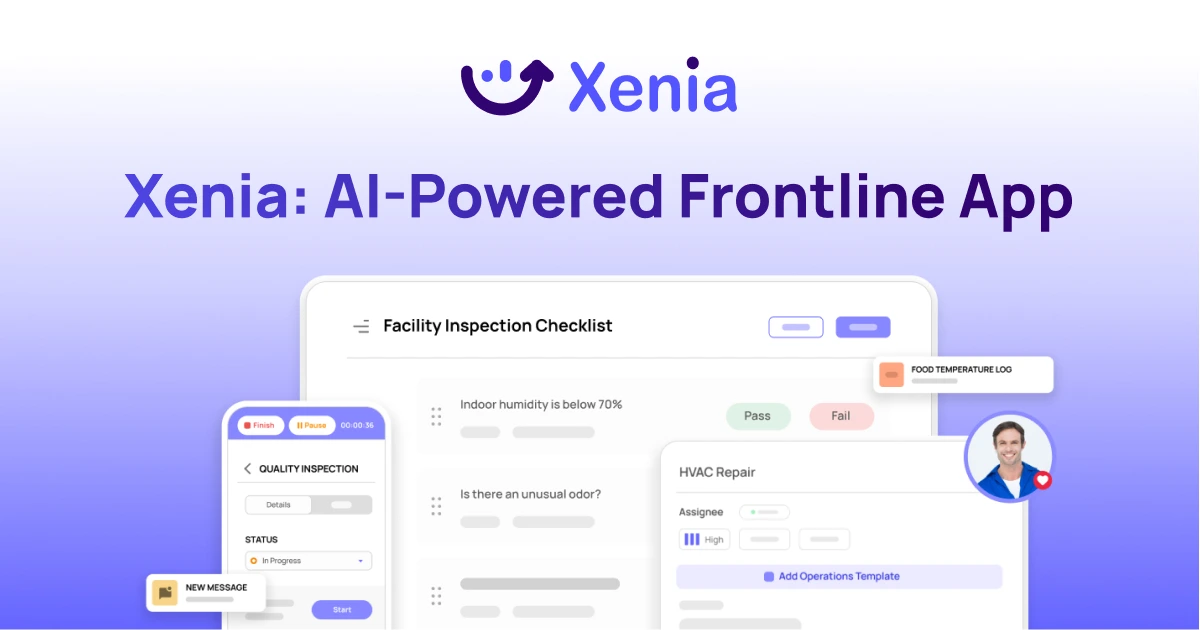
Why Multi-Location Operators Choose Xenia:
🤖 AI-Powered Operations, Create digital checklists instantly or convert paper forms with AI. Verify compliance automatically with photo analysis and get instant answers from your operational data.
✅ Daily Operations & Maintenance, Assign work across hundreds of locations in minutes. Report and route issues instantly. Schedule preventive maintenance to catch problems before downtime.
📊 Real-Time Visibility, Track completion, work orders, and performance across all locations through dashboards. Filter by site or asset to spot trends and take action.
Manage operations, maintenance, and compliance across all your locations from one platform

.svg)
.webp)
%201%20(1).webp)

.svg)
%201%20(2).webp)