Post Summary
You run 40 locations. Or 80. Or 200. And the KPIs you set in January are now numbers nobody looks at anymore.
Most goal tracking apps are built for tech teams on quarterly OKR cycles, not for a VP of Operations trying to figure out why location 14 keeps missing its food cost target.
Only 20% of employees worldwide are engaged at work, and in multi-unit businesses that number drops further because goals rarely reach the store level in a useful form.
This guide covers what goal tracking apps need to do for multi-location operations, which tools are worth evaluating in 2026, how to set the right KPIs at every level of your hierarchy, and how to run a cadence that actually moves numbers.
Personal OKR apps, K-12 goal tools, and corporate strategy frameworks are out of scope. This is for operators.
Related resources
- How Xenia powers multi-location operations execution
- Operations dashboard examples for frontline teams
- How operations execution differs from operations management
- Balanced scorecards and operational dashboards explained
Goal tracking vs OKR vs KPI tracking: what multi-unit operations actually need
These three terms get used interchangeably and that is a mistake. They are different things, and if you blur them, you end up with a system that tracks a lot but changes nothing.
Here is how to think about each one:
Goal tracking is the broadest category. It answers the question: are we making progress toward what we said we would do?
OKR software (objectives and key results) is a specific goal-setting framework, popularized by Google. It works well for product teams and corporate functions. It is not naturally suited to "store 22 needs to hit 28% food cost by Friday."
KPI tracking software focuses on specific metrics tied to operational performance, often pulling from live data sources like POS systems or scheduling tools.
For multi-unit operators, you need all three working together:
**
Layer, What it answers, Cadence
Brand goal, Where is the company going this quarter?, Quarterly
District goal, How does my district contribute to that?, Monthly
Store goal, What does this location need to hit this week?, Weekly
Daily task, What does the team do today to move the number?, Daily
**
That last row is the one most goal-tracking apps ignore completely. A goal that exists only in a dashboard is not a goal. It is a number. The missing link in most KPI tracking software is the connection between the metric and the task that moves it.
When you are reviewing tools, look for apps that connect a goal to a daily action. That is the only goal-setting software for teams that actually changes behavior on the floor.
5 features goal tracking apps need for multi-location operations
These are the features worth evaluating before you commit to any KPI tracking software. Not all tools check every box.
1. Hierarchical goal cascade from brand to store
The system needs to support a goal hierarchy that mirrors your org structure. Brand goal at the top, broken into region targets, then district targets, then individual store targets. If the software only supports flat lists, it is not built for multi-unit operators.
2. Daily, weekly, and monthly cadence views
Quarterly OKR reviews do not work when you manage 60 stores. You need weekly visibility at the store level and daily check-in capability for district managers. If the tool only shows you a quarterly progress bar, it will not drive the behavior change you need.
3. Integration with POS and ops data for actuals
Manual data entry kills goal tracking programs. If a store manager has to log their own numbers every day, it stops happening within three weeks. Look for OKR software for operations that pulls actuals from the systems you already use.
4. Goal-to-task linkage
This is the biggest gap in the market. Your food cost goal means nothing unless it is connected to the daily line check, the prep log, and the waste tracking sheet. The best goal tracking apps let you attach specific tasks or checklists directly to each KPI target.
5. Cross-location benchmarking and leaderboards
Your best store is already hitting the target you are trying to get everyone else to hit. The fastest path to improvement is showing every DM where they stand relative to the rest of the district. Cross-location benchmarking creates healthy competition and gives underperformers a clear gap to close.
6 best goal tracking apps for multi-unit operations in 2026
Below are six tools worth evaluating, each suited to a different part of the problem. No tool here is a perfect fit for every operator, so the "best for" labels matter.
.svg)
.webp)

1. Xenia
.webp)
Xenia is an operations execution system built specifically for multi-unit frontline operators. It does not position itself as an OKR tool, which is exactly why it works for this use case.
Here is what makes it different from the other tools in this list. Xenia tracks KPI-level metrics through its dashboards and runs daily checklists, audits, and task workflows through a separate but connected layer.
A district manager can see food cost compliance trending down in the reporting view and immediately pull up which locations are completing prep checklists or line checks. The data lives in the same platform. The connection between the number and the work behind it is visible without switching systems.
The frontline reporting module rolls up completion rates, audit scores, and flagged items by location, district, and region. The location hierarchy and permissions system mirrors your org structure so performance data surfaces at the right level for each role.
For operators running 10 to 500 locations in restaurants, retail, or convenience stores, Xenia gives you visibility into both the metric and the execution behind it, in one place.
Book a demo to see how it works across your locations.

Priced on per user or per location basis
Available on iOS, Android and Web


2. Lattice

Lattice is a strong choice for goals that live at the corporate or HQ level, particularly around people performance. It supports OKR frameworks well and has good manager-employee alignment features. It is less suited to store-level operational KPIs and does not connect to daily task execution.
3. 15Five
15Five is built around weekly check-ins and individual goal progress. It works well for district manager and general manager goal conversations. It does not handle multi-location benchmarking or pull ops data automatically.
4. Weekdone

Weekdone follows OKR structure closely and is a good fit for teams that want to run quarterly objectives with weekly progress tracking. The interface is clean and reporting is solid. It is not built for frontline operators or store-level KPIs.
5. Profit.co
Profit.co handles both OKRs and KPI dashboards in one platform and has better integrations than most tools in this category. It supports hierarchical goal structures reasonably well. The setup requires more configuration time than the other tools here.
6. Geckoboard

Geckoboard pulls data from multiple sources and displays it in clean, real-time dashboards. It is more of a data visualization layer than a goal management tool. If you already have systems tracking the numbers and you need a display layer, it works well. It does not set goals or connect to tasks.
How to set location-level goals that actually move
Most multi-unit operators have too many KPIs, not too few. Here is a simple framework for setting goals that get hit.
Start with the brand goal and work down
Every store goal should be traceable back to a brand goal. If the company needs to hit 30% food cost chain-wide this quarter, each district gets a target, each store gets a target, and the math has to add up. If the goals at each level are set independently, they are not goals. They are wishes.
Apply the 3-KPI rule at the store level
No store manager should be actively tracking more than three KPIs at any one time. More than three and focus disappears. This is not about ignoring other metrics. It is about choosing which three numbers you are going to move this period and holding the team accountable for those.
A good starting set for a QSR location might look like this:
**
KPI, Target, Daily task that moves it
Food cost %, Under 28%, Prep checklist + daily waste log
Guest satisfaction score, 4.2+, Opening walkthrough completion
Audit compliance score, 90%+, Weekly brand standards audit
**
Pair every KPI with the daily task that drives it
This is where most goal programs break down. The KPI lives in one system. The work lives in another system. The manager has to mentally connect the two, and they often do not.
The most effective operators we have talked to build their goal-to-task connections explicitly. Food cost target connects to prep completion rate and waste log accuracy. Sales goal connects to upsell prompt completion during line checks. Audit score connects to how often opening and closing checklists get done completely.
If you are interested in how operations dashboards can display this connection, the operations dashboard examples article covers several approaches used by multi-unit operators.
The weekly cadence that hits multi-unit goals
A goal without a review cadence is just an aspiration. Here is a simple cadence structure that works for most multi-unit operations:
Monday: District manager reviews store-level actuals from the previous week. Flags locations that missed targets. Identifies which locations need a check-in call.
Tuesday: Store managers run team huddles. Share the three KPIs with the team. Connect the numbers to the work. "We hit 89% on audits last week. Here is what we are doing differently this week."
Wednesday: Mid-week correction check. DM reviews completion rates for weekly tasks. Any store that is tracking behind on checklist completion this week is likely to miss the KPI at the end of the week.
Friday: DM and Ops Director sync. Review the week. Identify which locations improved, which did not, and what is different. Not a blame conversation. A pattern recognition conversation.
Monthly: Full location performance review at the brand level. Compare districts against each other. Identify which practices from the top-performing district can be rolled out to others.
This cadence only works if your goal tracking app makes the data easy to access without hunting for it. If your DM has to compile a spreadsheet before the Monday review, the cadence will not last past week three. For more on how to structure these reviews, the monthly ops reviews article has useful detail.
Common goal tracking mistakes multi-unit operators make
Tracking too many KPIs per store
If every store manager is responsible for 12 metrics, none of them are actually managed. Cut the list to three active KPIs per period and rotate them as you hit targets.
Goals with no connection to daily action
A goal that exists only in a dashboard is not actionable. Every KPI target needs a corresponding daily or weekly task that the team can complete. Without that, the number is out of the team's control and motivation evaporates.
Manual data entry as the update mechanism
If your goal tracking program requires managers to manually input their numbers, the data will be unreliable within weeks. Integrate your KPI tracking software with the systems that already capture the data.
No cross-location benchmarking
Running goals in isolation misses the most powerful motivator available to multi-unit operators: peer comparison. When a store manager sees that two similar locations in the same region are hitting 93% audit compliance while they are at 78%, the conversation changes immediately.
Conclusion
The goal tracking problem in multi-unit operations is a connection problem. The brand sets a target. It reaches the district manager. It sometimes reaches the store manager. It almost never reaches the person making decisions on the floor every shift.
The fix: every KPI needs a daily task behind it, every store needs no more than three active goals, and your review cadence needs to catch problems mid-week, not at quarter end.
Xenia is built for exactly this. Goals connect directly to the checklists and audits your team completes each day. District managers get a real-time view across every location. Nothing lives in a separate dashboard disconnected from the actual work.
Book a demo and see how it works across your locations.
Frequently Asked Questions
Got a question? Find our FAQs here. If your question hasn't been answered here, contact us.
How do you cascade goals across multiple locations?

Start at the brand level. Set the company target first, break it into district targets that add up to the company number, then break each district target into store targets. Every goal at every level should trace back to the brand objective. If store goals are set independently from district goals, accountability gets diffuse fast.
How many goals should a store have?
Three. More than that and focus breaks down. Store managers start prioritizing whichever metrics are easiest to report on rather than the ones that matter. Pick three KPIs that will move the needle this period and hold the team to those.
How are KPI tracking and OKR software different?
OKR software runs on quarterly cycles and works best for product teams and corporate functions. KPI tracking focuses on operational metrics updated daily or weekly, ideally pulling live data from POS or scheduling systems. Multi-unit operators typically need KPI tracking more than OKR software, though some use both at different levels of the org.
What is the best goal tracking app for operations teams?
The best option is one that connects KPI targets to daily tasks, not just dashboards. For multi-unit operators in restaurants, retail, or convenience stores, Xenia handles this well. It supports location hierarchies, rolls up performance data across stores, and ties goals directly to the checklists and audits teams complete each day. Tools like Lattice or 15Five work better for HQ-level goal programs but fall short on store-level operational KPIs.


A Modern, AI-Powered Platform Built Specifically for Frontline Operations
Xenia brings daily operations, maintenance, audits, and compliance into one mobile-first platform. Frontline teams execute work consistently across locations while leadership gets real-time visibility.
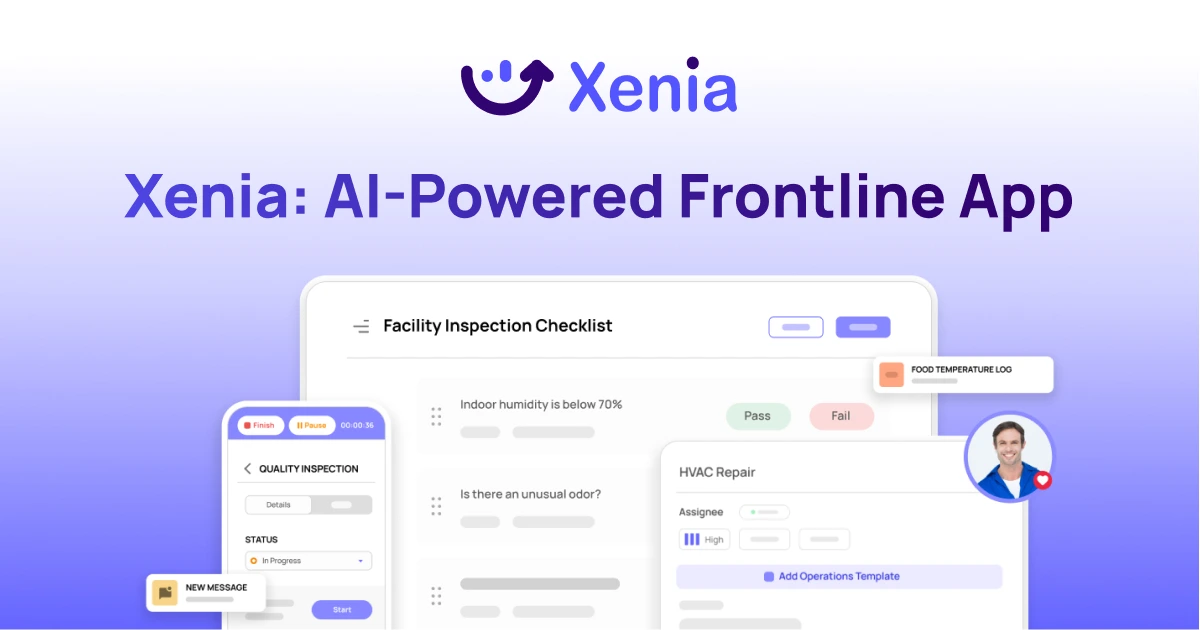
Why Multi-Location Operators Choose Xenia:
🤖 AI-Powered Operations, Create digital checklists instantly or convert paper forms with AI. Verify compliance automatically with photo analysis and get instant answers from your operational data.
✅ Daily Operations & Maintenance, Assign work across hundreds of locations in minutes. Report and route issues instantly. Schedule preventive maintenance to catch problems before downtime.
📊 Real-Time Visibility, Track completion, work orders, and performance across all locations through dashboards. Filter by site or asset to spot trends and take action.
Manage operations, maintenance, and compliance across all your locations from one platform

.svg)
.webp)
%201%20(1).webp)

.svg)
%201%20(2).webp)