.webp)
Post Summary
eMaint has been around long enough to become familiar. For a lot of maintenance teams, it was the obvious choice for years.
But things change.
Teams that built their workflows around eMaint are now looking elsewhere. Some find it too heavy for what they actually need. Others want a better mobile experience. Some are tired of paying for features they never touch. And plenty of teams now want AI capabilities that eMaint simply doesn't offer.
If you're evaluating eMaint alternatives or eMaint CMMS alternatives in 2026, this article covers seven of the best options. Each one includes a breakdown of features, who it's built for, and honest trade-offs so you can make the right call for your operation.
What is eMaint?
eMaint is a computerized maintenance management system built for multi-site maintenance and facilities teams. It handles work orders, preventive maintenance scheduling, asset tracking, inventory, and compliance reporting.
It does maintenance well. But it's desktop-heavy, slow to configure, and built narrowly around maintenance workflows. For teams that need broader operational coverage alongside maintenance, it starts to feel limiting pretty quickly.
Why teams are exploring eMaint alternatives
eMaint works for dedicated maintenance teams. But several pain points come up consistently when teams start looking elsewhere.
The mobile experience is built for planners, not field teams. eMaint's interface was designed for desktop users. Frontline technicians find it hard to use on a phone, which kills adoption at the location level.
Setup takes too long. Getting eMaint configured the way you need it requires significant admin time. Smaller operations rarely have that capacity available.
It doesn't cover broader operational workflows. eMaint handles assets and work orders. If you also need digital checklists, audits, compliance inspections, and frontline communications, you'll need a second tool on top of it.
AI features are limited. In 2026, teams expect AI-powered summaries, smart scheduling, and automated reporting. eMaint hasn't kept pace.
The cost scales up fast. Per-site and per-user pricing adds up quickly when you're growing.
The 7 best eMaint alternatives in 2026
.svg)
.webp)
.webp)
1. Xenia
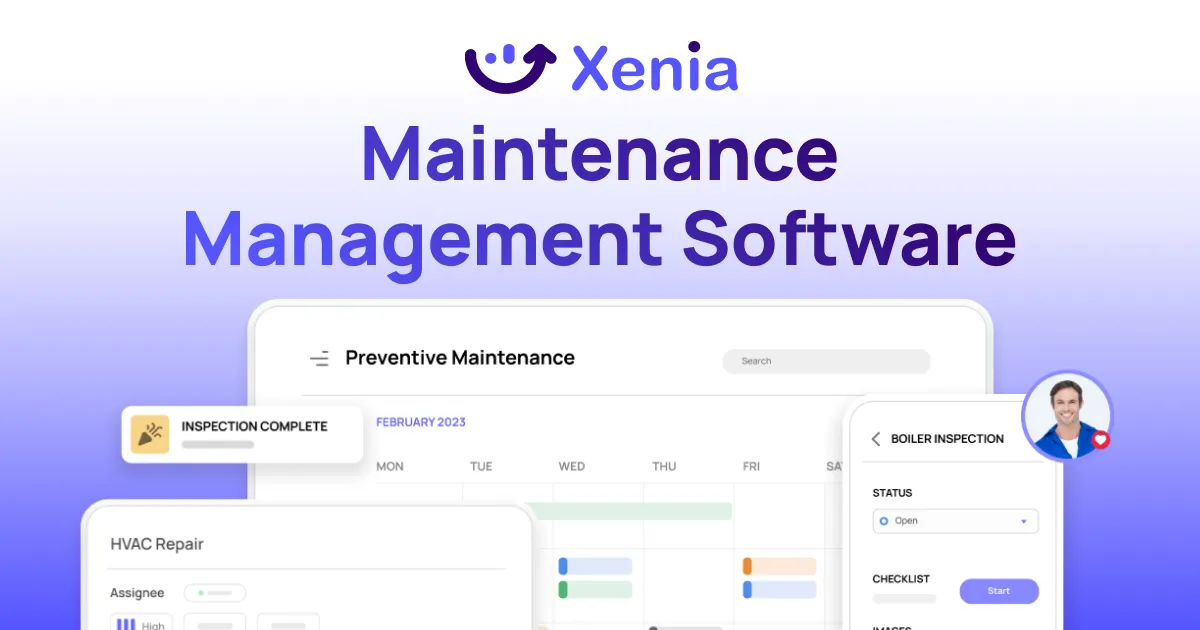
Best for: Multi-location operators in restaurants, retail, and convenience stores who need maintenance management plus operations execution, audits, compliance, and frontline communications in one place.
Xenia is the strongest option on this list for multi-unit operators. It goes well beyond what eMaint offers and replaces the need for multiple separate tools.
Xenia is an operations execution platform that includes a full facilities and maintenance module alongside task management, digital checklists, audits, inspections, IoT temperature monitoring, and frontline communications. For teams currently running eMaint alongside separate tools for checklists, audits, and communications, Xenia consolidates everything into one platform.
CMMS and maintenance features:
- Work order management with photo documentation, priority levels, status tracking, and automated routing to the right technician or vendor
- Preventive maintenance scheduling with role-based recurring tasks that transfer automatically when staff changes, no manual reassignment needed
- Asset tracking with QR code identification, full maintenance history, and service logs per asset
- IoT Bluetooth temperature monitoring with real-time alerts for refrigeration and holding equipment
- Vendor management with direct work order access, photo verification at completion, and digital sign-off
- Multi-location hierarchy with role-based visibility at the location, district, and regional level
Where Xenia goes further than eMaint:
- Digital checklists and SOPs with conditional logic and automatic corrective action triggers
- Audits and inspections with weighted scoring and corrective actions generated automatically from failures
- Frontline communications with mandatory read and sign-off for policy and procedure updates
- Real-time completion dashboards across all locations without anyone pulling data manually
- AI-powered summaries that surface critical issues across locations automatically
- AI photo analysis that verifies task and inspection completion from submitted photos
- AI template builder that converts paper-based SOPs into digital checklists fast
AI advantage: Xenia's AI features are significantly more developed than any pure CMMS alternative on this list. AI photo analysis, automated summaries, and the analytical agent give operations teams visibility that no maintenance-only tool can match.
Honest trade-off: Xenia is built for multi-unit frontline operations. If your operation is purely industrial with complex SCADA requirements or large-scale manufacturing asset management, you may need a dedicated industrial CMMS alongside Xenia. But for restaurants, retail, and C-stores, Xenia covers more ground than any other tool here.
See how Xenia handles facilities and maintenance or book a demo.

Priced on per user or per location basis
Available on iOS, Android and Web


2. MaintainX
Best for: Small maintenance teams that want a simple mobile work order tool with basic checklist support.
MaintainX is frequently searched as an eMaint alternative. It's easy to set up and works well on mobile. For small teams with straightforward work order needs, it gets the basics done.
That said, it falls well short of what a multi-location operations team actually needs. Asset management is light. Reporting is basic. And the AI features are still early stage compared to a platform like Xenia.
Key features:
- Work orders with photos, videos, notes, and digital signatures
- Preventive maintenance scheduling with basic recurrence rules
- Checklist templates embedded in work order workflows
- Multi-site organization by region or facility type
- Offline mobile app with sync when reconnected
- Basic reporting dashboards per site
AI features: Early stage. AI-assisted work order descriptions exist but the broader AI capability is limited.
Key limitations: Light asset lifecycle management. Basic inventory tracking. Reporting lacks the depth multi-location operators need. No operational execution layer beyond maintenance.
Pricing: Per user per month. Deployment typically one to two weeks.
Bottom line: Works for small single-purpose maintenance teams. Not built for multi-location operations that need more than just work orders.
3. Limble CMMS
.webp)
Best for: Small businesses that want a basic CMMS and don't need much beyond simple preventive maintenance and work orders.
Limble markets itself as eMaint, but simpler. In the eMaint vs Limble comparison, Limble does win on ease of use. But that simplicity comes with real trade-offs in depth and capability. It's a lightweight CMMS that works for straightforward use cases and struggles as operations get more complex.
Key features:
- Multi-site support with basic location hierarchies
- Preventive maintenance scheduling per site and asset class
- Work order creation, assignment, and tracking
- Basic asset tracking with location tags
- Simple inventory module for parts and consumables
- Mobile app for offline work order completion
- Basic per-site reporting
AI features: Limited. Some AI-assisted work order creation exists but predictive capabilities are shallow.
Key limitations: Asset management lacks depth for complex portfolios. Limited integration options. Reporting is basic. No operational execution beyond core CMMS functions.
Pricing: Per user per month, two to three tiers. Deployment is one to two weeks.
Bottom line: A reasonable starting point for small businesses with simple maintenance needs. Outgrown quickly by teams managing multiple locations with compliance and operational requirements.
4. Fiix (by Rockwell Automation)
Best for: Manufacturing teams already using Rockwell Automation equipment that want a CMMS with strong API integrations.
Fiix is a solid CMMS for manufacturing and industrial environments. It has better API integrations than most tools on this list and a more modern interface than eMaint. But it's narrowly focused on industrial maintenance and doesn't cover the operational workflows that most frontline teams need.
Key features:
- Asset registry with unlimited locations and sites
- Preventive and predictive maintenance scheduling, time-based and meter-based
- Mobile app with offline work order capture
- Spare parts inventory with stockroom support
- API integrations with ERP, SCADA, and control systems
- Custom dashboards by location, asset type, or work category
- AI-assisted maintenance scheduling based on asset history
AI features: More developed than Limble or MaintainX for industrial use cases. But still narrowly focused on maintenance scheduling, not broader operational intelligence.
Key limitations: Built for manufacturing, not multi-unit retail, restaurant, or C-store operations. No operational execution layer. Limited compliance and audit functionality.
Pricing: Custom quote per user and site. Deployment two to four weeks.
Bottom line: A good fit for manufacturing teams in the Rockwell ecosystem. Not the right tool for multi-location frontline operations teams.
5. Maintenance Connection (by Accruent)
Best for: Large corporate real estate or healthcare portfolios with centralized FM departments and complex portfolio reporting needs.
In the eMaint vs Maintenance Connection comparison, Maintenance Connection wins on portfolio-level reporting and EAM depth for large enterprises. But it's slower to implement, more expensive, and even more narrowly focused on maintenance than eMaint. For most multi-location operators, it's too heavy and too limited in operational scope.
Key features:
- Multi-site and multi-tenant support for large real estate portfolios
- Work order management and PM plans by site and asset class
- Asset tracking with reliability-centered maintenance tools
- Integration hub for accounting systems, ERP, and building management platforms
- Portfolio-level reporting and analytics
- Compliance documentation and regulatory reporting
AI features: Limited. Strong on reporting but not AI-driven.
Key limitations: Long implementation time, six to twelve weeks. High cost. No operational execution, audit, or frontline communication capabilities. Requires dedicated admin resources.
Pricing: Custom enterprise contract. Implementation six to twelve weeks.
Bottom line: A heavy-duty EAM tool for large centralized FM departments. Too complex and too narrow for most multi-location operations teams.
6. CoastApp (Coast)
Best for: Very small facilities teams that want a simple, lightweight task and work order tool with minimal setup.
Coast is the lightest option on this list. It sits somewhere between a task manager and a very basic CMMS. For a single-site facilities team or a very small property management operation, it gets simple maintenance tasks organized. Beyond that, it runs out of capability quickly.
Key features:
- Basic multi-site organization by portfolio, floor, and area
- Work orders with attachments and status tracking
- Simple recurring task scheduling for inspections and cleaning
- Mobile-first UX with a task and checklist feel
- Reusable location-based task templates
- Communication features inside tasks
- Basic cross-site reporting
AI features: Minimal. Not a strength of this platform.
Key limitations: Very limited asset management. Minimal reporting. No compliance or audit tools. No AI to speak of. Outgrown quickly by any team managing more than a handful of locations.
Pricing: Per user per month. Deployment one to two weeks.
Bottom line: Works for very small, simple operations. Not a serious option for multi-location operators with compliance, audit, or operational execution needs.
7. Tractian
.webp)
Best for: Industrial manufacturing teams with critical rotating equipment that want sensor-driven predictive maintenance.
Tractian takes a different approach entirely. It starts with sensors, not work orders. Vibration and temperature sensors attach to motors and pumps and feed data into the CMMS continuously. Work orders get created automatically when anomalies appear.
It's an interesting approach for the right use case. But that use case is narrow: industrial plants with critical rotating equipment. For most multi-location frontline operations, the sensor hardware investment and industrial focus make it the wrong fit.
Key features:
- In-house vibration and temperature sensors for industrial equipment
- Automatic anomaly detection and alerts in the maintenance platform
- Auto-generated work orders from sensor events
- Multi-site support for plants and distribution centers
- Mobile app for technicians to act on sensor alerts
- Combined preventive and predictive maintenance scheduling
- AI-driven anomaly detection that learns equipment baselines over time
AI features: Strong for industrial anomaly detection. Narrow application outside industrial equipment.
Key limitations: Requires significant upfront sensor hardware investment. Built exclusively for industrial use cases. No operational execution, audit, or compliance features. Long deployment time of one to three months.
Pricing: Subscription plus sensor hardware per user and per sensor. Deployment one to three months.
Bottom line: A good fit for industrial manufacturing with critical equipment. Not relevant for restaurants, retail, C-stores, or most multi-location frontline operations.
How to choose the right eMaint alternative
**
Your situation, Best alternative
Multi-location ops team needing maintenance plus audits-checklists-compliance and AI, Xenia
Small maintenance team wanting simple mobile work orders, MaintainX
Very small operation wanting basic CMMS only, Limble CMMS
Manufacturing team in the Rockwell ecosystem, Fiix
Large corporate real estate portfolio with centralized FM, Maintenance Connection
Very small facilities team wanting minimal task management, CoastApp
Industrial plant with critical rotating equipment and sensor budget, Tractian
**
Why Xenia is the strongest eMaint alternative for multi-location teams
Every tool on this list does one thing reasonably well. eMaint itself does maintenance well. But none of them give multi-location operations teams what they actually need: maintenance management, operational execution, audits, compliance, frontline communications, and AI in one platform.
That's what Xenia is built for.
The facility maintenance and work order tools replace what you use eMaint for today. The audits and inspections and multi-unit operations tools replace the separate platforms you run alongside eMaint. And the AI layer handles what you're currently doing manually.
One platform. Every location. No spreadsheets.
Book a demo and see how Xenia compares to your current setup.
Conclusion
eMaint is a capable maintenance tool. But capable and right for your operation are two different things.
If the mobile experience is slowing your team down, if setup complexity is holding you back, or if you need an operations platform rather than a pure maintenance tool, there are better options in 2026.
For multi-location operators in restaurants, retail, and convenience stores, Xenia does everything eMaint does and everything eMaint doesn't. Maintenance management, audits, compliance, checklists, frontline communications, and AI in one platform built for multi-unit operations.
Book a demo and see what your operation looks like with the right platform in place.
Frequently Asked Questions
Got a question? Find our FAQs here. If your question hasn't been answered here, contact us.
What should I look for in an eMaint alternative?

Mobile-first design, multi-site support, preventive maintenance scheduling, photo-documented work orders, and AI reporting features. If you need more than maintenance management, find a platform that handles audits, checklists, and compliance in the same system. Stacking tools gets expensive fast.
Is eMaint good for multi-location operations?
It handles multi-site maintenance reasonably well. But the moment you need checklists, compliance audits, frontline communications, and real-time reporting across all locations, you need more tools on top of it. Xenia covers all of that in one place.
How does eMaint compare to Maintenance Connection?
Maintenance Connection has deeper portfolio-level reporting for large FM departments. eMaint is faster to implement and costs less. But both are maintenance-only platforms with no operational execution capabilities.
How does eMaint compare to Limble?
Limble is easier to set up but much lighter on asset management and reporting. Both are maintenance-only tools. Neither covers audits, compliance, or broader operational execution. For multi-location teams that need more than work orders and PM scheduling, both fall short.
What are the best eMaint alternatives in 2026?
Xenia is the strongest option for multi-location operations teams. It covers maintenance, audits, compliance, and operational execution in one platform. For basic maintenance only, MaintainX and Limble are simpler to start with. For large enterprise FM portfolios, Maintenance Connection is the closest eMaint competitor.


A Modern, AI-Powered Platform Built for Facility Operations
Xenia connects maintenance, safety, inspections, and daily operations into one mobile-first platform. Facility teams respond faster, prevent downtime, and maintain compliance, while leadership tracks performance across all buildings in real time.
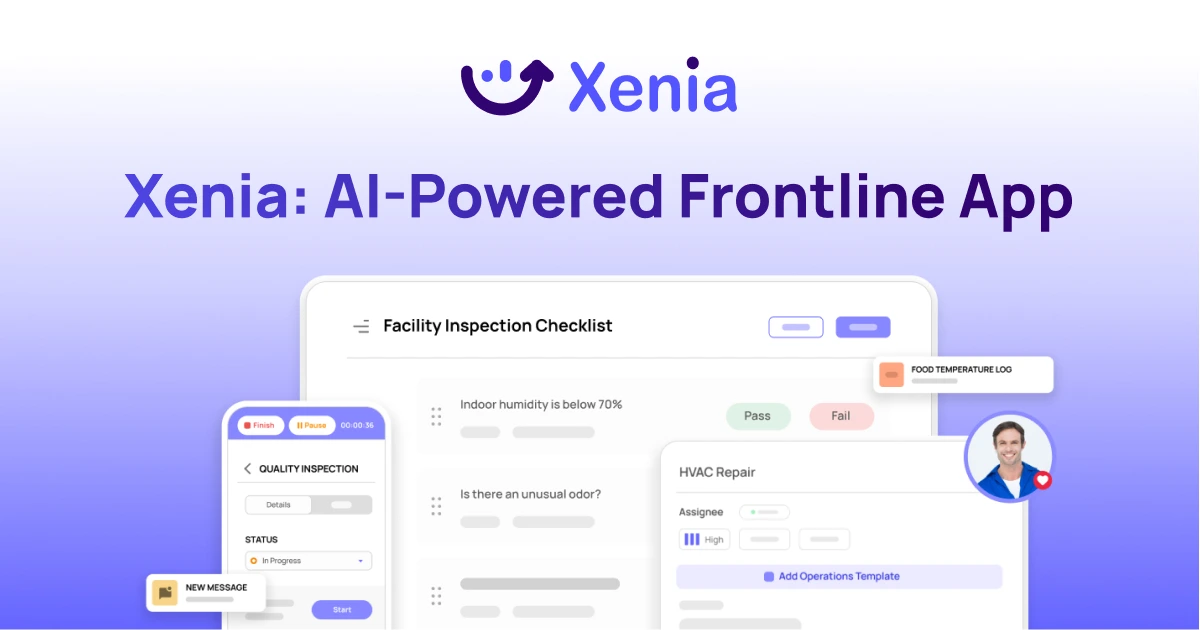
Why Facility Managers Choose Xenia:
🤖 AI-Powered Inspections, Verify safety equipment and compliance automatically with AI photo analysis. Surface critical maintenance issues instantly with AI-powered summaries.
🛠️ Work Orders & Maintenance, Report issues via mobile or QR codes. Route requests to teams or vendors. Schedule preventive maintenance for HVAC, elevators, and emergency systems to reduce downtime.
📊 Safety & Visibility, Deploy fire safety and hazard inspection workflows. Monitor work order resolution times and asset health across all facilities.
Manage work orders, maintenance, and safety inspections across all facilities from one platform.

.svg)
.webp)
%201%20(1).webp)

.svg)
%201%20(2).webp)