

.webp)
Post Summary
A restaurant operations director rolled out a new digital platform across all 28 locations. Task completion was tracked. Alerts fired for every incomplete item. Temperature deviations triggered notifications. Missed checklist items generated reports.
Within 90 days, the GMs had stopped reading the alerts.
"People would get desensitized. They'll become callous to it and not even bother looking at the alarms." That's Chef Fred Connect, a multi-unit restaurant operator, speaking from his direct experience.
Here's what most operators in multi-unit ops management don't want to hear: the platform was working perfectly. The problem was not the technology. It was the volume.
Ops team notification overload is one of the most underdiagnosed problems in restaurant operations today. When teams receive too many alerts, too often, for too many low-priority items, they stop treating any notification as urgent. Including the ones that are.
This article breaks down the psychology of notification fatigue in operations, how to spot it before it costs you, and what the operators who've solved it do differently.
.svg)

Priced on per user or per location basis
Available on iOS, Android and Web


Recommended Resources
- Restaurant Operations Management: The Multi-Unit Operator's Complete Playbook
- Restaurant Task Management: How Multi-Unit Operators Keep Every Location on Track
- Closed-Loop Corrective Actions: How Multi-Unit Restaurants Prevent the Same Problem Twice
What is notification fatigue in restaurant operations?
Notification fatigue in operations is the cognitive overload that happens when frontline teams are exposed to so many alerts, reminders, and compliance prompts that they begin dismissing all of them by reflex. Including the ones that actually matter.
Unlike alarm fatigue in healthcare settings, which has been studied for decades, alert fatigue in restaurant operations is a newer phenomenon.
It came with the rapid digital adoption of compliance platforms built to track everything and alert on everything. That is not bad design by itself. The problem is that most platforms were not built with behavioral psychology in mind.
Every alert system has a signal-to-noise ratio. When a platform fires 40 notifications per shift and 38 of them are routine reminders, the 2 that matter get buried. The platform's technical reliability might be 100%. Its compliance effectiveness is close to zero.
Think about it from the frontline worker's perspective. An alert fires for "wipe down the prep counter." Another fires for "walk-in cooler at 48 degrees." Both arrive with the same sound, the same urgency level, the same visual weight. Over days and weeks, the team trains itself to treat all alerts the same way: as operational noise.
This is the critical distinction: notification fatigue in operations is not a staff attitude problem. It is a system design problem. Teams are not lazy. They are responding rationally to a system that gives them no reason to treat one alert as more important than another.
What does notification fatigue look like in a restaurant operation?
It looks like compliance, until you check the timestamps.
Checklist fatigue in restaurants and broader notification fatigue don't announce themselves. They show up gradually, in behavioral patterns that operators often misread as staff disengagement or poor discipline.
Here are five signs your team has already crossed into fatigue territory.
1. Staff swipe alerts closed without reading them
Ask a team member about a specific alert from earlier in the shift. They have no memory of it. Not because they were distracted. Because dismissing notifications without opening them has become a reflex. The notification fired. The thumb moved. Done.
This is one of the clearest signs of frontline worker desensitization in action. The system is generating alerts. The human has trained itself out of responding to them.
2. Checklist completion spikes at shift end
Pull your digital completion data and look at the timestamps. If you see a cluster of tasks marked complete in the final 10 minutes of a shift, regardless of when those tasks were supposed to happen, that's a red flag. Staff are completing the record, not the task. The checklist has become a box to check before clocking out, not a compliance tool.
This is checklist fatigue in restaurant operations at its most practical. The digital record looks healthy. The actual execution behind it is a different story.
3. Identical log entries across tasks with different timing requirements
A temperature log requiring four entries per day shows all four submitted within a two-minute window at 10:45pm. This is dry-labbing. It happens when the logging system creates friction rather than compliance. The data looks fine. The food safety picture underneath it does not.
4. Managers turning off push notifications entirely
When a GM disables notifications from the ops platform because they "go off too often," they have not just tuned out the low-priority alerts. They have opted out of the entire system. The walk-in cooler alarm that fires at 2am? Missed. The corrective action that escalated at midnight? Missed.
This is where ops team notification overload crosses into something more serious. It is no longer about ignoring individual alerts. The entire compliance mechanism has been switched off.
5. The "I didn't see it" defense becomes the default
When a compliance failure surfaces in a weekly debrief and staff consistently report not having seen the alert, that deserves to be taken seriously. In a high-notification environment, it is often simply true.
**
Sign, What It Looks Like, What It Actually Means
Alert dismissal, Staff swipe without reading, Frontline worker desensitization habit
End-of-shift completion spike, All tasks logged in final 10 minutes, Logging the record-not doing the work
Identical log timestamps, 4 temperature entries in 2 minutes, Dry-labbing from system friction
Notifications turned off, GMs disable push alerts, Full digital tool abandonment of the alert system
"I didn't see it", Consistent debrief response, Often genuinely true in overloaded systems
**
Why do restaurant operations platforms create alarm fatigue?
Restaurant operations platforms create alarm fatigue because most of them are designed to capture everything but not to communicate urgency. A failure of technology rarely causes alert fatigue in restaurant operations. A failure of intent design causes it.
Three specific design failures produce it consistently.
Treating all alerts as equal
A platform that assigns the same priority to "wipe down the counter" and "walk-in cooler at 48 degrees" has made a foundational mistake.
The difference between a critical alert vs routine notification is not communicated to the team at any level. Staff learn, correctly, that most alerts are not urgent. Over time, "most" becomes "all." Platform authority collapses.
Volume without prioritization
A multi-location platform generating 80 alerts per shift across a 20-person team is optimized for coverage, not behavioral compliance. This is pure operational noise. High-volume alert systems train teams to avoid engaging with them. That is not a staff problem. It is a predictable human response to an overstimulating system.
The signal-to-noise ratio fails not because the platform is unreliable, but because the platform treats everything as a signal. When everything is a signal, nothing is.
No consequence differentiation
When ignoring a routine reminder and ignoring a food safety-critical alert both produce the same immediate outcome (nothing happens), staff learn that alerts are optional.
The moment a team member discovers they can miss 10 notifications without consequence, the system's authority begins to erode. It erodes quickly.
Chef Fred Connect put it plainly: "People would get desensitized. They'll become callous to it and not even bother looking at the alarms." This is a documented outcome across multi-unit ops management environments, not a hypothesis. And it happens faster than most operators expect, often within 60 to 90 days of rollout.
How do operators design compliance systems that avoid notification fatigue?
They treat critical alerts and routine tasks as two completely different things, and they build that distinction into how the system runs, not just how it is configured.
Here are five principles that operators who have solved this problem apply consistently.
Principle 1: Tiered alert priority
The difference between a critical alert vs routine notification needs to be visible, audible, and meaningful. Build three tiers and enforce them across your platform configuration.
**
Tier, Alert Type, Example, Delivery
Critical, Immediate food safety or compliance risk, Walk-in cooler at 48°F, Push notification-requires acknowledgment
Operational, Shift-level scheduled task, Line check at 4pm, In-app task within shift window-no push
Informational, Summaries and reports, Daily completion recap, Once per shift-digest format only
**
When staff consistently see that Critical means something requires action right now, they stop treating critical alerts as operational noise. Behavioral compliance starts with the system making the distinction clear.
Principle 2: Fewer alerts, each one meaningful
For frontline tech abandonment to be avoided, the system has to feel worth paying attention to. Identify the 5 to 10 items per shift that genuinely require real-time notification. Everything else belongs in a scheduled shift workflow, not a push queue.
One operator described what good looks like: "Is there a feature where the chef can say, marinara started cooling at 2pm and an alert pops up every hour to check the temperature?" That is a targeted, time-boxed alert for a specific food safety risk. That is a signal, not operational noise.
Principle 3: Consequence logic
When a Critical alert goes unacknowledged for 15 to 20 minutes, it escalates to the manager. When the manager doesn't act, it escalates to the district manager. This consequence chain restores alert authority across your food safety culture. Without consequence differentiation, alerts are optional. With it, they are not.
Principle 4: Time-windowed task management
Instead of pushing a notification every time a task is due, build shift-based task windows. Staff complete tasks as part of their routine. A summary report fires at window close. This approach reduces notification volume by 80% or more while maintaining full accountability. It is the structural difference between a platform that nags and a platform that organizes.
Principle 5: Notification audits every 90 days
Pull notification volume data and critical alert read rates every quarter. Research shows 60% of frontline employees miss critical updates when mobile communication tools are not optimized. If read rates are falling, you have a digital adoption problem regardless of what the task completion dashboard shows. Audit the numbers. Reduce volume. Re-audit.
Why notification fatigue is hard to fix once it sets in
Once dismissing alerts becomes a reflex, a settings change alone won't reverse it. The habit was built by the system. Fixing the system does not automatically undo the habit.
Understanding the signs is one thing. Reversing established alert fatigue in restaurant operations is harder than most operators expect. Here are the other reasons it compounds once it takes hold.
Behavioral entrenchment
Once frontline worker desensitization has become a reflex, a platform configuration change alone won't fix it. The muscle memory of dismissal does not disappear when the settings change. Reversing it requires a deliberate reset: a direct team conversation about what changed, what Critical now means, and why certain alerts require acknowledgment.
The "more monitoring" instinct accelerates the problem
When compliance rates drop, the instinctive response for most ops teams is to add more monitoring, more alerts, more check-ins. This is the opposite of what works. Adding notification volume to an already fatigued team accelerates digital tool abandonment in operations. More operational noise does not produce more compliance.
Task completion data can mask the real picture
Checklist fatigue in restaurant operations often lives behind completion data that looks healthy. The platform shows 94% task completion. The food safety reality underneath that number is different. The only way to know which you are looking at is to audit on the ground, not just in the dashboard.
Frontline tech abandonment compounds over time
When staff mentally opt out of an alert system, rebuilding trust in that system takes longer than building it in the first place. Operators who let frontline tech abandonment run for 90 or more days without addressing it often find that even after re-configuration, staff revert to dismissal habits within weeks.
The compliance culture around alerting has to be actively rebuilt, not just technically reset. A failed health inspection is often the first time operators realize how far the problem had already progressed.
How some operations platforms approach this differently
Not every compliance platform is built the same way.
The ones that work treat critical alerts and routine tasks as two separate things. A food safety flag fires immediately and escalates if nobody acts. A routine shift task lives inside a scheduled workflow, not a push notification adding to the pile.
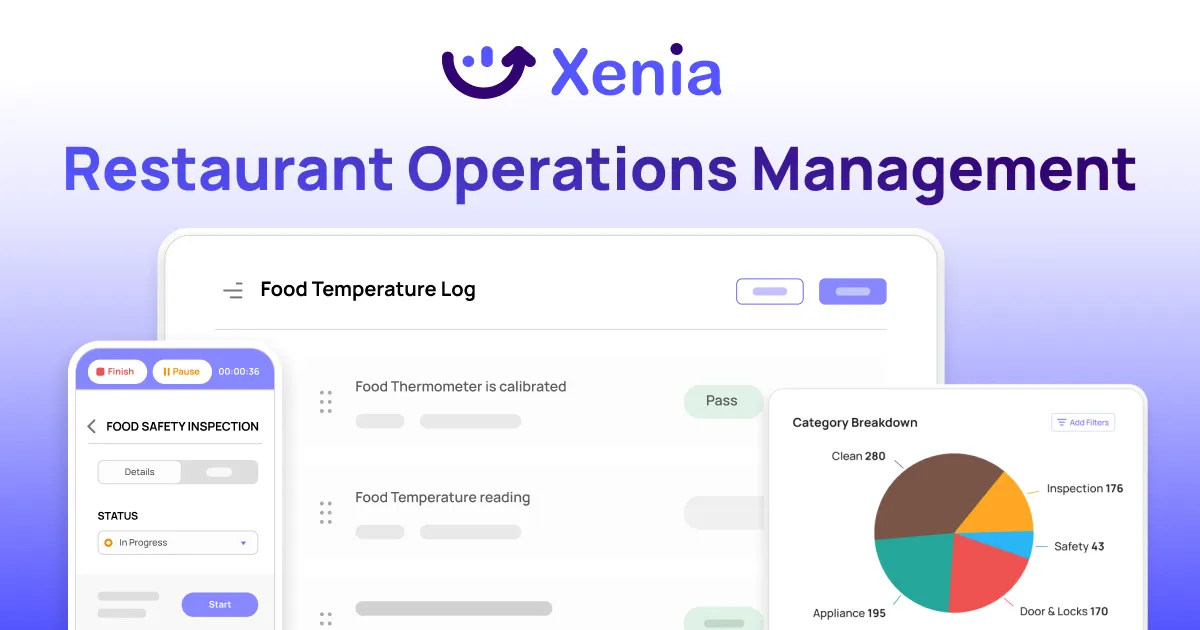
Xenia is built this way. The tiered alert structure is not a setting you configure after setup. It's how the platform runs. For operators across multiple locations, that means the compliance data they see actually reflects what's happening on the floor, not just what got logged before clock-out.
Conclusion
When every alert looks the same, teams stop reading all of them. That's not a people problem. That's what the system taught them to do.
The five signs are catchable early. Alerts getting swiped without reading, tasks logged in a rush before clock-out, GMs turning notifications off, identical timestamps on checks that should be hours apart, and "I didn't see it" coming up in every debrief. Two or more of those and the habit is already formed.
The fix isn't a new tool. It's knowing which alerts actually need to fire, making critical ones impossible to ignore, and letting everything else run quietly in the background.
Every alert should mean something. When it does, people respond.
Want to see how Xenia handles this in practice? Schedule a demo.
Frequently Asked Questions
Got a question? Find our FAQs here. If your question hasn't been answered here, contact us.
What's the actual cost of ignoring this?

Failed health inspections, missed food safety corrections, and compliance issues that nobody caught because the alert got swiped away. The longer-term cost is harder to fix: a team that has learned alerts are optional takes real effort to retrain, and that compliance culture doesn't rebuild overnight.
Does training staff on the platform help?
It helps at the start. It doesn't hold if the system works against it. Staff trained to take alerts seriously will revert to dismissal habits within weeks if the notification volume doesn't match the urgency. Training can't fix a design problem.
Can a small restaurant experience notification fatigue, or is it mainly a multi-location problem?
Any size. A single-location restaurant with an over-configured platform will produce the same desensitization patterns as a 50-location group. Scale just determines how fast it spreads and how hard it is to catch.
Should you reduce alerts or switch platforms entirely?
Switching platforms won't fix it if the new one has the same high-volume design. The problem is how your alert system is configured, not which vendor you're using. Before evaluating a platform change, reduce your notification volume and build tiered priority into what you already have.
How long does it take for notification fatigue to develop?
Faster than most operators expect. The early signs show up within 60 days of rollout, usually as slower response times. By 90 days, dismissing alerts without reading them has typically become a habit across the team.
Does notification fatigue affect food safety audit scores?
It does, and the connection usually isn't obvious until the audit results come back. When teams stop responding to alerts, food safety tasks get skipped or backdated.
Health inspectors and third-party auditors check timestamps. A pattern of identical log entries or tasks completed right before clock-out will get flagged, even if your internal dashboard looked fine the day before.


A Modern, AI-Powered Platform Built for Restaurant Operations
Xenia brings kitchen operations, food safety, audits, and team communication into one mobile-first platform. Restaurant teams execute daily work consistently, maintain compliance, and resolve issues faster, while leadership gets real-time visibility across all locations.
.webp)
Why Restaurant Operators Choose Xenia:
🤖 AI-Powered Operations, Convert paper logs instantly and verify food presentation and kitchen cleanliness automatically. Get instant answers about food safety trends without building reports.
🍽️ Food Safety & Compliance, Track line checks and temperature logs with automated alerts. Trigger corrective actions when readings exceed safe ranges. Maintain audit-ready records for health inspections.
📊 Multi-Location Control, Monitor food safety compliance and task completion across regions. Benchmark locations to identify training needs. Export reports for operational reviews.
One platform for kitchen operations, food safety, and compliance across all locations.

.svg)
.webp)
%201%20(1).webp)

.svg)
%201%20(2).webp)




