

Post Summary
A convenience store runs on habits.
The opening manager who walks the pumps before the morning rush. The shift lead who logs food temperatures before the lunch crowd arrives. The closing team that counts the safe, cleans the coffee station, and locks up properly.
When those habits are consistent, the store runs well. When they're not, you get missed temperature logs, a dirty forecourt, a pump that wasn't inspected, and a health inspector who shows up at the worst possible moment.
This guide gives you the actual checklists. Opening tasks. During-shift tasks. Closing tasks. Organized by area: forecourt and pumps, food service, coolers, tobacco and age-restricted products, cash, and restrooms.
Use them as-is or adapt them for your locations.
Related resources
.svg)

Priced on per user or per location basis
Available on iOS, Android and Web


Why a daily convenience store checklist matters
A C-store handles more moving parts per square foot than almost any other retail operation.
Fuel. Food service. Age-restricted products. Cash handling. Cooler compliance. Facilities. All of it happening at the same time, across multiple shifts, often with minimal staff on the floor.
Without a structured daily checklist, things get missed. Not because people are careless. Because there's too much to remember and no one has a system.
Here's what happens when C-store checklists aren't followed consistently:
- Temperature logs get skipped and create HACCP compliance gaps
- Fuel pump issues go unreported until a customer complains about it
- Age-restricted product compliance breaks down during busy shifts
- Cash discrepancies can't be traced because handover documentation is missing
- Health inspections find problems that a daily check would have caught weeks earlier
A structured daily convenience store checklist turns critical tasks into a documented, repeatable routine every shift.
For a broader look at running consistent C-store operations across multiple locations, the convenience store operations guide covers the full framework.
How to use these checklists
These checklists are organized into three sections: opening, during-shift, and closing. Within each section, tasks are broken down by area of the store.
Use them as:
- A printed checklist your team physically checks off each shift
- A template you digitize in Xenia's checklists and SOPs tool for timestamped, trackable completion
- A training reference for new staff learning the daily routine
The most important thing is consistency. A checklist followed 80% of the time protects you 80% of the time. For food safety and fuel compliance, that's not good enough.
Opening checklist: daily convenience store tasks
The opening shift sets the standard for the entire day. Complete these tasks before the store opens to customers.
Forecourt and pump opening checklist
**
Task, Done
Inspect all fuel pumps for damage-leaks or vandalism, -
Check pump nozzles-hoses and vapor recovery equipment, -
Verify card readers are working on every pump, -
Check fuel canopy lights and exterior signage, -
Clear debris and clean the forecourt area, -
Confirm fuel price signs match current pricing, -
Check spill containment and report any spills immediately, -
Verify emergency shut-off is accessible and working, -
**
Food service opening checklist
**
Task, Done
Check and log temperatures for all food holding equipment, -
Verify hot food units are preheating to the correct temperature, -
Check fresh food items for date labels and rotate stock, -
Inspect and clean the coffee station equipment, -
Prepare roller grill and log start temperature, -
Check all food service areas for cleanliness, -
Verify food prep surfaces are sanitized and ready, -
Check supplies: cups-lids-condiments-napkins, -
**
Log all food temperatures on your food temperature log before opening. This is a HACCP requirement. Not optional.
Cooler and refrigeration opening checklist
**
Task, Done
Check and log temperatures for all cooler units, -
Verify walk-in cooler door seals are intact, -
Check product rotation: first in-first out on all cooler shelves, -
Remove any expired or damaged product, -
Confirm cooler lighting is working, -
Check dairy section for correct facing and stock levels, -
Inspect frozen food cases for ice buildup or temperature issues, -
Log any cooler units showing temperature variance, -
**
For automated temperature monitoring that replaces manual cooler checks, see convenience store temperature monitoring.
Tobacco and age-restricted products opening checklist
**
Task, Done
Verify tobacco products are secured and correctly displayed, -
Check lottery ticket machine is stocked and working, -
Confirm age verification signage is posted at the register, -
Verify alcohol is displayed correctly per state regulations, -
Check tobacco inventory levels and restock if needed, -
Confirm staff know the age verification policy for the shift, -
**
Cash and register opening checklist
**
Task, Done
Count and verify the opening register float, -
Document opening count with date-time and signature, -
Have manager countersign the opening count, -
Confirm safe balance matches the prior closing record, -
Log any discrepancy before opening register for transactions, -
Verify POS system is working, -
Check receipt paper and restock if needed, -
**
For full cash handling procedures including dual control and drop policies, see the cash handling procedures retail guide.
Restroom opening checklist
**
Task, Done
Clean and sanitize all restroom surfaces, -
Restock soap-paper towels and toilet paper, -
Check and empty trash bins, -
Check for and report any maintenance issues, -
Verify hand dryer or paper towel dispenser is working, -
Confirm restrooms are fully stocked before opening, -
**
General store opening checklist
**
Task, Done
Check interior lighting throughout the store, -
Verify entrance and exit doors are working, -
Confirm emergency equipment: fire extinguisher-first aid kit-AED, -
Check store cleanliness: aisles-shelves and floor, -
Verify promotional signage is current and correctly placed, -
Complete opening walk-through and sign off, -
**
During-shift checklist: mid-shift tasks
Mid-shift checks keep standards from slipping between the opening walk and the closing count. These don't take long. But skipping them is exactly where compliance gaps form.
Forecourt and pump mid-shift checklist
**
Task, Done
Walk the forecourt and check for spills-debris or hazards, -
Verify all pump card readers are still working, -
Check pump hoses and nozzles for visible damage, -
Confirm fuel canopy is clean and free of waste, -
Log any pump issues or customer complaints, -
**
Food service mid-shift checklist
**
Task, Done
Check and log food holding temperatures, -
Rotate and restock fresh food items, -
Check date labels on all grab-and-go items, -
Clean and restock coffee station, -
Check roller grill temperatures and rotate product, -
Restock food service supplies as needed, -
Wipe down all food service surfaces, -
**
Temperature logs should be completed at the frequency your HACCP plan requires. Most operations check every two to four hours at minimum. Use the food safety checklist template to document compliance throughout the shift.
Cooler mid-shift checklist
**
Task, Done
Spot-check cooler temperatures and log any variance, -
Restock cooler shelves and maintain product rotation, -
Check cooler door seals if doors have been in heavy use, -
Remove any product approaching expiration, -
**
Restroom mid-shift checklist
**
Task, Done
Check and clean restrooms at least every two hours, -
Restock supplies as needed, -
Check and empty trash if needed, -
Log mid-shift restroom check with time and initials, -
**
Cash mid-shift checklist
**
Task, Done
Complete a cash drop if register has reached the threshold, -
Document cash drop with amount-time and dual signatures, -
Verify register balance if any discrepancy is suspected, -
Report any suspicious transactions to manager immediately, -
**
Shift handover checklist
This is one of the highest-risk points in C-store operations. A poorly documented shift handover means the incoming team inherits problems with no way to trace them.
**
Task, Done
Outgoing shift lead completes a full register count, -
Incoming shift lead counts independently and both sign off, -
Manager reviews and countersigns the handover count, -
Any discrepancy above threshold reported immediately, -
Outgoing shift lead briefs incoming team on outstanding issues, -
Shift notes completed and passed to incoming team, -
Outgoing shift lead signs off formally before leaving, -
**
Use the shift handover log or the C-store shift handover template for every changeover. A verbal briefing is not a handover.
Closing checklist: end-of-day tasks
The closing shift creates the record the opening team inherits. Done right, every area is secured, documented, and ready for the next day.
Forecourt and pump closing checklist
**
Task, Done
Final walk of forecourt for spills-debris or damage, -
Check all pump nozzles are holstered correctly, -
Verify all pump card readers are working for overnight, -
Check exterior lighting is working, -
Clean forecourt area and dispose of any waste, -
Log any pump issues to address before next opening, -
Confirm emergency shut-off is accessible, -
**
Food service closing checklist
**
Task, Done
Log final food temperatures before shutting down equipment, -
Discard any food past its holding time or expiration, -
Clean and sanitize all food service equipment, -
Clean and shut down roller grill per manufacturer procedure, -
Clean and prepare coffee station for next day, -
Restock supplies for morning shift, -
Complete food waste log, -
**
See the restaurant closing checklist template for additional food service closing tasks applicable to C-store food programs.
Cooler and refrigeration closing checklist
**
Task, Done
Log final cooler and refrigeration temperatures, -
Restock and rotate product for the next day, -
Check walk-in cooler door is fully closed and sealed, -
Remove any expired or damaged product, -
Log any units showing temperature variance for morning follow-up, -
**
Tobacco and age-restricted products closing checklist
**
Task, Done
Secure tobacco products per store policy, -
Reconcile lottery ticket sales and document, -
Confirm alcohol is secured if required by store hours or regulations, -
Log tobacco inventory for the day, -
**
Cash and register closing checklist
**
Task, Done
Close register to new transactions before counting, -
Count full register drawer by denomination in a secure area, -
Have second person independently verify the closing count, -
Compare closing count to expected amount and record any over or short, -
Complete bank deposit slip and seal deposit bag, -
Log deposit bag number, -
Return opening float to safe for the next day, -
Lock safe and confirm it's secured, -
Manager signs off on closing count and any discrepancies, -
**
Restroom closing checklist
**
Task, Done
Deep clean all restroom surfaces, -
Restock all supplies fully for the next day, -
Empty all trash bins, -
Check for and report any maintenance issues, -
Confirm restrooms are locked if closed overnight, -
**
General store closing checklist
**
Task, Done
Complete final store walk-through, -
Check all interior lighting, -
Verify all exterior doors and windows are secured, -
Check and arm security system per policy, -
Confirm emergency equipment is in place, -
Complete closing notes for the opening team, -
Shift lead signs off on full closing checklist, -
**
Use the shift notes template to document anything the opening team needs to know. Include equipment issues, unusual incidents, or tasks left incomplete with a clear reason.
Free downloadable C-store templates
Use these Xenia templates alongside your daily convenience store checklist:
- Food temperature log for HACCP-compliant temperature documentation
- Food safety checklist for food service compliance
- Retail cleaning checklist for store cleaning standards
- Shift notes template for shift-to-shift communication
- Shift handover log for documented register handovers
Common C-store checklist mistakes that create compliance gaps
Even teams with checklists in place make these mistakes regularly.
Completing checklists after the fact. A temperature log filled in from memory at the end of a shift is not a compliance document. Temperatures need to be logged at the time of the actual check. Anything else is guesswork with a timestamp on it.
Skipping checklists during busy periods. The opening rush is exactly when food safety checks matter most. Skipping them because the store is busy is when compliance gaps form and health inspectors find problems.
No manager sign-off on critical tasks. Cash counts, temperature logs, and pump inspections should require a manager countersignature. A solo sign-off removes the primary layer of accountability.
Paper checklists with no visibility. A completed paper checklist in a binder at location 7 tells your district manager nothing. They have no way to know whether it was completed, when, or by whom.
No follow-up on flagged items. A checklist that catches a problem but generates no corrective action is just documentation of an unresolved issue. Connect failures to follow-through every time.
For more on managing recurring tasks consistently across a C-store operation, the digital checklists guide covers the full process of moving off paper.
How to scale daily checklists across multiple C-store locations
Running one location with paper checklists is manageable. Running 10 or 20 that way is not.
When each location manages its own paper checklists, these problems show up fast:
- No visibility into whether checklists were completed until someone visits
- Different locations using different versions of the same checklist
- Temperature logs that can't be audited remotely
- Completion that depends entirely on individual manager habits rather than a system
The fix is straightforward. Centralize the checklists. Digitize completion. Track compliance in real time across every location.
For more on how to build consistent C-store operations across a network, the convenience store management software guide covers the technology layer in detail.
How Xenia helps C-store operators run daily checklists across every location
Most C-store operators have checklists. The problem is verification.
How do you know the pump inspection actually happened at location 9 this morning? How do you know food temperatures were logged at the right time and not filled in after the fact?
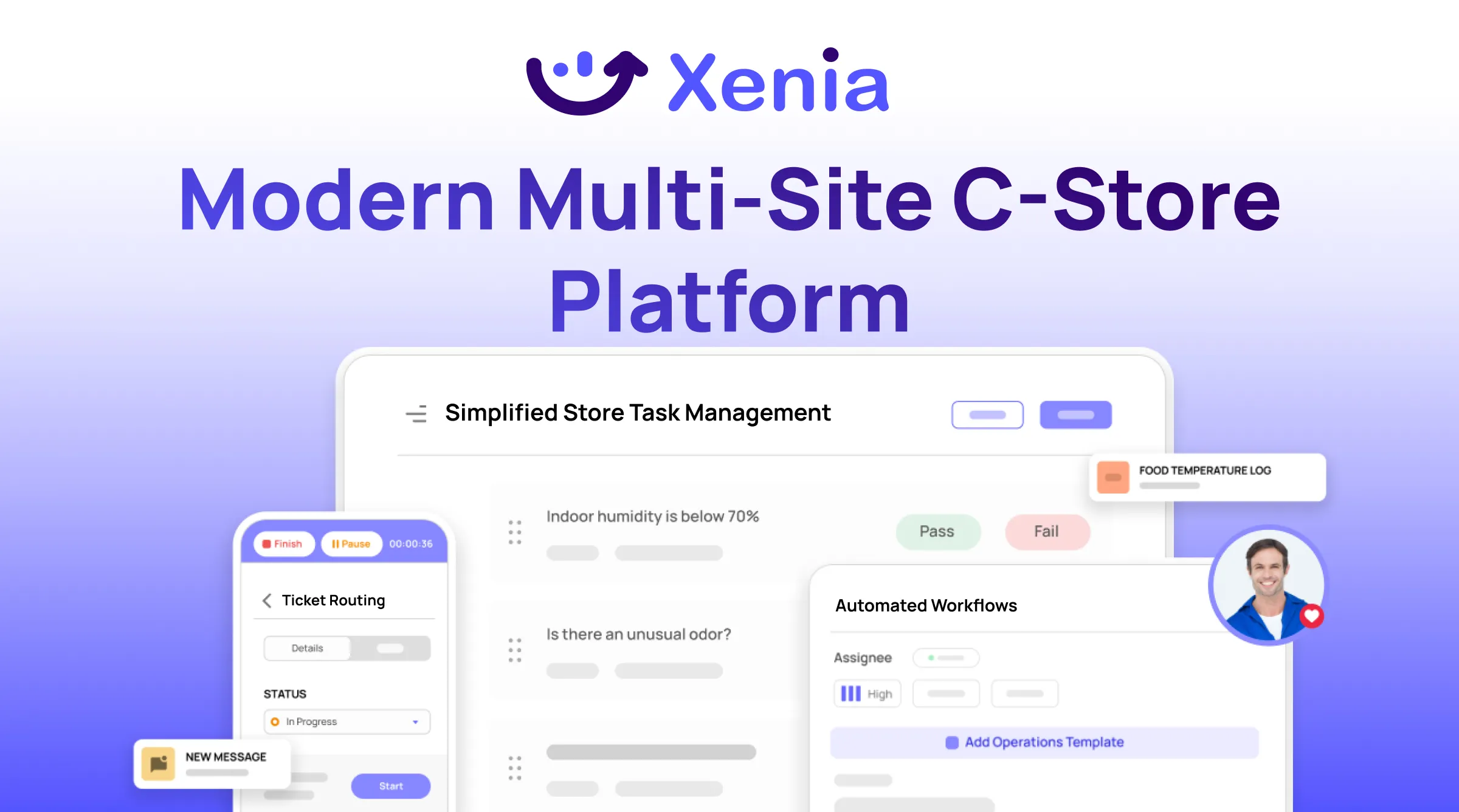
Xenia is a mobile-first operations execution platform built for multi-location C-store operators. It turns paper checklists into digital workflows that are timestamped, photo-verified, and visible across every location in real time.
- Digital checklists for opening, shift, and closing tasks at every location. Every step timestamped. Every completion logged. Photo evidence required where you need it.
- Food safety tools with IoT temperature monitoring that replace manual cooler checks with continuous automated readings and instant alerts.
- Role-based task assignment so checklist tasks stay with the position, not the person. Staff turnover doesn't create gaps.
- Real-time compliance reporting so district managers can see checklist completion across every location without waiting for a report.
- Multi-location dashboard so regional managers can spot locations consistently missing checklist items before it becomes a compliance problem.
Book a demo to see how Xenia handles daily C-store checklists for your operation.
Conclusion
A convenience store that runs well doesn't happen by accident.
It happens because the right things get checked, logged, and followed up on every shift, every day, at every location. Not most of the time. Every time.
These checklists give you the structure. Opening tasks, shift tasks, and closing tasks organized by the areas that matter most for compliance and customer experience.
The next step is making sure they actually get used. Consistently. Across every location you run.
Xenia turns these checklists into digital workflows that are timestamped, photo-verified, and visible in real time across every location in your network. No paper. No guesswork. Just documented compliance you can prove when it matters.
Want to move your C-store checklists off paper? Book a demo and see how Xenia works for your operation.
Frequently Asked Questions
Got a question? Find our FAQs here. If your question hasn't been answered here, contact us.
How do you make sure checklists are actually completed and not just signed off?

Require photos for key tasks. Use digital completion with timestamps instead of paper sign-off. Build dual-signature requirements into high-risk steps like cash counts and temperature logs. Review completion data regularly and follow up on locations with low rates.
Should convenience store checklists be paper or digital?
Digital is significantly better for multi-location operations. Timestamped records, photo evidence, real-time alerts for missed tasks, and visibility across every location without a physical visit. Paper gives you none of that.
How do you handle a convenience store checklist failure?
Document what failed, when, and why. Assign a corrective action to the right person with a deadline. Follow up to confirm it was fixed. A checklist that flags a problem but generates no action is just an unresolved issue with a timestamp on it.
What is the most important item on a convenience store opening checklist?
Food safety temperatures and fuel pump inspection. A cooler that ran too warm overnight needs to be addressed before any product is sold. A pump with a damaged card reader or fuel issue needs to be fixed before customers use it.
How often should food temperatures be checked in a convenience store?
Every two to four hours at minimum for hot and cold holding equipment. Every check should be logged with the time, the reading, and the name of the person who checked it.
What should a daily convenience store checklist include?
Six areas: forecourt and pumps, food service, coolers and refrigeration, tobacco and age-restricted products, cash and register, and restrooms. Each area needs tasks for opening, mid-shift, and closing to cover the full day.


A Modern, AI-Powered Platform Built Specifically for Frontline Operations
Xenia brings daily operations, maintenance, audits, and compliance into one mobile-first platform. Frontline teams execute work consistently across locations while leadership gets real-time visibility.

Why Multi-Location Operators Choose Xenia:
🤖 AI-Powered Operations, Create digital checklists instantly or convert paper forms with AI. Verify compliance automatically with photo analysis and get instant answers from your operational data.
✅ Daily Operations & Maintenance, Assign work across hundreds of locations in minutes. Report and route issues instantly. Schedule preventive maintenance to catch problems before downtime.
📊 Real-Time Visibility, Track completion, work orders, and performance across all locations through dashboards. Filter by site or asset to spot trends and take action.
Manage operations, maintenance, and compliance across all your locations from one platform

.svg)
.webp)
%201%20(1).webp)

.svg)
%201%20(2).webp)




